10
11
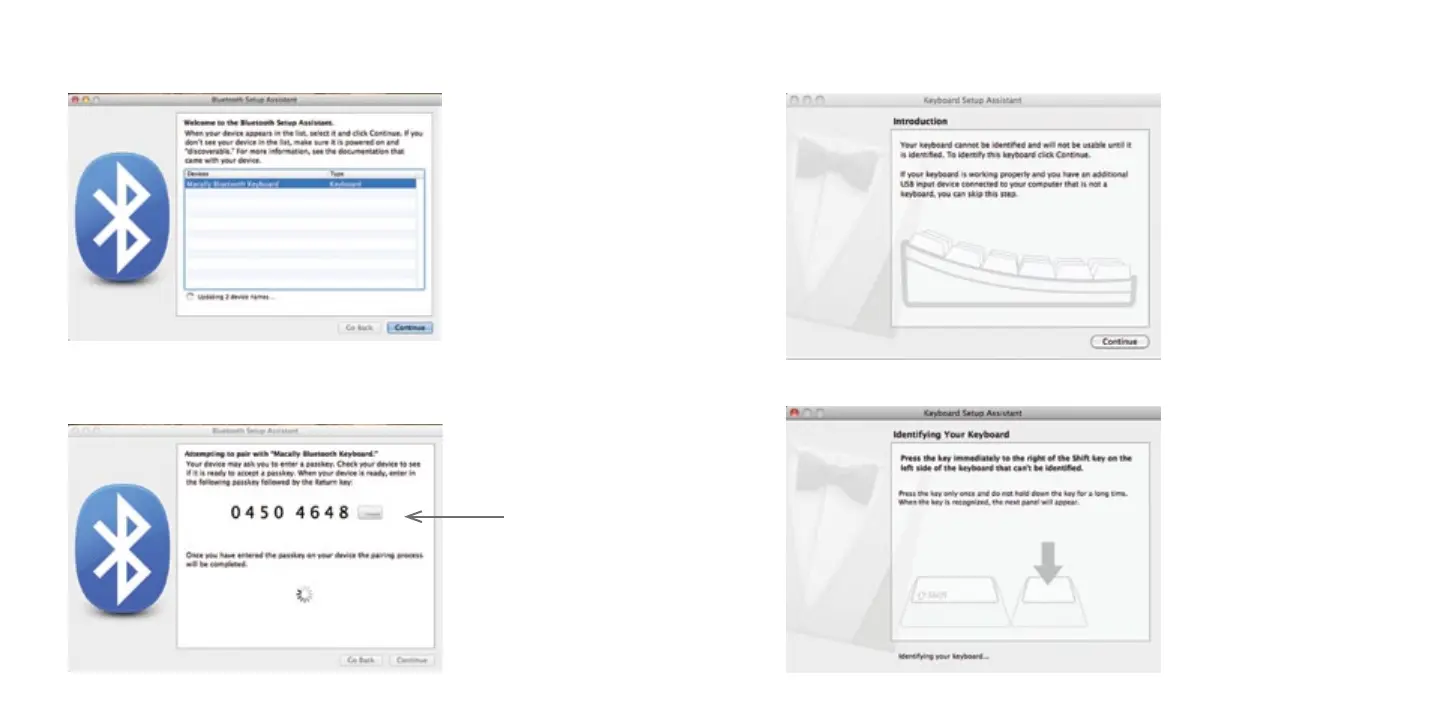
5. When the Bluetooth Setup Assiatant finds a new device called “Bluetooth Wireless Keyboard“
or similar device, please selected it and click “Continue“.
6. Next please follow the instruction to type the passkey numbers (shown on your computer
screen) into the Bluetooth keyboard and press “return“ key in BTkey. Wait 5-8 seconds till
a new screen appears.
Example
7. When Mac prompts you a message, “The keyboard can not be identified...“ please follow
Keyboard Setup Assistant guide to identify keyboard as shown below.


 To Next Page