P0010/082016/Rev.0.0 93
Choosing and getting your beverage
After successfully applying your new settings you can get the drink of your
choice or choose one of the preprogrammed products without changing
the settings.
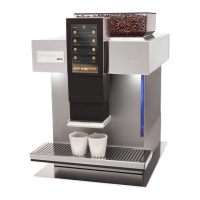
1. Place a cup that is large enough for the chosen beverage under
the spout.
2. Select your beverage from among the options available on the
three product pages and press the respective icon on the screen.
Your drink is now being prepared.
3. Wait until the machine has stopped dispensing the beverage and
take it from under the spout. Enjoy!
Preparing milk containing beverages
When warm milk or milk foam is prepared, the machine will produce steam
to suck the milk out of the milk tube. This process can be accompanied by
a whistling noise or hissing sounds. These sounds are emitted for technical
reasons and are completely normal.
When making milk beverages, make sure to regularly clean the milk
system with MACCHIAVALLEY clean care products to avoid any clogging,
contamination or accidental splashing of milk in the system.
Warning: burn hazard!
Please note that the beverages may be very hot, regardless
whether they are being prepared in “test mode” or selected
from the three preset page choices. Let the beverages cool
down before taking them from under the spout.


 To Next Page