
EasyManua.ls Logo

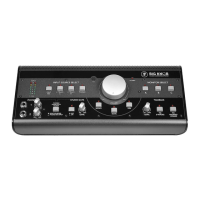
Mackie Big Knob Studio Command System - User Manual

Mackie Big Knob Studio Command System
20 pages
Print Icon
To Next Page IconTo Next Page
Loading...
STUDIOCOMMANDSYSTEM
OperationGuide
INPUT SOURCE(S)
PHONES MIX INPUT
OFF
ON
POWERPOWER
MUTE
DIMMONO
TO
PHONES/
STUDIO
TO
2-TRACKS
LEVEL
LEVEL
1
OO
MAX
OO
MAX
2
OO
MAX
OO
MAX
TALKBACK
STUDIO OUTS
INPUT SOURCE SELECT
PHONES/
STUDIO OUTS
SOURCE
DAW
MIX
2-TRACK
A
2-TRACK
B
PHONO
MONITOR SELECT
A B C
OL
8
0
4
8
24
INPUT
PHONES
0
=
+
4dBu
VOLUME
MAX
OO
MIC

Questions and Answers

  • J
    Jennifer AshleyAug 6, 2025
    What to do if Mackie Big Knob Studio Command System Stereo Equalizer has no sound in the PHONES or STUDIO outputs?
    • M
      Michael ReedAug 6, 2025
      If you're not getting sound from the PHONES or STUDIO outputs on your Mackie Stereo Equalizer, first ensure the PHONES/STUDIO OUTS SOURCE button on the front panel is up, which selects INPUT SOURCES. Then, check that the PHONES or STUDIO Level control is turned up. Finally, verify that the STUDIO OUTS ON/OFF button is ON.
  • N
    Natalie BoothAug 14, 2025
    How to fix a Mackie Big Knob Studio Command System that has no power?
    • J
      Jillian LawsonAug 14, 2025
      If there's no power to your Mackie Stereo Equalizer, check if it's plugged in. Also, make sure the power cord is securely seated in the AC socket and plugged in all the way.
  • S
    Shelly BullockAug 21, 2025
    What to do if Mackie Stereo Equalizer has no sound in the MONITOR OUTPUTS?
    • L
      Luis LoweAug 21, 2025
      If you are experiencing no sound in the MONITOR OUTPUTS of your Mackie Stereo Equalizer, ensure that the correct MONITOR SELECT button is pushed in and the trim control for the MONITOR OUTPUT is set correctly. Also, verify that the cable connecting the MONITOR OUTPUT to the active speaker or power amplifier isn’t defective and that the amplifier/speaker combination is working correctly.
  • B
    Benjamin BlakeOct 29, 2025
    How to troubleshoot bad sound on Mackie Big Knob Studio Command System?
    • M
      Maria BowmanOct 29, 2025
      If your Mackie Stereo Equalizer is producing a bad sound, ensure the AC outlet is live by testing it with a tester or lamp. Also, verify the POWER switch on the rear panel is in the ON (up) position. Check if the input connector is fully plugged into the jack. If the sound is loud and distorted, adjust the trim control and level switch for the selected input correctly, and reduce the signal level on the input source if possible. For turntables connected to the PHONO inputs, ensure the ground wire is connected to the GND terminal. If no turntable is connected, make sure the PHONO INPUT SOURCE SELECT button is not pushed in, and the RCA shorting plugs are connected to the PHONO inputs when not in use. You can also check the signal cables between the input sources and the Mackie Stereo Equali...

Summary

Important Safety Instructions

General Safety Guidelines

Covers safe usage, installation, cleaning, and servicing advice for the apparatus.

Hearing Protection and Noise Exposure

Details on noise levels and the risk of hearing loss, with recommended exposure limits.

Getting Started

Zero the Controls

Initial setup procedure to set all controls to zero before powering on the unit.

Connections

Guidance on connecting the power cord and audio interface for initial setup.

Set the Levels

Monitor Setup

Connecting and setting up studio monitors (A, B, C) and studio outputs.

Recording Setup

Connecting 2-Track recorders and setting input/output levels for recording.

Hookup

Monitor Connections

Wiring diagram and instructions for connecting various studio monitors and amplifiers.

Headphone and Talent Monitoring

Connecting headphone amplifiers and setting up custom mixes for talent monitoring.

Recording Device Connections

Connecting DAT/cassette recorders for recording playback and signal routing.

Big Knob Features - Front Panel

INPUT SOURCE SELECT Section

Explains how to select and route up to four stereo input sources simultaneously.

INPUT METERS

Details the six-segment input level meters and their reference points.

VOLUME Control

Explains the main volume knob's function and range for monitor outputs.

MONO and MUTE Controls

Describes the function of the MONO and MUTE buttons for monitor outputs.

Big Knob Features - Front Panel

DIM Control

Function of the DIM button to reduce monitor output volume by 20 dB.

POWER LED

Indicates when the Big Knob unit is powered on.

MONITOR SELECT Controls

Routing selected input sources to MONITOR A, B, and C outputs.

PHONES 1 and 2 Controls

Headphone outputs and their independent level controls for listening.

PHONES;STUDIO OUT SOURCE Button

Selects signal source for headphone and studio outputs.

Big Knob Features - Front Panel

STUDIO OUTS ON;OFF and LEVEL

Controls for turning studio outputs on/off and adjusting their level.

TALKBACK Controls

Controls for talkback microphone level, activation, and routing.

Rear Panel - SOURCES

2-TRACK A Inputs

Stereo inputs for the first external 2-track recorder.

Rear Panel - SOURCES

2-TRACK Input and Control Details

Details for 2-Track A and B inputs, including level switches and trim controls.

DAW MIX Input and Control Details

Details for DAW MIX inputs, including level switches and trim controls.

PHONO Input and Control Details

Details for PHONO inputs, including RIAA preamplification and grounding.

DAW PHONES MIX INPUT

Input for a custom headphone mix from the DAW.

Rear Panel - SOURCES

DAW PHONES MIX Level Switch

Sets input level for DAW Phones Mix inputs.

TALKBACK FOOTSWITCH

Connector for external momentary footswitch to activate talkback.

OUTPUTS

MONITOR Output Details

Stereo outputs for studio monitors and their sensitivity adjustment trims.

2-TRACK Output Details

Stereo outputs for recorders and their level setting switches.

DAW OUTPUTS Details

Stereo outputs to the DAW interface and their level setting switch.

OUTPUTS

PHONES AMP and STUDIO OUT Signal Path

How signal is fed to headphone and studio outputs based on source selection.

PHONES AMP OUTPUTS and Level Switch

Connectors for headphone amps and their output level switch.

STUDIO OUTS and Trim Control

Connectors for studio monitors and their sensitivity adjustment trim.

Rear Panel Power Connectors

Power input socket, main power switch, and AC voltage selector switch.

Appendix A: Service Information

Warranty Service

Guidance on obtaining warranty service and support.

Troubleshooting Common Issues

Steps to diagnose and resolve common problems like no power, no sound, or noise.

Repair Information

Technical Support Contact

Appendix B: Connections

Audio Connector Types

Explains TRS, TS phone, and RCA connectors used for audio signals.

Talkback Footswitch Connection

Details the 1/4" TS connector for the talkback footswitch.

Appendix C: Technical Info

Big Knob Specifications

Detailed technical specifications of the Big Knob unit.

Input VU Meters

Talkback Section Specifications

Physical Dimensions and Weight

AC Power Requirements

Big Knob Block Diagram

Big Knob Limited Warranty

Mackie Big Knob Studio Command System Specifications

General IconGeneral
BrandMackie
ModelBig Knob Studio Command System
CategoryStereo Equalizer
LanguageEnglish
