Part No. SW1192 Rev. A 12/16
©2016 LOUD Technologies Inc. All Rights Reserved.
3
Owner’s Manual
Owner’s Manual
Like us
Follow us
Watch our dang videos
Important Safety Instructions ...........................................................2
Introduction .....................................................................................3
Table Of Contents .............................................................................3
Big Knob Features ............................................................................4
Quick Start.......................................................................................4
Hookup Diagrams ............................................................................5
A Quick Looksie at the Big Knob Studio Series ..................................7
Rear Panel Description ....................................................................9
1. Power Connector ..............................................................9
2. Power Switch ................................................................... 9
3. USB Input / Output Jack ..................................................9
4. USB Rec Src Select Switch ...............................................10
5. XLR and 1/4” Combo Inputs ..........................................10
Phantom Power .................................................................10
6. 1/4” Source Inputs ........................................................11
7. +4 dB / –10 dB Level Switch .........................................11
8. Aux Mix | Cue In 1/4” Inputs [Big Knob Studio
+
] ..........11
Internal Talkback Mic (on Top Panel) ...................................11
9. Talkback Mic XLR Input [Big Knob Studio
+
] .....................11
10. Talkback Int / Ext Switch [Big Knob Studio
+
] ...............12
11. 1/4” Footswitch Jack [Big Knob Studio
+
] ....................12
Outputs Overview ..............................................................12
12. 1/4” 2-Track Outputs .................................................. 12
13. +4 dB / –10 dB Level Switch .......................................13
14. 1/4” Studio/Phones Amp Outputs [Big Knob Studio
+
] 13
15. 1/4” Monitor Outputs .................................................13
Contents
Front Panel Description ..................................................................13
16. 1/8” Stereo Line Input ...............................................13
17. 1/4” Phones Jacks ......................................................13
Top Panel Description .....................................................................14
18. Mic/Line/Inst Gain Knobs ...........................................14
19. Trim Knobs ..................................................................14
20. +48V Phantom Power Switch [Ch.1 and 2 Only] .........14
21. Stereo Pan Switch [Ch.1–2] ........................................14
22. Input / 2-Track Source Select Buttons ...........................14
23. Cue Source Knob [Big Knob Studio
+
] .............................15
24. Direct Monitoring Knob ................................................15
25. Phones Knobs and 2-Track / Cue Switches ..................15
26. Studio Outs On / Off Button ........................................15
27. Studio Outs Level Knob ................................................15
28. Input Meters ................................................................16
29. Volume Knob [aka Big Knob] ........................................16
30. Mono Button ................................................................16
31. Mute Button .................................................................16
32. Dim Button ...................................................................16
33. PWR / USB / +48V LEDs ............................................16
34. Monitor Select Buttons .................................................17
35. Trim Knobs ...................................................................17
36. Talkback Level Knob .....................................................17
37. To 2-Track Button [Big Knob Studio
+
] ...........................17
38. To Cue Button ...............................................................17
Appendix A: Service Info ................................................................18
Troubleshooting / Repair ....................................................18
Appendix B: Technical Information ..................................................19
Big Knob Specifications ..........................................................19
Big Knob Dimensions ..............................................................20
Big Knob Block Diagrams .......................................................22
Big Knob Limited Warranty ............................................................24
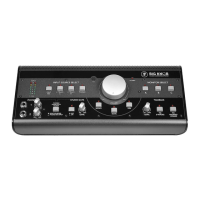
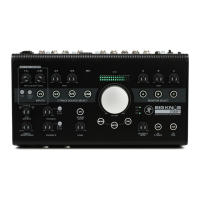
Introduction
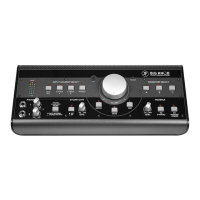
The Big Knob Studio and Big Knob Studio
+
combine
premium recording with the proven performance of the
world’s bestselling monitor controller.
Capture world-class recordings via dual Onyx™
preamps and professional studio features like zero-
latency overdubbing and built-in talkback for artist
communication.
Easily select from sources – including USB playback
from your DAW – and switch between studio monitors.
Only Big Knob Studio and Big Knob Studio
+
ensure
balanced listening levels, offering independent gain trim
on all inputs and outputs.
Two separate headphone outs are available, each
with separate level control. Plus, there’s even a handy
front-panel input for your smartphone.
Big Knob Studio and Big Knob Studio
+
are the
ultimate compact studio solutions – just add monitors.



 To Next Page