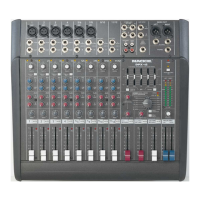
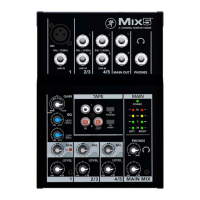
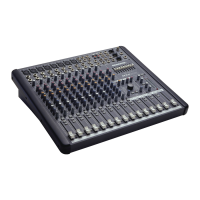
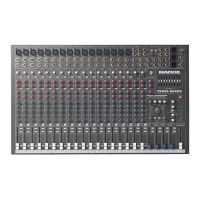
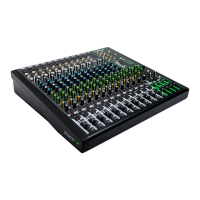
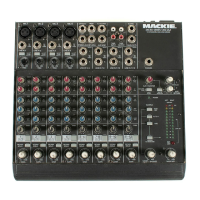
DFX SERIES
OWNER’S MANUAL
DFX•6 AND DFX•12
6- AND 12-CHANNEL MIXERS
WITH DIGITAL EFFECTS
dB
30
20
10
OO
40
50
5
5
U
60
10
dB
30
20
10
OO
40
50
5
5
U
60
10
dB
30
20
10
OO
40
50
5
5
U
60
10
dB
30
20
10
OO
40
50
5
5
U
60
10
dB
30
20
10
OO
40
50
5
5
U
60
10
dB
30
20
10
OO
40
50
5
5
U
60
10
dB
30
20
10
OO
40
50
5
5
U
60
10
dB
30
20
10
OO
40
50
5
5
U
60
10
dB
30
20
10
OO
40
50
5
5
U
60
10
dB
30
20
10
OO
40
50
5
5
U
60
10
dB
30
20
10
OO
40
50
5
5
U
60
10
dB
30
20
10
OO
40
50
5
5
U
60
10
dB
30
20
10
OO
40
50
5
5
U
60
10
dB
30
20
10
OO
40
50
5
5
U
60
10
MAIN MIX
LEFT RIGHT
AUX 2/
EFX
RETURN
CD/TAPE
RETURN
AUX 1
RETURN
1234
5
/
6
7
/
8
9
/
10
11
/
12
AUX 2
/EFX
SEND
AUX 1/MON SEND
PAN
PAN
PAN PAN
PAN
PAN
PAN PAN
R
L
R
L
R
L
R
L
R
L
R
L
R
L
R
L
2
EFX
2
EFX
2
EFX
2
EFX
AUX
1
MON
AUX
1
MON
2
EFX
2
EFX
2
EFX
2
EFX
AUX
1
MON
AUX
HI
12k
EQ
HI
12k
LOW
80Hz
EQ
1
MON
AUX
1
MON
AUX
HI
12k
LOW
80Hz
EQ
HI
12k
EQ
HI
12k
LOW
80Hz
EQ
HI
12k
LOW
80Hz
EQ
1
MON
AUX
1
MON
AUX
1
MON
HI
12k
LOW
80Hz
EQ
HI
12k
EQ
LOW
80Hz
LOW
80Hz
GAIN
GAIN
11/129/10
GAINGAIN
GAIN
12345/67/8
GAIN
GAIN
GAIN
DFX
·
12
12 CHANNEL INTEGRATED LIVE SOUND MIXER
75 Hz 75 Hz 75 Hz 75 Hz
LOW CUT LOW CUT
LOW CUT LOW CUT
LOW
80Hz
DIGITAL STEREO
EFFECTS PROCESSOR
LEVEL SET
DELAY 1
BYPASS
(EFFECTS TO
STAGE MONITOR)
REVERSE
GATE
CATHEDRAL
LG. HALL
MD. HALL
LG. PLATE
MD. PLATE
SM. ROOM
DELAY 2
DELAY 3
DELAY 4
CHORUS
FLANGE
PHASER
SPRING
VOCAL
ELIMINATOR
BREAK
SWITCH
(MUTES ALL MIC CHANNELS)
BYPASS
EQ
MAIN
AUX 1
–
12
+12
0
12K3.5K
–
12
+12
0
60
250 1K
16
12
8
4
0
4
8
12
16
20
24
30
CLIP
LEFT RIGHT
PHANTOM POWER
+48V
POWER
NORM
PHONES
dB
30
20
10
OO
40
50
5
5
U
60
10
LEVEL
SET
LEVEL
SET
LEVEL
SET
LEVEL
SET
LEVEL
SET
LEVEL
SET
LEVEL
SET
LEVEL
SET
-
20dB
+
30dB
MIN
+50
MIC
U
-
20dB
+
30dB
MIN
+50
MIC
U
-
20dB
+
30dB
+50
MIC
U
-
20dB
+
30dB
MIN
+50
MIC
MIN
U
+15-15
U
+15-15
U
+15-15
U
+15-15
U
+15-15
U
+15-15
U
+15-15
U
+15-15
U
+15-15
U
+15-15
U
+15-15
U
+15-15
U
+15-15
U
+15-15
U
-
20dB
+
20dB
U
-
20dB
+
20dB
U
-
20dB
+
20dB
U
U
+15-15
U
+15-15
U
-
20dB
+
20dB
U
OO
+6
OO
MAX
U
OO
+6
U
OO
+6
U
OO
+6
U
OO
+6
U
OO
+6
U
OO
+6
U
OO
+6
U
OO
+6
U
OO
+6
U
OO
+6
+6
+6
U
OO
+6
U
OO
+6
U
OO
+6
OO
+6
U
OO
+6
U
OO
+6
OL
U
OO
U
U
OO
OL OL OL OL
OL OL OL
9/10
11/12
MAIN OUT
1
1
MON
L
R
AUX SEND
STEREO AUX
RETURN
LEFT
7/8
5/6
MIC
MIC
4
MIC
3
MIC
2
1
MIC
MIC
BAL/UNBAL
L
LINE IN
BAL/UNBAL
L
RR
BAL/UNBAL
LINE IN
L
LINE IN
L
RR
LINE IN
BAL/UNBAL
BAL/UNBAL
LINE IN
INSERT
BAL/UNBAL
LINE IN
INSERT
BAL/UNBAL
LINE IN
INSERT
BAL/UNBAL
LINE IN
INSERT
(MONO) (MONO)(MONO) (MONO)
2
CD/TAPE
IN
TAPE
OUT
LL
RR
(MONO)
EFX
FOOT
SWITCH
PHONES
2
EFX
RIGHT
BAL/UNBAL
MUTE
MUTE
MUTE
MUTE
MUTE
MUTE
MUTE
MUTE MUTE
MUTE
MUTE
100 240 VAC, 50/60 Hz,
30 WATTS
POWER
ON
DFX12 MIXER
12 CHANNEL COMPACT INTEGRATED LIVE SOUND MIXER
CONCEIVED AND DESIGNED BY MACKIE DESIGNS INC • WOODINVILLE • WA • USA • MADE IN CHINA •FABRIQUE AU CHINE • COPYRIGHT ©2001 • THE FOLLOWING
ARE TRADEMARKS OR REGISTERED TRADEMARKS OF MACKIE DESIGNS INC.: "MACKIE", "EMAC", AND THE "RUNNING MAN" FIGURE • PATENT PENDING
SERIAL NUMBER
RISK OF ELECTRIC SHOCK
DO NOT OPEN
REPLACE WITH THE SAME TYPE FUSE AND RATING.
DISCONNECT SUPPLY CORD BEFORE CHANGING FUSE
UTILISE UN FUSIBLE DE RECHANGE DE MÊME TYPE.
DEBRANCHER AVANT DE REMPLACER LE FUSIBLE
WARNING:
TO REDUCE THE RISK OF FIRE OR ELECTRIC SHOCK, DO NOT
EXPOSE THIS EQUIPMENT TO RAIN OR MOISTURE. DO NOT REMOVE COVER.
NO USER SERVICEABLE PARTS INSIDE. REFER SERVICING TO QUALIFIED PERSONNEL.
CAUTION
AVI S:
RISQUE DE CHOC ELECTRIQUE — NE PAS OUVRIR
MANUFACTURING DATE
TIP OUT TO EFFECTS DEVICE
RING RETURN FROM EFFECTS
STEREO
PLUG
FOR USE AS AN EFFECTS LOOP
(TIP = SEND, RING = RETURN )
DIRECT OUT W ITH SIGNAL
INTERRUPTION TO MAST ER
OPTIONAL USES FOR INSERTS
INSERT ALL THE WAY IN TO
THE "SECOND CLICK"
MONO PLUG
MIN
+40
MIN
+40
MIC
MIC
0 = +4dBu

 Need help?

 To Next Page
 General