12
ONYX FireWire Card
ONYX FireWire Card
13
Owner’s Manual
Owner’s Manual
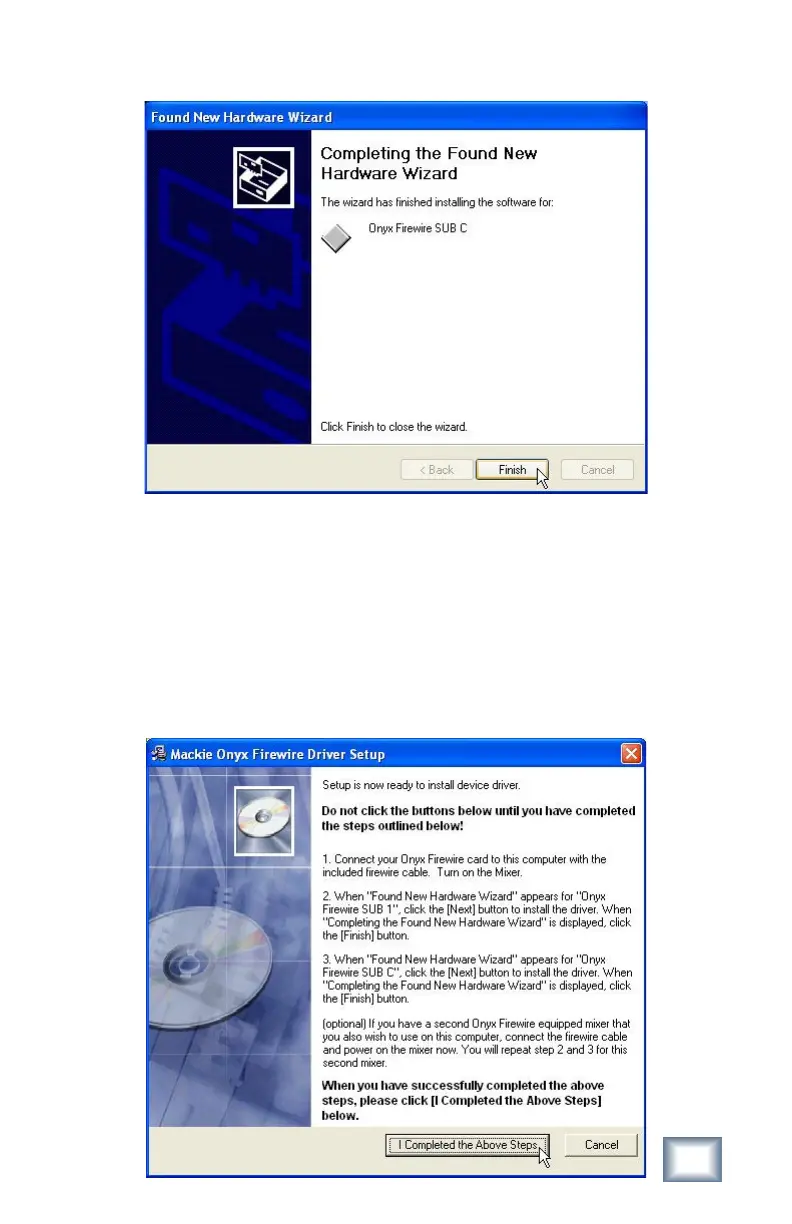
13. When the wizard indicates the installation is nished, click “Finish.”
Now, if you have a second Onyx mixer with a FireWire card installed, it is time to
connect it to your computer and turn it on. If your computer only has one FireWire
connection, you can connect the second FireWire card to one of the unused
FireWire connectors on the rst FireWire card.
14. Repeat steps 10 through 13 for the second mixer. This is necessary because
each FireWire card is assigned a unique device ID.
15. After completing step 13 for the second mixer (or the rst mixer, if you only
have one), click "I Completed the Above Steps" in the Mackie Onyx FireWire
Driver Setup window.



 To Next Page