8
ONYX FireWire Card
ONYX FireWire Card
9
Owner’s Manual
Owner’s Manual
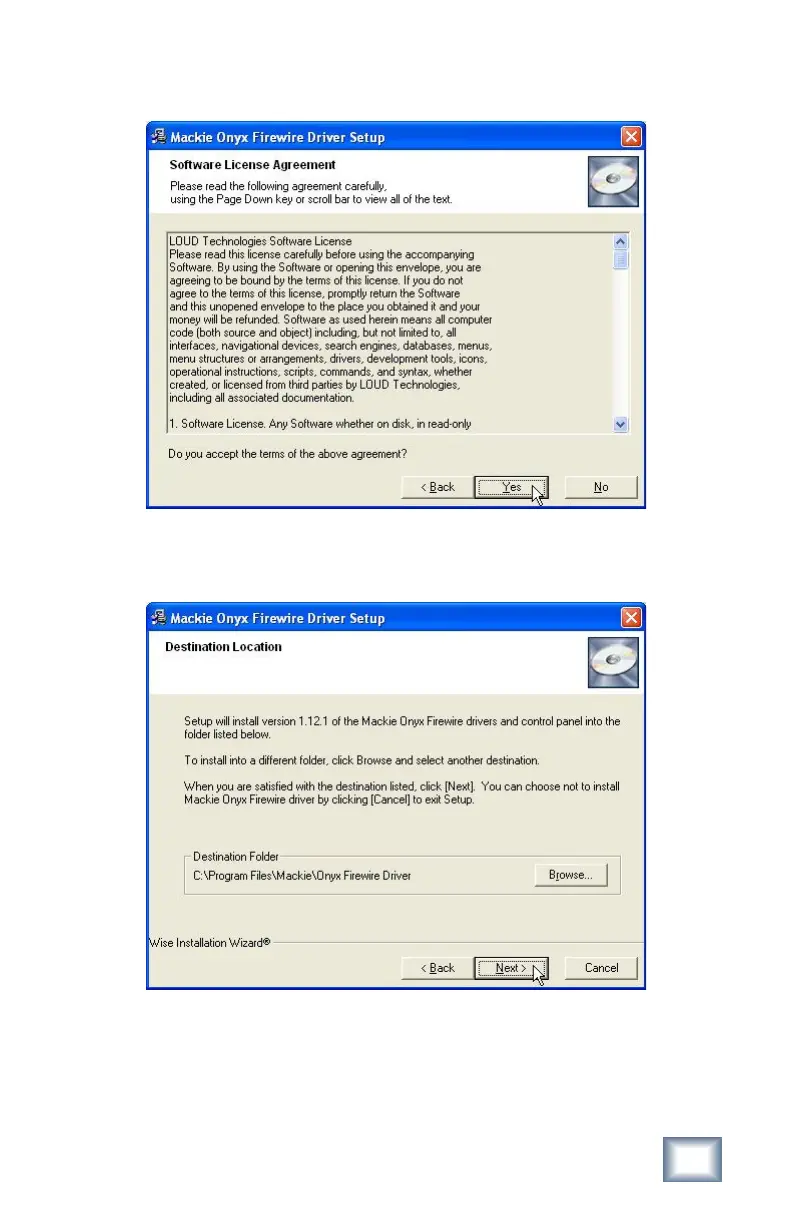
4. The next window displays the Software License Agreement. Click "Yes" to ac-
cept the terms of the agreement.
5. Next is the Destination Location window. We recommend that you install the
drivers in the default location, but you can click the Browse button to select a
different location. Click "Next" to continue.



 To Next Page