MAINSTREAM COMPLETE LIVE STREAMING & VIDEO CAPTURE INTERFACE WITH PROGRAMMABLE CONTROL KEYS
0
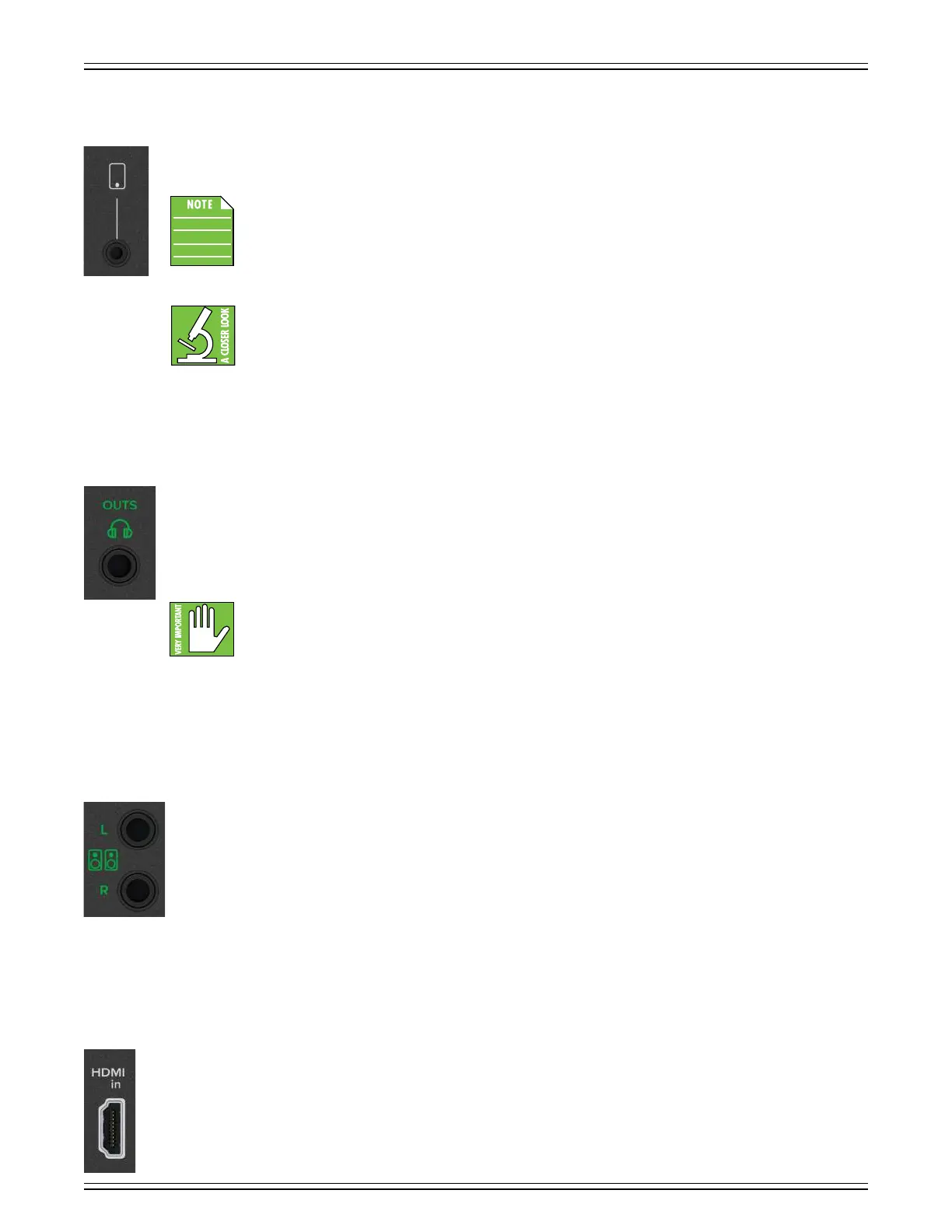
/8" Smartphone Stereo Jack [Channel 2]
Connect a smartphone or tablet to this jack using an /8" TRRS connector. Remote guests are able to interact in real-time
with no echo or loopback due to the built-in Mix-Minus feature.
This jack is always at full max. The volume is adjusted via the device, not the controls on MainStream.
However, the signal may be muted via the mute button.
This jack also accepts an /8" TRS connector. However, with TRRS, the signal may be sent and received;
goes both ways! The signal that’s returned to the smartphone is the mix-minus (so there’s no echo
or loopback for the guest).
1/4" Phones Jack
This /4" TRS connector supplies the output to stereo headphones (or a headphone amplifier). The volume is controlled
via the headphones knob on the top panel. The phones output follows standard conventions:
Tip = Lef channel
Ring = Right channel
Sleeve = Ground
WARNING: The headphone amp is loud and can cause permanent hearing damage. Even intermediate levels
may be painfully loud with some headphones. BE CAREFUL! Always turn the phones level control all the way
down before connecting headphones, or doing anything new that may aect the headphone volume.
Then turn it up slowly as you listen carefully.
/4" Monitor Out L/R Jacks
These /4" balanced stereo output jacks connect to the input of powered monitors. The signal at this output is a stereo
mix of all inputs. This includes channel unless the direct monitor switch is disengaged. The output level is controlled
via the monitor output level knob, located on the front of MainStream. [It’s the small one located on the right-hand side
of MainStream; for reference, the silkscreen printed underneath the knob displays a set of monitors.].
It shouldn’t come as any surprise that we would highly recommend any sized MR Series or CR-X / CR-XBT monitors.
Check the Mackie website for more information!
HDMI Input Jack
Connect one end of an HDMI cable to this jack and the other end to an audio/video device. This could be a video game console,
computer, DSLR camera, etc. The input level is controlled via the HDMI audio level control knob, located on the front
of MainStream. [It’s the small one located in the lower-lef-hand side of MainStream; for reference, the silkscreen printed
underneath the knob displays an HDMI jack.].
The HDMI Type A 2.0 input jack accepts (up to) Category 3 HDMI cable types, delivering a resolution of 4Kp60 (Ultra HD).
The maximum capture resolution is 080p60 (Full HD). The HDMI audio inputs are 24-bits and 48 kHz.



 To Next Page