MAINSTREAM COMPLETE LIVE STREAMING & VIDEO CAPTURE INTERFACE WITH PROGRAMMABLE CONTROL KEYS
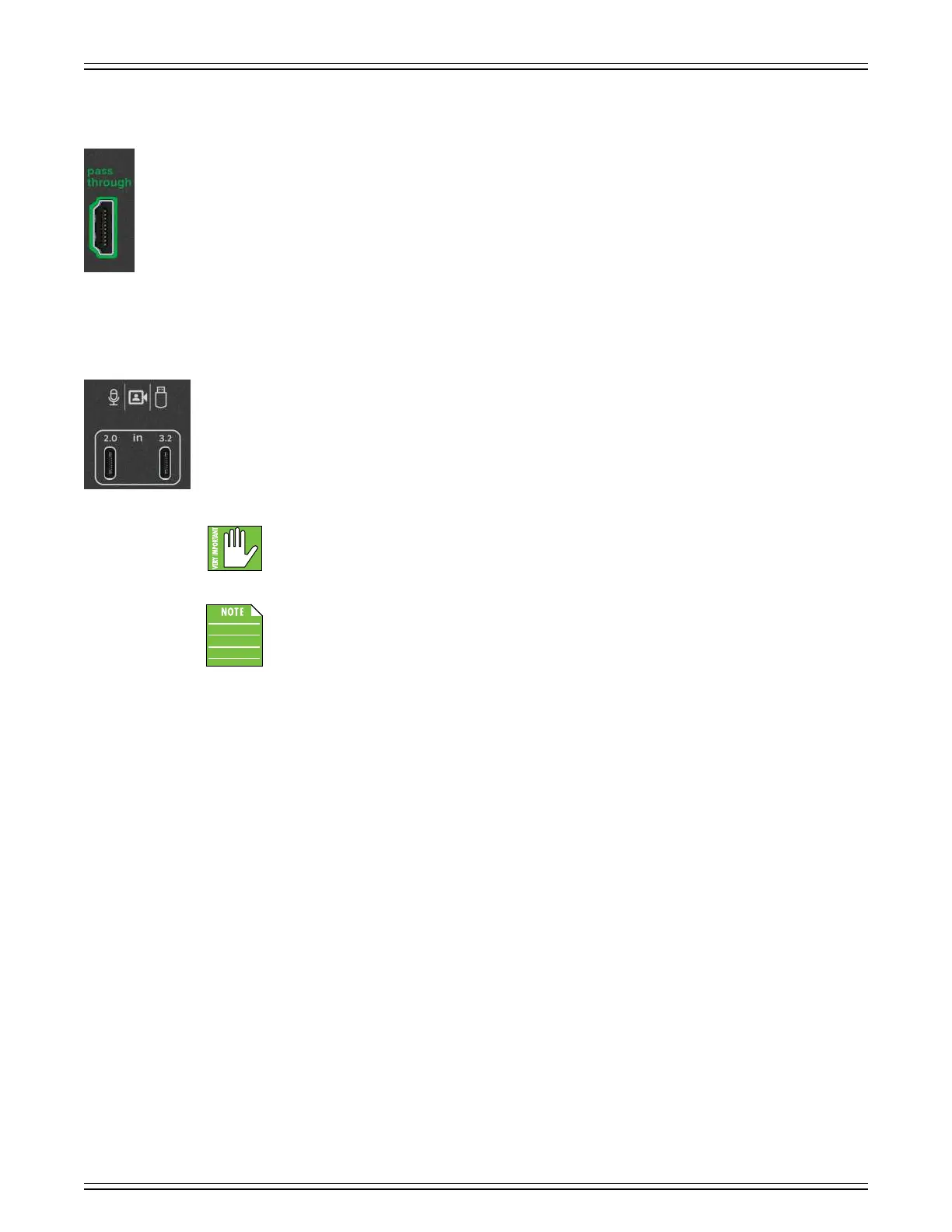
HDMI Passthrough Jack
This HDMI passthrough jack outputs the incoming HDMI input to a computer monitor or TV for low-latency and full
resolution (up to 4K60). It is perfect for gaming in real-time with max resolution. Connect one end of an HDMI cable
to this jack and the other end to a television or computer monitor’s HDMI input. Doing so sends the feed from the HDMI
input to the connected output device (TV / monitor).
The HDMI Type A 2.0 passthrough jack accepts (up to) Category 3 HDMI cable types, delivering a resolution of 4Kp60
(Ultra HD). The maximum capture resolution is 080p60 (Full HD). The HDMI passthrough audio outputs are 24-bits
and 48 kHz.
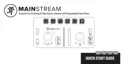
Dual USB-C Input Hub
These dual USB-C inputs essentially act as a USB hub. They are used for sending and receiving audio, video, and data
to a computer. This could be any number of things such as a webcam, USB mic, flash drive, DSLR camera, or just about
any other USB-C source.
These inputs are then sent through to the USB-C output (located just to the lef of these inputs; and because
this connector is also used to power up MainStream, a cable should already be connected to the USB-C output.).
These inputs will appear as independent devices on the receiving computer.
Be sure to use the correct cable for your device. The right input accepts high-quality webcams, mics,
and other USB-C devices. High-quality devices (above 3.0) plugged into the lef input do not work as well.
These USB-C connections are for inputs only. They are not a source of power.
Firmware Updates
The USB-C (power) connector is also utilized for conducting firmware updates.
Please download the firmware updating sofware from the product page to make sure you have the latest.



 To Next Page