MAINSTREAM COMPLETE LIVE STREAMING & VIDEO CAPTURE INTERFACE WITH PROGRAMMABLE CONTROL KEYS
5
Chapter : Welcome
Introduction
Hello everyone! This is the MainStream Owner’s Manual. This document contains detailed information about the MainStream...
we hope you like it!
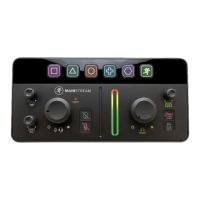
Mackie MainStream is the easiest way to start a pro-quality stream by integrating video, audio and stream control into a single,
powerful device.
Simply connect your mic, game feed and other sources straight into Mackie MainStream for a sleek, all-in-one solution
that puts essential controls right at your fingertips.
MainStream includes the high-quality inputs and outputs you need to create an engaging stream, like USB-C, HDMI
and professional audio connections—plus powerful features like programmable keys that let you trigger samples,
control transitions and engage your online community in new ways.
MainStream includes Mackie Matrix sofware, for total control and customization.
So there you have it. Again, we hope you like it. If you have any questions or comments about this Owner’s Manual
(or other Mackie documentation), please don’t hesitate to contact us:
• -800-898-32 (Monday through Friday, normal business hours, Pacific Time)
• www.mackie.com/support-contact
Features
Rear Panel
• XLR/TRS Combo Mic Input (+48V) (60dB)
• Headset Mic & Return
• Direct Monitoring On/O
• Aux Input
• 1/4" Headphone Out
• 1/4" Monitor Outs
• HDMI Input (080px60fps capture)
• HDMI Passthrough (4k x 60fps)
• Dual USB-C Input Hub
• Single USB-C Interface (Bus Powered)
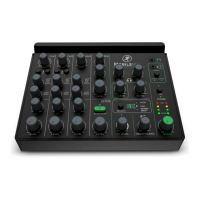
Top Panel
• 6 Multifunction Keys
• Mic Level Control
• Level Indicator
• PC Audio Return Level Control
• HDMI Audio Level Control
• Mic & Aux Mutes
• Stereo Output Metering
• Headphone & Monitor Level Control
• HDMI Audio Mute
• Headphone/Monitor Mute



 To Next Page