BEFORE FIRST USE
• Remove all packaging ( Disposal of packaging).
• Check for completeness and transport damage. In case of damages or incomplete delivery please contact your dealer ( Guarantee).
• Clean the appliance ( Cleaning).
• Place the appliance on a horizontal and stable surface with a maximum incline of 5%.
• Do not expose parts which heat up. Try to position the appliance close to a wall, but leave enough space for ventilation to ensure good circula-
tion and efficiency of the appliance.
• Keep the appliance away from any substance, which can cause ignition.
• Do not position the appliance in direct sunlight or near any heat sources.
• Protect the appliance from moisture, extreme heat or cold.
• Climate class of the appliance: 4. Please see the climate class and matched temperature range for reference:
Test room climate class
Dry bulb temperature Relative humidity
°C %
1 16 80
2 22 65
3 25 60
4 30 55
5 40 40
• Never use an extension cord – risk of overheating! If the power cord (5) does not reach the nearest mains outlet, either rearrange your store
layout or ask qualified personnel to fit a new outlet.
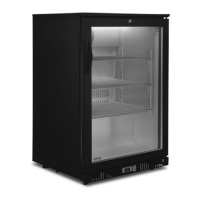
• The appliance is fitted with castors (11), so that you can easily move it from one place to another. Two of four castors have brakes. Warning!
Do not move the appliance across uneven floors or steps.
• If power is cut off, wait for at least 5 minutes before plugging the appliance in again to avoid damaging the compressor.
• Important! Allow the appliance to stand upright for 8 hours before connecting to a mains outlet for the first time, in order to allow the refrigerant
to settle.
• The maximum load for a shelf (4) is 30 kg.
OPERATION
• Connect the power plug (5) with the mains outlet.
• The showcase starts to work.
• The thermostat (digital temperature controller) is located at bottom of the appliance.
• After a few seconds the LED display (12) shows the actual inner compartment (10) temperature. The cooling indicator (15) lights up. The show-
case automatically begins to cool down to the preset temperature.
• After the inner compartment temperature reaches the preset value, the cooling indicator (15) turns off as long as the inner compartment tem-
perature is constant.
• The factory pre-set temperature range is between 2-8 °C. Do not adjust this within the first 24 hours! After 24 hours adjust the temperature
in gradual stages, if necessary.
Temperature adjustment
• Press SET (13). The LED display (12) flashes. Select the desired temperature by pressing buttons (14) and press SET (13) again to
save the settings.
• The LED display (12) shows the actual inner compartment temperature. The cooling indicator (15) lights up. The showcase begins to cool down
to the preset value.
Defrosting
• The appliance is provided with an automatic defrost function. The defrosting automatically starts every 6 hours and last for 20 minutes (factory
setting).
• Please do not change any factory settings! These determine how your appliance works. Changing these settings makes your warranty void.
Contact our service if you have any questions.
Switching the lamps on/off
• Press the ON/OFF switch I/0 (6) to switch on/off the interior lamp (8).
Locking the door
• To lock: insert the key into lock (3), and press and then turn 180° clockwise and take out the key.
• To unlock: insert the key into lock (3) and press lightly, then turn 180° anti-clockwise and take out the key.
47
GB


 To Next Page
 Loading...