7
2. Connection and Operation
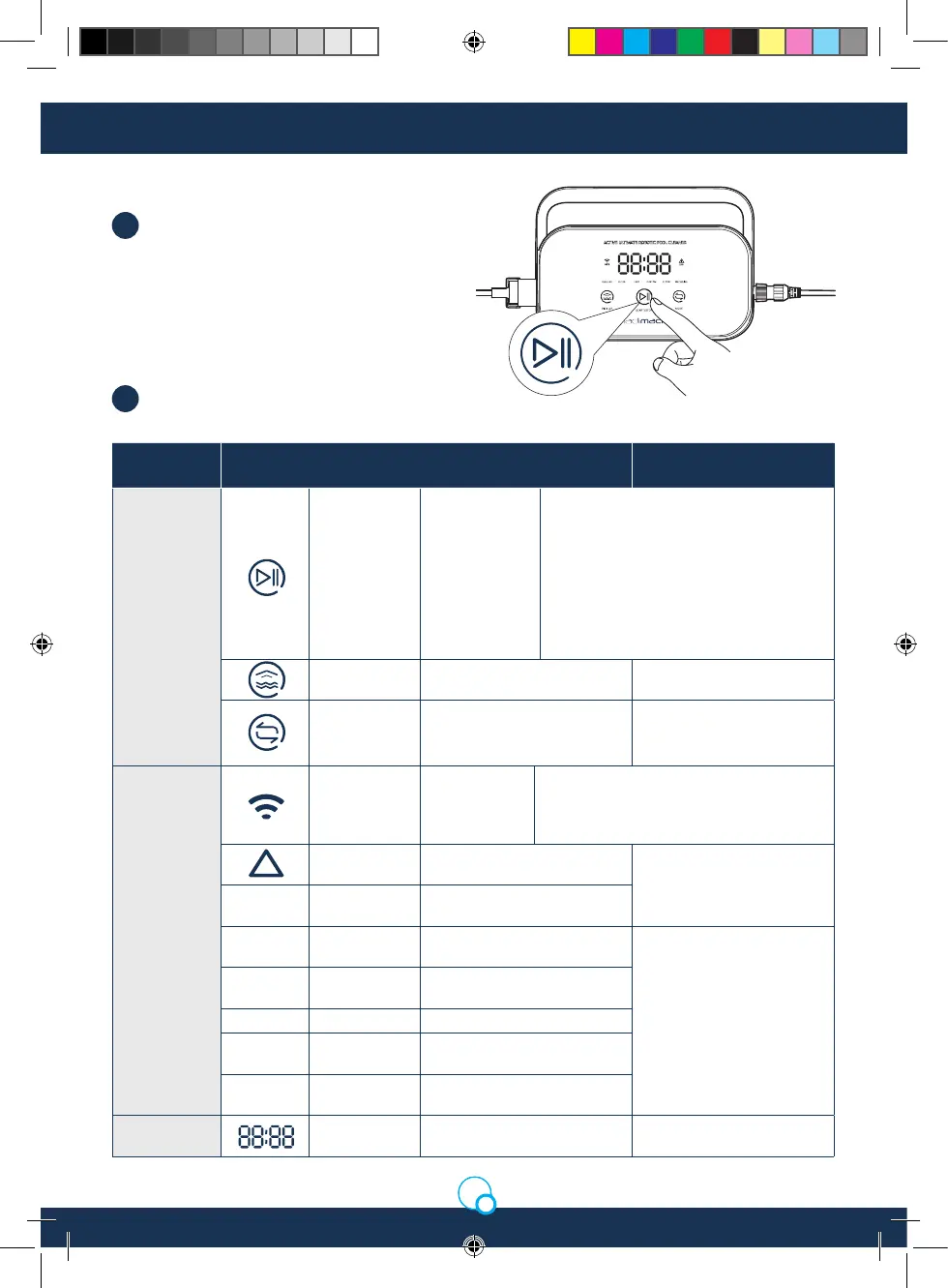
Basic functional operations of the cleaner
can be performed via the control box (more
functions can be experienced using App),
after selecting corresponding mode, the
cleaner can start automatic cleaning of the
swimming pool by clicking START/STOP.
Interface function and indicator light.
2.2 Control Box
1.
2.
Identication Description Light Status
Button
START/
STOP
Short Press:
Start/Suspend;
Long Press:
Stop
The yellow light is on when stopped
cleaning;
The green light is on when starting to clean;
The green light ickers when suspending
the cleaning;
The red light is on in case of abnormality
with the control box;
The red light ickers in case of abnormality
with the cleaner.
Pick up
Short Press: enter the one-
button pick up mode
The light is on when
entering Pick up Mode.
Mode
Switching
Short Press: switch the
cleaning mode (custom
mode shall be set in APP)
The light is on upon
selection.
Indicator
Light
WiFi
Connection
status of the
control box
and WiFi
The light ickers when the mobile phone/
tablet WiFi has access to the control box;
and the light is on after the APP connects
to the cleaner.
Error
The cleaner and the control
box prompt error
The light ickers in case of
abnormalities
REGULAR
Standard
Mode
2h; pool bottom, pool wall
and waterline
ULTRA
Enhancement
Mode
3h; pool bottom, pool wall
and waterline
If selecting this mode, light
of corresponding mode will
be on
FAST
Rapid Mode 1h; pool bottom, pool wall
and waterline
CUSTOM Custom Mode Set in APP
FLOOR
Pool Bottom
Mode
2h; pool bottom
WATER
LINE
Waterline
Mode
2h; pool wall and waterline
Countdown
Display
Cleaning
Countdown
Displays the remaining
cleaning time
/
Madimack Installation Manual GT560.indd 7Madimack Installation Manual GT560.indd 7 19/5/2023 5:06 pm19/5/2023 5:06 pm


 To Next Page