9
3.1 Download Madimack APP
Madimack App: (applicable to iOS 9.0/Android
4.4 and above versions) Scan the QR to
download or visit iOS App Store/Google Play/
Ocial Website of Madimack for downloading.
3.2 Wi-Fi Connection
Turn on control box and nd “Madimack GT560”
on your mobile device setting tab “network
selection” and wait for 10-15s, to connect to
Madimack GT560.
Wi-Fi Password: Enter your Wi-Fi password.
2. Connection and Operation
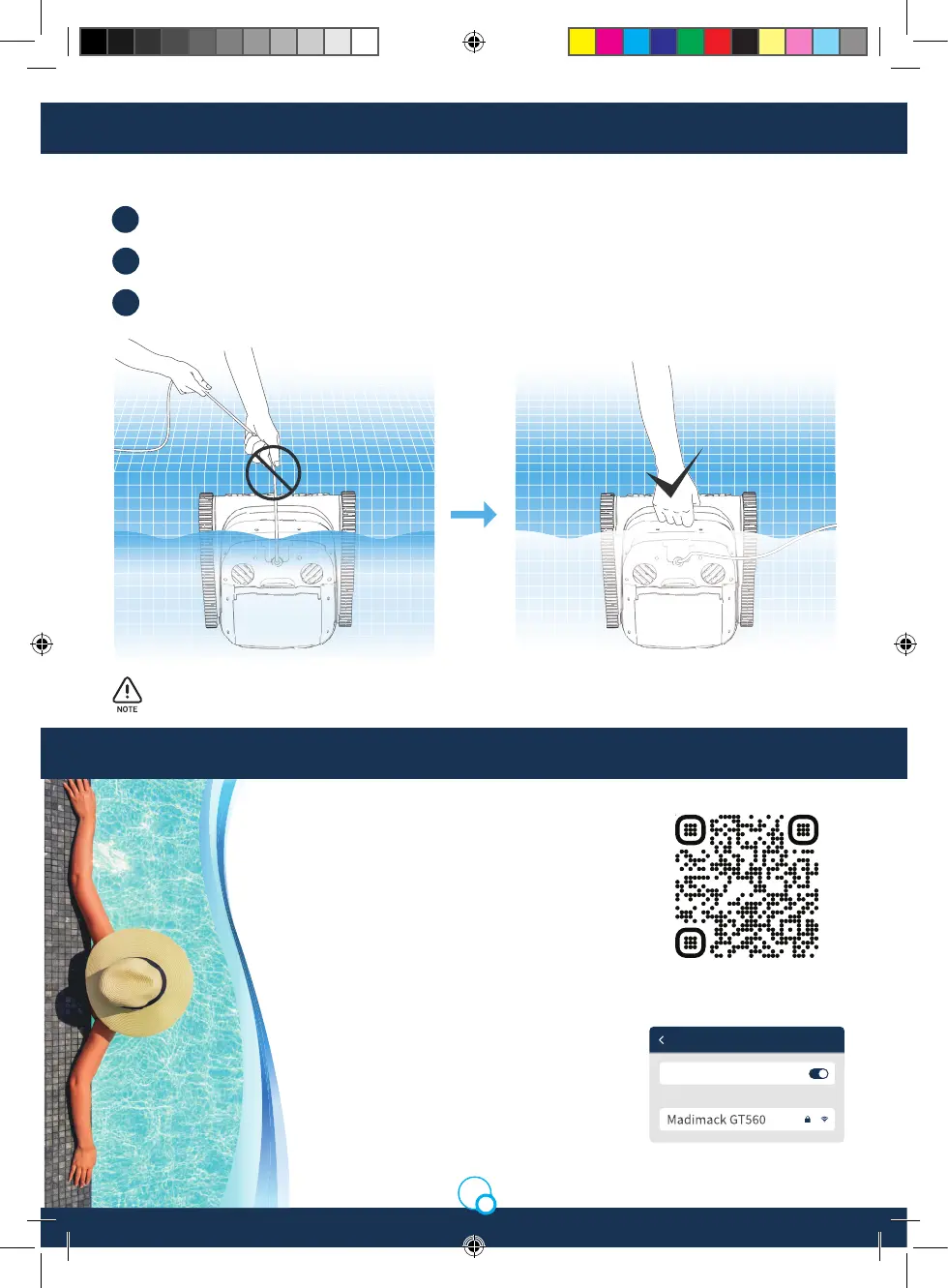
Stop the cleaner.
Metod 2:
1.
Pull the buoyancy cable slightly to enable the cleaner in water to move to water side slowly.
2.
Hold the handle of the cleaner to pull it out of the water, and hang it above the water surface on
pools edge for 10-20s to empty the water inside it.
3.
Do not pull the buoyancy cable directly on water surface, so as to avoid fracture and damage.
3. APP
Wi-Fi
Setting
Wi-Fi
Select network
Madimack Installation Manual GT560.indd 9Madimack Installation Manual GT560.indd 9 19/5/2023 5:07 pm19/5/2023 5:07 pm


 To Next Page