9
PR O C E E D
dap
power
mute
mode
polarity
2 3 4 5
6
1
Front Panel
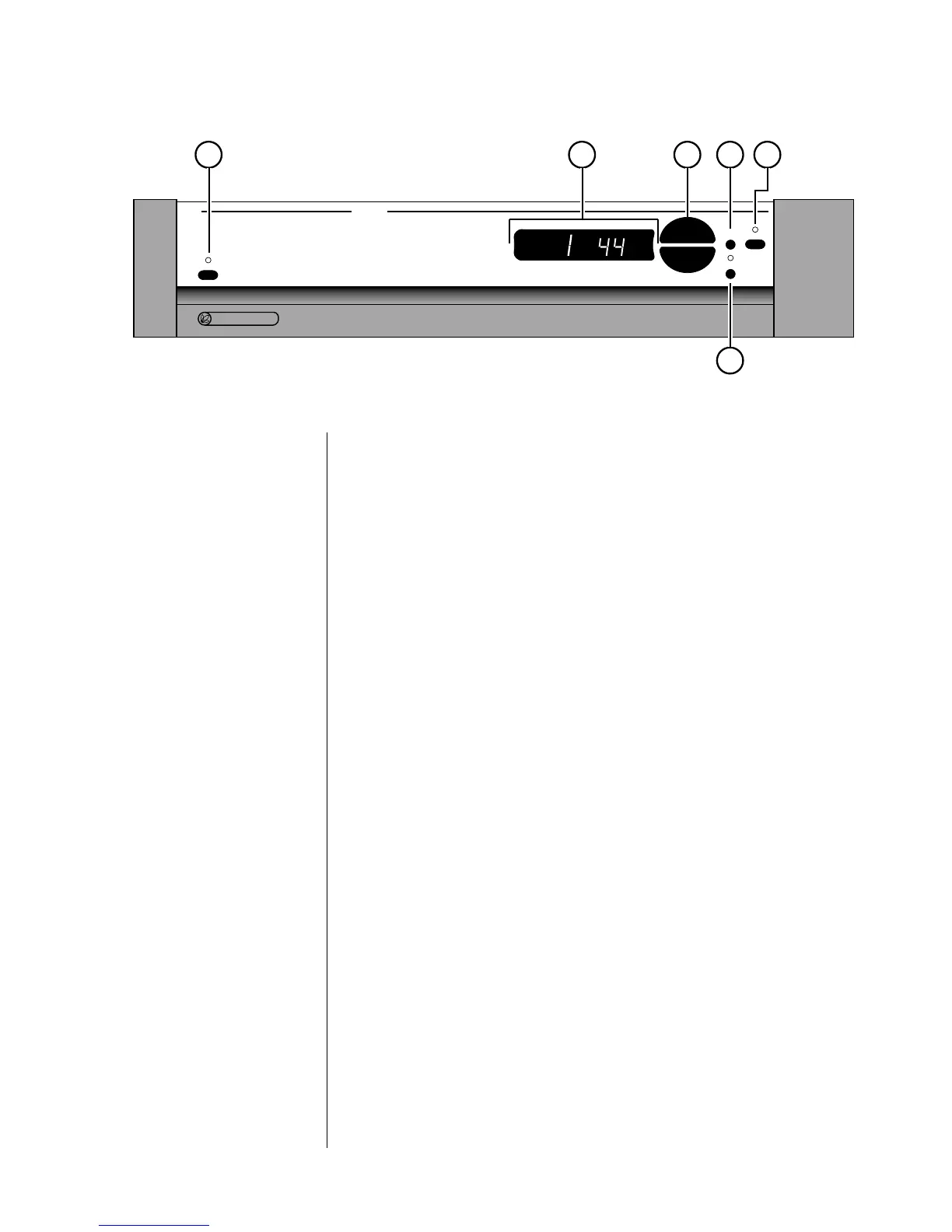
1 STANDBY & STANDBY LED
Assuming that the DAP’s power cord is connected to AC power, pressing
the standby button toggles the unit between standby and operate. When
first powered up, or when power is restored after an interruption, the DAP
will be in standby; pressing this button will bring it out of standby.
While the DAP is in standby, the LED above the standby button is red.
When the DAP is ready to operate (that is, when it is not in standby
mode), this LED is amber. Naturally, when AC power is off, the LED is off.
The benefits of having the DAP always warmed up and ready to go (and
able to respond to a remote control) far outweigh the small amount of
power used while the unit is in standby. We recommend unplugging the
DAP only when you will be away from the house for an extended period
of time (such as during a vacation), or during electrical storms.
2 MAIN DISPLAY
The main display provides information pertaining to the operation of the
DAP, and is used in conjunction with the up/down buttons beside it. Nor-
mally, the main display indicates the number of the selected digital input (1
through 5) and the sampling frequency it is currently locked on (32, 44, or
48 kHz).
If an HDCD
®
recording is played, the display will flash hd and cd several
times, and then remain on hd to indicate that decoding is taking place.
If the DAP is placed into its variable output mode, the main display will
indicate the relative volume on a scale of 0–99. (See the discussion of the
mode button, below.)


 To Next Page