Page 6 Overview
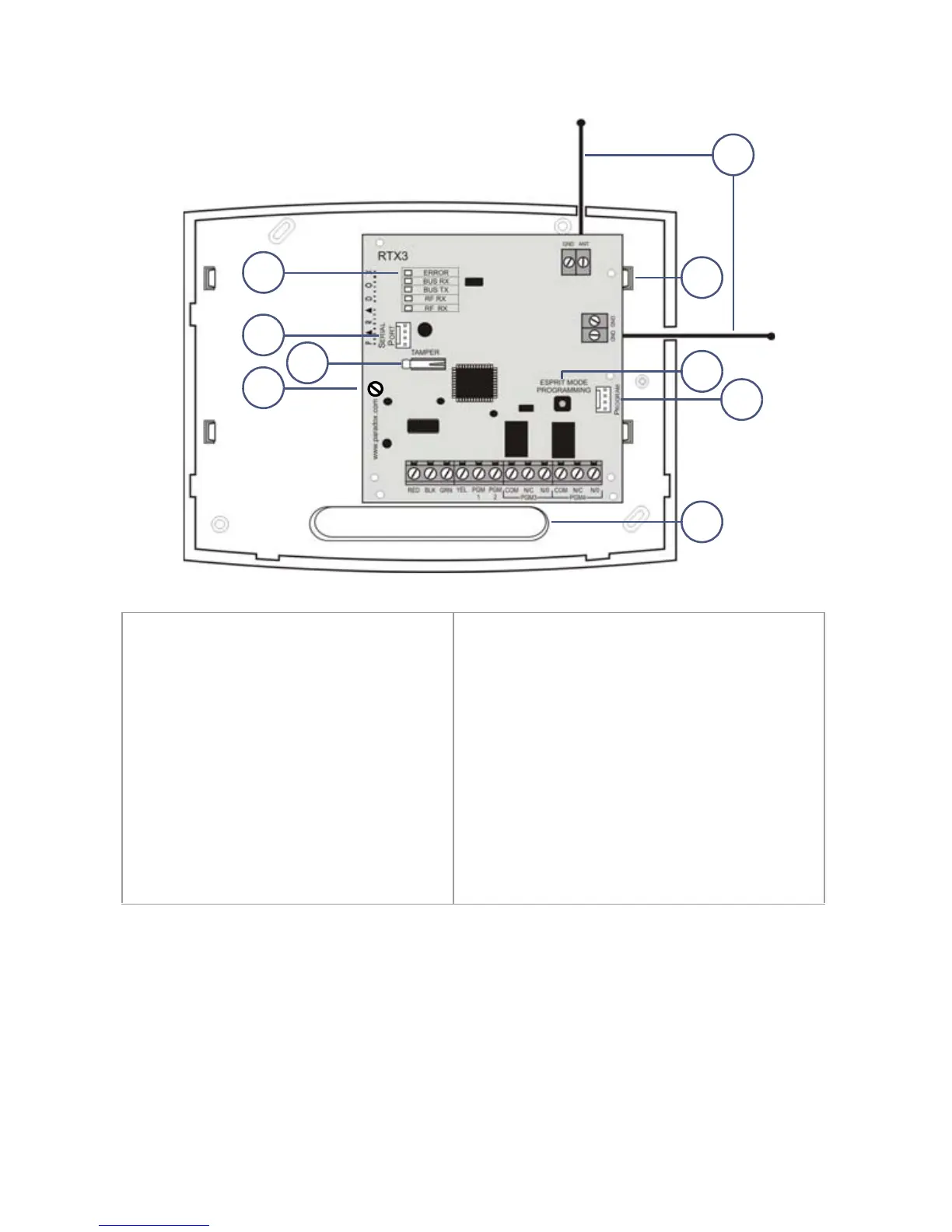
1. LED display
(see LED Feedback on page 8)
2. Firmware upgrade serial
connection (see Firmware
Upgrade on page 18)
3. Anti-tamper switch
4. PCB screw
5. Antennas
6. Mounting clips
7. Esprit Mode Programming button:
Press to enter programming mode in
Esprit mode (see Programming for
Esprit and Stand Alone on page
page 15). Also used for system reset
(see System Reset on page 7).
8. Connect the Esprit 636/646 LED
keypad to the “Program” connector
to program in Esprit and Stand Alone
mode.
9. Wiring slot


 To Next Page