5
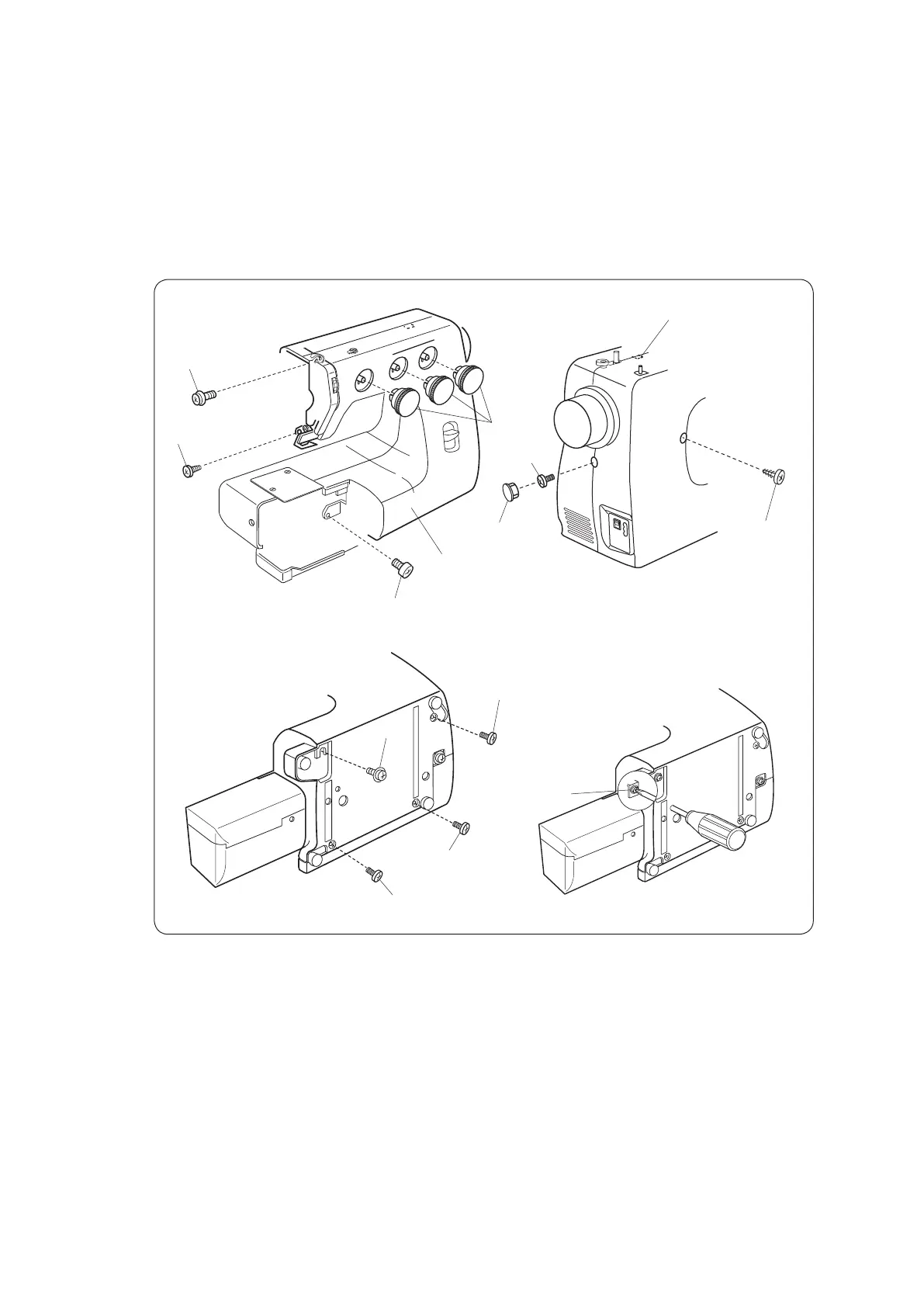
SERVICE ACCESS (1)
FRONT COVER
(D)
(A)
(E)
(G)
Dial
(B)
(F)
(H)
(K)
(C)
(I)
(J)
Cap
Front cover
TO REMOVE
1. Remove the face cover (see page 4).
2. Remove the dials.
3. Loosen the setscrew (A), (B), and (C), and then, remove the front cover by removing
the setscrews (D), (E), (F), (G), (H), (I), and (J).
Note: Unhook the tab (K) from the rear cover when removing the front cover.
TO ATTACH
4. Follow the above procedure in reverse.


 To Next Page