HOW TO OPERAT E
Starting your new Refrigerator
1. Clean the refrigerator thoroughly. Wipe the outside with a soft dry cloth, the
interior with a damp cloth.
2. Insert the power supply cord into the socket.
3. Turn the thermostat dial to “7”. Close the door and let the refrigerator
operate for 15-20 minutes.
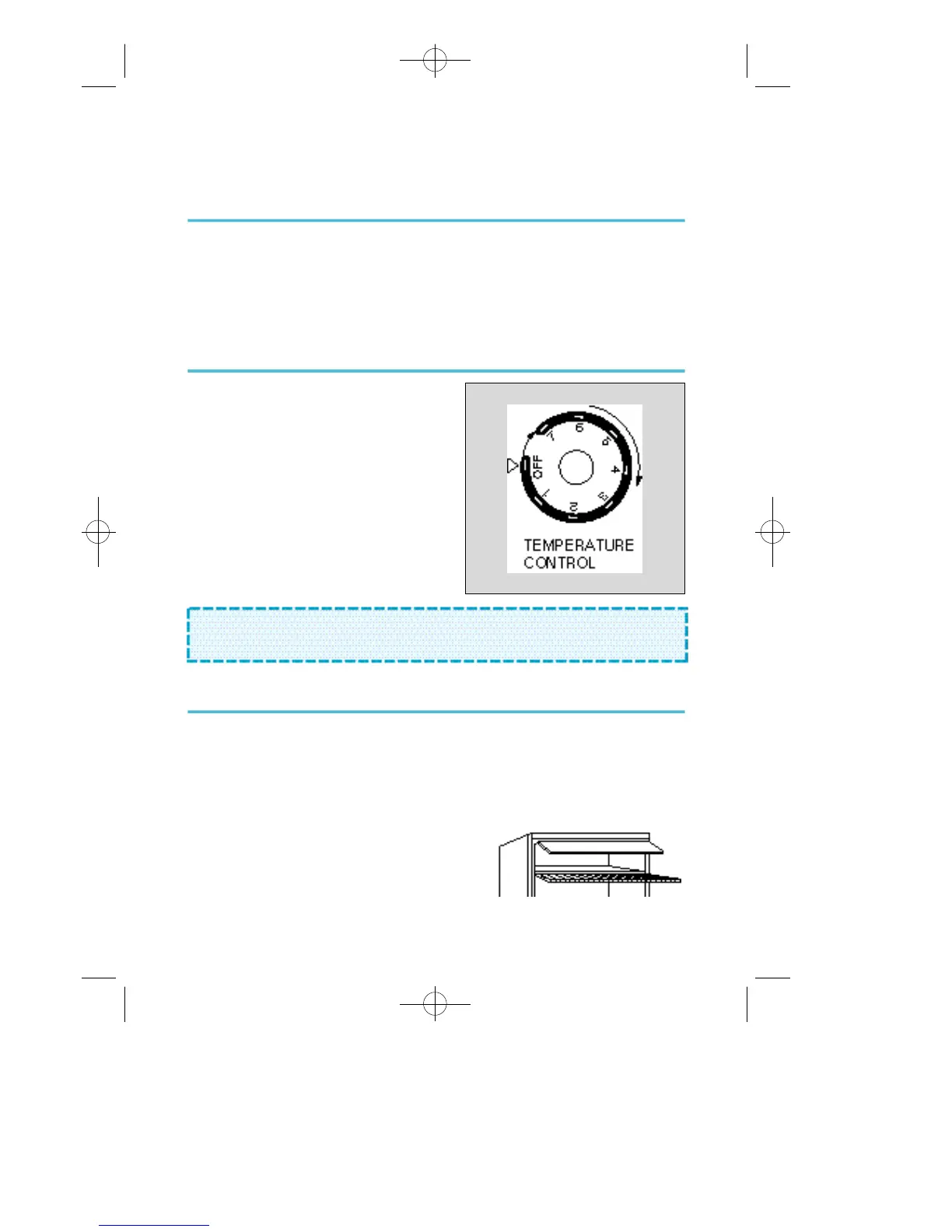
Temperature control
To control the internal temperature, adjust
the thermostat dial. The dial is numbered
from 1-7.
Number 1 is the warmest setting, number 7
the coldest.
The dial may be set any place on the scale.
It does not have to be set exactly on a
n u m b e r. To make ice cubes in the chiller
compartment, adjust the thermostat to the
coldest setting.
How to defrost
Defrost the refrigerator when the frost accumulated on the evaporator is about
5mm (1/5inch) thick.
Set the thermostat dial to “OFF”. Remove frozen or perishable foods. Insert drip
tray below the chiller compartment only for defrosting (as shown below).
Defrosting usually takes a few hours. To defrost quickly remove all foods from
the refrigerator and leave the door open.
Never use a knife or other metal instrument
to scrape ice/frost from the evaporator. A f t e r
defrosting, empty water from drip tray and return
the thermostat dial to the desired position.
N O T E : Wait 3-5 minutes before restarting if you unplug the refrigerator.
The unit may fail to operate properly if restarted too quickly.
4
123 MAGIC 440YW-2 00.3.6 1:36 PM ∆‰¿Ã¡ˆ3





 To Next Page