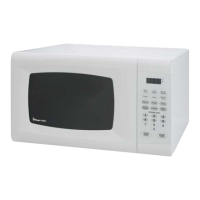
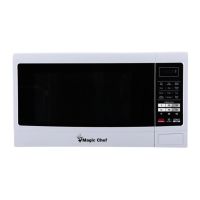
The Magic Chef Commercial Microwave Oven, model MCCM910ST, is a robust appliance designed for commercial use, offering efficient and versatile cooking capabilities. This user's manual provides comprehensive instructions for its safe operation, installation, and maintenance, ensuring optimal performance and longevity.
Function Description
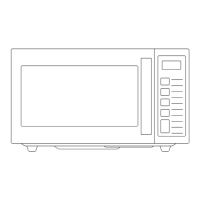
The Magic Chef Commercial Microwave Oven is engineered to heat, cook, and dry food quickly and efficiently using microwave energy. It is specifically designed for commercial environments, where speed and reliability are paramount. The oven utilizes microwave technology, which excites water molecules within food, generating heat and cooking the food from within. This method allows for rapid cooking times compared to conventional ovens. The appliance features a user-friendly control panel with a digital display that provides clear action indicators, including "X2" for cooking in X2 feature, "PROG" for programming, and numbers "1 - 2 - 3" to indicate cooking stages. It also displays "HI - MED - DEF" to show the power level being used. The oven is equipped with a door safety lock system to prevent operation when the door is open, ensuring user safety and preventing exposure to excessive microwave energy.
Usage Features
The microwave oven offers a range of features designed to enhance its usability and adaptability in a commercial setting:
- Time and Power Level Cooking: Users can easily set cooking programs by selecting a desired power level (HI, MED, DEF) and then inputting the cooking time using the number pads. The maximum cooking time that can be set is 99 minutes and 99 seconds, providing ample flexibility for various food items.
- Multiple Stages Cooking: This advanced feature allows for up to three consecutive cooking stages, each with different power levels and cooking times. This is particularly useful for recipes that require varying heat intensities throughout the cooking process, such as defrosting followed by cooking, or cooking at a high power initially and then simmering at a lower power. The user can program each stage sequentially before initiating the cooking cycle.
- Program Memory (Number Keys): For frequently used cooking programs, the oven allows users to save these settings to any of the ten number keys (0-9). This enables quick recall and activation of preset programs with a single touch of the number key followed by the START pad. The manual outlines default settings for these keys (e.g., 10 seconds for key 1, 20 seconds for key 2, up to 3 minutes 30 seconds for key 0), but users have the flexibility to customize and overwrite these programs to suit their specific needs. This feature significantly streamlines operations in a busy commercial kitchen.
- X2 Function: The "X2" pad expands the oven's programming capabilities, allowing for even more cooking programs to be stored and recalled. Similar to the number keys, the X2 function enables users to save and activate preset cooking programs, further enhancing efficiency. The manual provides an example of how to save a high-power, 3-minute cooking program to a number pad using the X2 function.
- Count of Operations: A unique feature for commercial environments, the oven can display the total number of times it has been used. This function is accessed by pressing and holding STOP/RESET in waiting mode, then touching the POWER LEVEL pad. This data can be invaluable for analyzing oven usage patterns, monitoring traffic flow, and assessing the appliance's overall workload in a particular location.
- Child Lock: To prevent unintended operation, especially in environments where children might be present or to avoid accidental changes to settings, the oven includes a child lock feature. This is activated by pressing and holding the PROGRAM pad for 5 seconds, locking the oven. The same action unlocks it.
- Return to Factory Setting: In case of configuration issues or if a complete reset is desired, the oven can be reverted to its default factory settings. This involves a specific sequence of actions: plugging in the oven while pressing the START pad until "00:00" appears, then pressing all number pads (1-0), POWER LEVEL, X2, PROGRAM, STOP/RESET, and START in sequence. An audible beep confirms the reset.
- Utensils Guide: The manual provides a comprehensive guide on suitable and unsuitable utensils for microwave use, including recommendations for microwave browning dishes, plastic wrap, paper towels, glass, and ceramic items, as well as warnings against metal utensils, regular glass jars, and Styrofoam. This ensures safe cooking and prevents damage to the oven or injury to the user.
Maintenance Features
Proper maintenance is crucial for the longevity and efficient operation of the Magic Chef Commercial Microwave Oven. The manual outlines several key maintenance practices:
- Regular Cleaning: The oven's interior and exterior surfaces should be cleaned regularly. For the inside, food splatters and spills should be wiped with a damp cloth, using mild detergent for stubborn dirt. Harsh cleaners, sprays, or abrasive materials should be avoided to prevent staining or dulling the door surface. The outside surfaces should also be cleaned with a damp cloth, taking care to prevent water from seeping into ventilation openings.
- Window and Control Panel Care: The oven window should be wiped on both sides with a damp cloth to remove spills. The control panel should be cleaned with a soft, damp cloth, and the oven door should be left open during this process to prevent accidental activation.
- Addressing Steam Accumulation: If steam accumulates inside or around the oven door, it should be wiped with a soft cloth. This is a normal occurrence in high humidity conditions.
- Glass Tray Cleaning: If applicable, the glass tray should be removed and washed in warm, sudsy water or in a dishwasher.
- Oven Floor Cleaning: The oven floor should be cleaned regularly to prevent excessive noise caused by food deposits. A mild detergent is recommended for this.
- Odor Removal: To eliminate odors, a simple solution of a cup of water with lemon juice and skin can be microwaved for 5 minutes, followed by thorough wiping and drying with a soft cloth.
- Professional Service for Light Replacement: If the oven light needs replacement, users are advised to consult a dealer or qualified service technician, indicating that this is not a user-serviceable part.
- Importance of Cleanliness: The manual emphasizes that regular cleaning and removal of food deposits are essential to prevent deterioration of surfaces, which could adversely affect the appliance's life and potentially create hazardous situations.
- Proper Disposal: Users are instructed not to dispose of the appliance in domestic rubbish bins but to take it to a designated disposal center provided by municipalities, highlighting environmental responsibility.
The Magic Chef Commercial Microwave Oven is designed for durability and ease of use in demanding commercial settings, with features that prioritize safety, efficiency, and consistent performance.

 Need help?
 General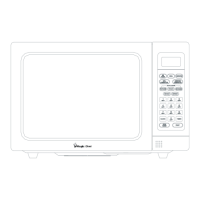


 To Next Page