19
Care and Cleaning
Cooktop Light
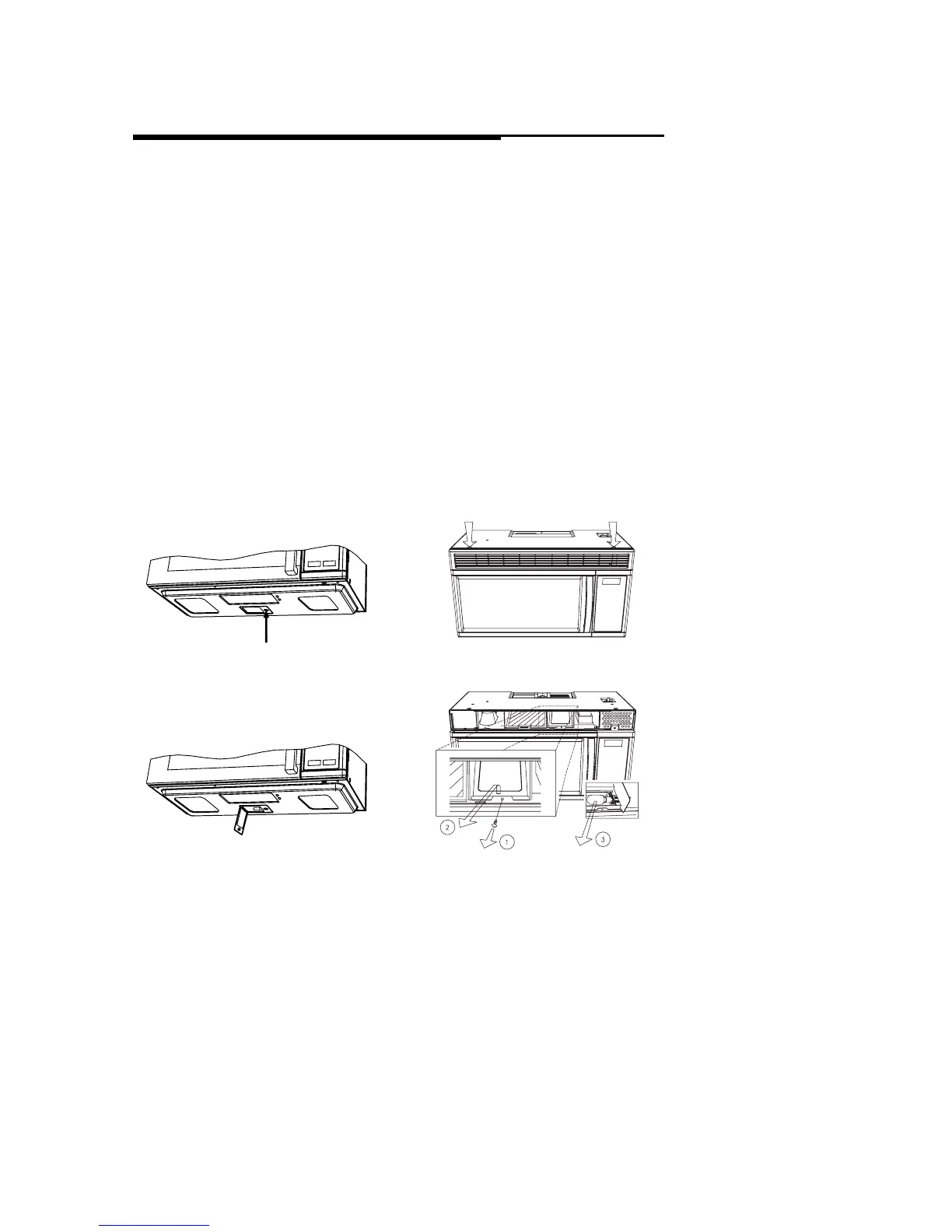
To replace the combination cooktop light/
night light:
1. Disconnect power at main fuse or circuit
breaker or pull plug.
2. Remove screw on right side of light compart-
ment cover and lower cover until it stops.
(See Figures 1 and 2.)
3. Gently unscrew the bulb(s). Be sure bulb(s)
to be replaced are cool before removing.
4. Replace with 30-watt incandescent bulb(s)
available from your authorized dealer. High
intensity 30-watt bulb(s) which are available
in supermarkets and hardware stores, may
also be used for replacements.
5. Raise light compartment cover and replace
screw.
6. Connect electrical power to microwave oven.
Oven Light
To replace oven light:
1. Disconnect power at main fuse or circuit
breaker or pull plug.
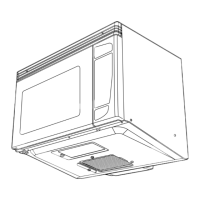
2. Remove the top grill by taking out the 2
screws that hold it in place. (See Figures 3.)
3. Remove a screw (1 ) for lamp cover.
(See Figure 4.)
4. Pull out the Lamp cover. (See Figure 4.)
5. Replace the light bulb with a 30-watt bulb.
6. Replace light housing to original position
7. Replace lamp cover and secure it with the
screw (1 ).
8. Replace top grill and secure with screws.
9. Connect electrical power.
Light Bulb Replacement
FIGURE 1
FIGURE 2
FIGURE 3
FIGURE 4



 To Next Page