EasyManua.ls Logo

Magic Chef MCWBC77DZC - User Manual

Magic Chef MCWBC77DZC
32 pages
Print Icon
To Next Page IconTo Next Page
Loading...
PLEASE READ THIS MANUAL CAREFULLY BEFORE USING YOUR
WINE AND BEVERAGE CENTER AND KEEP IT FOR FUTURE REFERENCE.
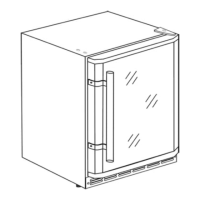
Wine and Beverage Center
User's Manual
Model MCWBC77DZC

Other manuals for Magic Chef MCWBC77DZC

Questions and Answers

  • K
    Kelsey HayesAug 16, 2025
    Why is my Magic Chef Wine Cooler not working?
    • J
      Jillian MeyerAug 16, 2025
      Your Magic Chef Wine Cooler might not be working because it isn't plugged in. Make sure to plug in the appliance. Also, check the circuit breaker or replace the fuse, as a tripped breaker or blown fuse could be the cause.
  • Z
    zachary31Aug 19, 2025
    Why is my Magic Chef Wine Cooler too warm?
    • M
      Melissa MccartyAug 19, 2025
      If the temperature inside your Magic Chef Wine Cooler is too warm, there are several possible reasons: * The temperature control might be set too warm. Try turning the control to a cooler setting and allow several hours for the temperature to stabilize. * The door might be kept open too long or opened too frequently. Try to open the door less often. * The door might not be closed completely. Ensure the door is fully closed. * The door gasket might not seal properly. Check and replace the door gasket if needed. * The appliance might have recently been disconnected. Allow 4 hours for the appliance to cool down completely.
  • J
    jocelynharrisAug 22, 2025
    How to adjust the temperature if my Magic Chef Wine Cooler is too cold?
    • A
      Anna LambertAug 22, 2025
      If your Magic Chef Wine Cooler is too cold, the temperature control might be set too cold. Turn the control to a warmer setting and allow several hours for the temperature to stabilize.
  • M
    Molly JonesAug 25, 2025
    How to fix a Magic Chef Kitchen Appliance that does not operate?
    • M
      Melissa AllenAug 26, 2025
      If your Magic Chef Kitchen Appliance isn't operating, first ensure it's properly plugged into the power outlet. If it's plugged in, check your home's circuit breaker or fuse box. A tripped breaker or blown fuse could be the cause. Reset the breaker or replace the fuse as needed.
  • L
    Luke WelchAug 27, 2025
    Why is my Magic Chef Kitchen Appliance too warm?
    • J
      Jennifer ReedAug 27, 2025
      If the temperature inside your Magic Chef Kitchen Appliance is too warm, there are several possible causes: * The temperature control may be set too warm. Try turning it to a cooler setting and allow several hours for the temperature to stabilize. * The door might be kept open too long or opened too frequently. Try to open the door less often. * The door may not be closed completely. Make sure it is. * The door gasket might not seal properly. Inspect it and replace it if necessary. * The appliance may have recently been disconnected. Wait about 4 hours for it to cool down completely.
  • P
    Paul PriceAug 30, 2025
    What to do if my Magic Chef Wine Cooler is vibrating?
    • A
      Andrew LeonardAug 30, 2025
      If your Magic Chef Wine Cooler is vibrating, make sure that the appliance is on a level surface. If it continues, the appliance may be touching the wall. Re-level the appliance and move it away from the wall.
  • S
    Sally PerrySep 2, 2025
    Why is there moisture inside my Magic Chef Wine Cooler?
    • C
      Colin AlvarezSep 2, 2025
      Moisture can form on the interior walls of your Magic Chef Wine Cooler if the door is slightly open. Ensure that you properly close the door. Also, moisture appears if the door is kept open too long, or is opened too frequently, so try to open the door less often. Another cause may be that the door is not sealed properly, so check and replace the door seal if necessary.
  • H
    hrodriguezSep 5, 2025
    How to fix a Magic Chef Wine Cooler door that won't close?
    • D
      Destiny OliverSep 5, 2025
      If the door of your Magic Chef Wine Cooler won't close properly, it might be because the appliance is not on a level surface. Re-level the appliance. Also, the gasket might be dirty, so clean the gasket.
  • K
    Keith ReeseSep 7, 2025
    Why is there condensation on my Magic Chef Wine Cooler?
    • X
      xburkeSep 7, 2025
      If moisture forms on the outside of your Magic Chef Wine Cooler, the door might be slightly open, causing cold air from inside the appliance to meet warm moist air from outside. Close the door properly.
  • S
    skinneramberSep 12, 2025
    What to do if moisture forms inside Magic Chef Kitchen Appliance?
    • S
      sullivanlisaSep 12, 2025
      If you notice moisture forming on the inside walls of your Magic Chef Kitchen Appliance, it could be due to a few reasons: * The door might be slightly open. Ensure it is shut properly. * The door might be kept open too long or opened too frequently. Try to open it less often. * The door seal may not be working correctly. Check the seal and replace it if needed.

Summary

Product Registration

Appliance Components and Specifications

Parts Identification

Diagram illustrating the various components of the wine and beverage center.

Product Specifications

Technical details including unit dimensions (width, height, depth) and net weight.

Safety and Installation

Important Safety Instructions

Essential safety precautions to reduce the risk of fire, electric shock, and injury.

Installation Guidelines

Steps and considerations for proper appliance installation.

Freestanding and Built-In Installation

Guidelines for both freestanding and built-in installation configurations.

Electrical Connection

Proper grounding, outlet requirements, and electrical safety for the appliance.

Appliance Features

Dual Temperature Zones

Description of the two independent temperature zones and their capacity.

Shelf Management

Instructions for removing and replacing wine shelves for storage flexibility.

Zone Specific Storage

Details on upper and lower zone capacities and suitability for wine or beverages.

Appliance Operation

Temperature Control and Display

How to set and view temperatures for both zones.

Indicator Lights and Standby Mode

Understanding indicator lights and how to enter/exit standby mode.

Lock and Unlock Controls

How to lock and unlock the control panel to prevent accidental changes.

Interior Light Control

Instructions on turning the interior light on and off.

Maintenance and Troubleshooting

Automatic Defrost Cycle

Explanation of the automatic defrost process and indicators.

Care and Maintenance Procedures

Guidance on cleaning, vacation care, moving, and energy saving tips.

Troubleshooting Common Issues

Common problems, possible causes, and solutions for appliance issues.

Control Panel Error Codes

Explanation of error codes displayed on the control panel.

Warranty Information

Limited Warranty Coverage

Details of the limited warranty, including parts, labor, and compressor coverage.

Warranty Limitations and Exclusions

Exclusions and limitations on warranty claims and remedies.

Magic Chef MCWBC77DZC Specifications

General IconGeneral
BrandMagic Chef
ModelMCWBC77DZC
CategoryKitchen Appliances
LanguageEnglish

Related product manuals