EasyManua.ls Logo

Magic Chef MCWC12B - User Manual

Magic Chef MCWC12B
24 pages
Print Icon
To Next Page IconTo Next Page
Loading...
PLEASE READ THIS MANUAL CAREFULLY BEFORE USING YOUR
WINE COOLER AND KEEP IT FOR FUTURE REFERENCE.
Model MCWC12B
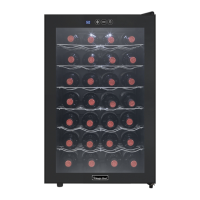
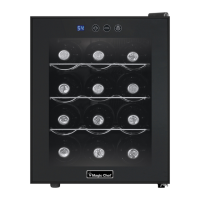
Freestanding Wine Cooler
User’s Manual

Questions and Answers

  • S
    Sharon BooneJul 30, 2025
    How to fix a Magic Chef MCWC12B door that won't close?
    • D
      Daniel LewisJul 30, 2025
      If the door of your wine cooler isn't closing properly, make sure the appliance is on a level surface. Also, check if the gasket is dirty and clean it if necessary. Ensure that the racks are correctly positioned.
  • B
    Brandi PattersonAug 3, 2025
    Why is my Magic Chef MCWC12B temperature too warm?
    • J
      Jamie OliverAug 3, 2025
      Several factors can cause the wine cooler to be too warm. You might be opening the door too often or not closing it completely. The door gasket might not be sealing properly. If the wine cooler was recently disconnected, allow 24 hours for the temperature to adjust. Also, check if the temperature control is set too warm and adjust it to a cooler setting.
  • T
    Tammy CurryAug 8, 2025
    What to do if my Magic Chef Wine Cooler is not working?
    • M
      Melissa GainesAug 8, 2025
      First, verify that the wall socket is functional by testing it with another appliance. Also, check your circuit breaker or fuse box, as a tripped breaker or blown fuse could be the cause.
  • J
    Jeffrey TranAug 12, 2025
    Why is my Magic Chef MCWC12B Wine Cooler temperature too cold?
    • M
      Mark OrtegaAug 12, 2025
      If the temperature inside your wine cooler is too cold, the temperature control might be set too low. Turn the control to a warmer setting and allow several hours for the temperature to stabilize.
  • D
    Daniel FitzgeraldAug 16, 2025
    What to do if my Magic Chef MCWC12B is vibrating?
    • B
      Brittany MartinezAug 16, 2025
      If your wine cooler is vibrating, ensure it is placed on a level surface and isn't touching the wall. If the vibration continues, unplug the unit from the wall outlet.
  • S
    sramseyAug 20, 2025
    What to do if there is moisture inside my Magic Chef MCWC12B Wine Cooler?
    • C
      crystal73Aug 20, 2025
      Moisture inside your wine cooler can form if the door is slightly open or opened too frequently. Make sure to keep the door closed and check the door seal.
  • M
    Maria BakerAug 25, 2025
    Why is the fan always running in my Magic Chef MCWC12B?
    • B
      Brent FlynnAug 26, 2025
      The fan constantly running is a function of the cooling system. The lower the temperature setting, the more the fan will run. Also, the fan will run more if the room is warmer than 77°F (25°C).

Summary

Product Registration

Names of the Parts

Important Safety Instructions

Installation Instructions

Before Using Your Wine Cooler

Prepare the unit by removing packing and cleaning the interior before initial use.

Installing Your Wine Cooler

Guidance on placement, ventilation, and electrical connection for freestanding installation.

Electrical Connection

Operating Your Wine Cooler

Control Panel Overview

Details on the light switch and temperature control panel functions for managing the wine cooler.

Temperature Control

Explains the adjustable temperature range and factors affecting internal temperature accuracy.

Care and Maintenance

Cleaning Your Wine Cooler

Instructions for thorough cleaning of the interior, exterior, and door gasket using appropriate solutions.

Vacation Time

Recommendations for preparing the unit for short and long periods of absence.

Moving Your Wine Cooler

Steps to safely unplug, secure contents, and transport the wine cooler.

Energy Saving Tips

Advice on optimal placement and door usage to conserve energy and maintain cooling efficiency.

Troubleshooting Guide

Limited Warranty

Magic Chef MCWC12B Specifications

General IconGeneral
Typefreestanding
Colorblack
Bottle Capacity12
Minimum Wine Cooler Temperature54 degrees fahrenheit
Defrost Systemno
Number of Shelves4
Number of Temperature Zones1
Temperature Controlled display with touchscreen controls
Interior Lightyes
Child Lockno
Smart Homeno
Annual Energy Consumption220 kilowatt hours
Weight and Dimensions IconWeight and Dimensions
Depth20 1/9 inches
Height19 inches
Width14 1/5 inches
Net Weight26.4 pounds

Related product manuals