© 2014 Karaoke Home Entertainment All Rights Reserved – Document Revision 1.0
www.khe.com.au / www.khe.co.nz / www.picknmix.com.au / www.mp3g.com.au
www.how-to-convert-cdg.com / www.magicsingdownloads.com / www.magicsing.com.au
14. Then, SWITCH OFF your Magic Sing unit, and insert the USB into the front port.
15. You will need to press the APP button on your microphone.
Songs listed as Multiplex Audio will playback on the ET-23K with full cover vocals so you
can sing-along, you cannot switch off the lead vocals with the ET-23KH so choose the
standard version of the song if you don't want full vocals. During MP3+G playback you
cannot change the Key or Tempo of the song.
16. Then scroll across to the KARAOKE CD+G button.
17. Your downloaded files will be here, click to play and get ready to sing!
Apple Mac® Important Notice: The downloading process as standard is only compatible with
Windows® PC's as the Apple® operating system auto unzips the files whilst downloading, and in the
process alters the MP3+G files as it doesn't recognize the format which causes them to no longer
work.
Customers have overcome this issue on the Apple Mac® using a program called "StuffIt Expander"
also a free program.
Converting CD+G Discs to MP3+G Song Files
You can also convert CD+G discs into modern MP3+G song files for use on the
ET-23KH for more information on this visit www.how-to-convert-cdg.com
USB Troubles – is your USB still not working with your unit and you have
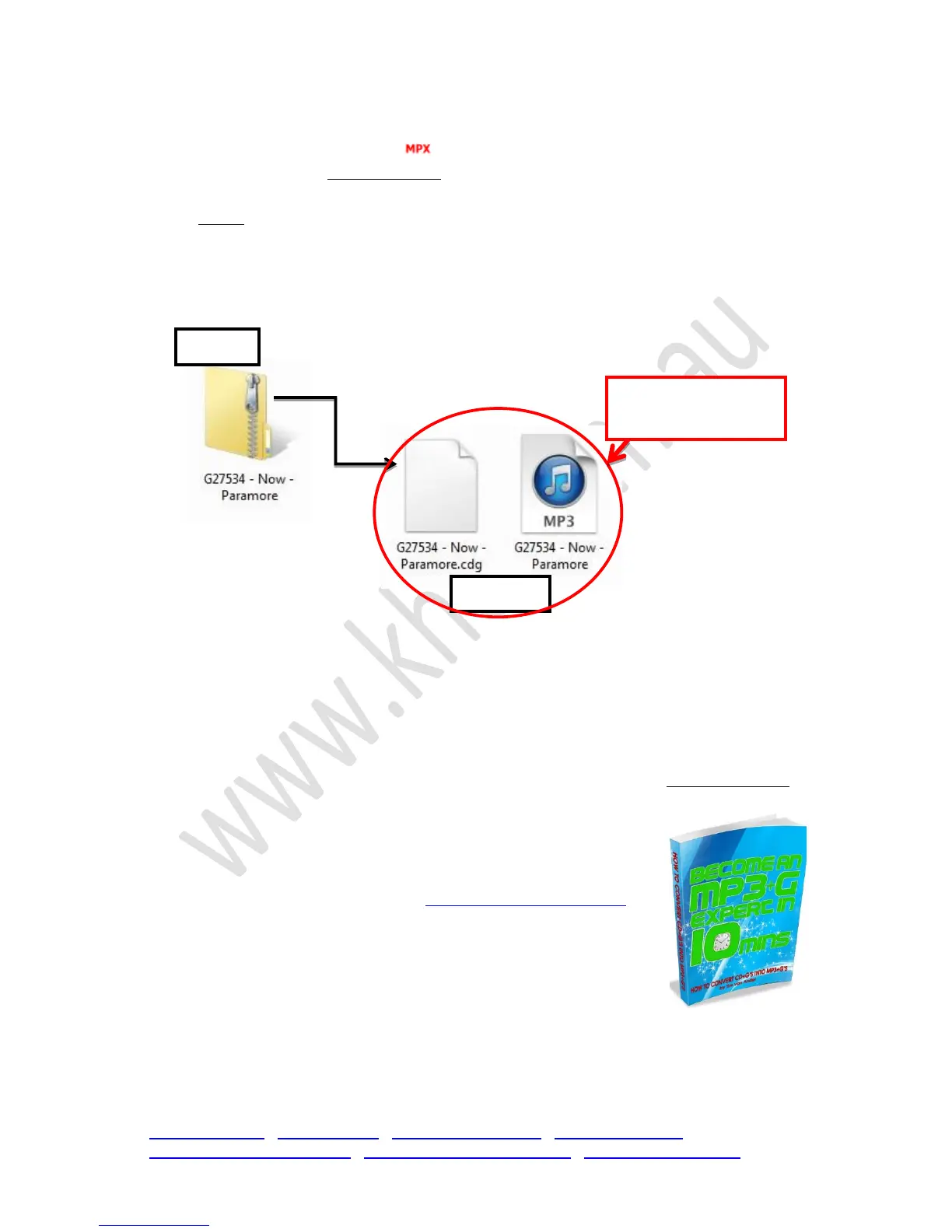
already followed all the correct download steps; i.e. using a PC, unzipped the
files, dragged both files across to USB and inserting it in your machine?
Please make sure no other files are on the USB stick, like word documents etc. the USB must be
100% dedicated to MP3+G files. See next page for USB tips.


 To Next Page