ET23KHC QUICK GUIDE | 03
HOW TO INSTALL
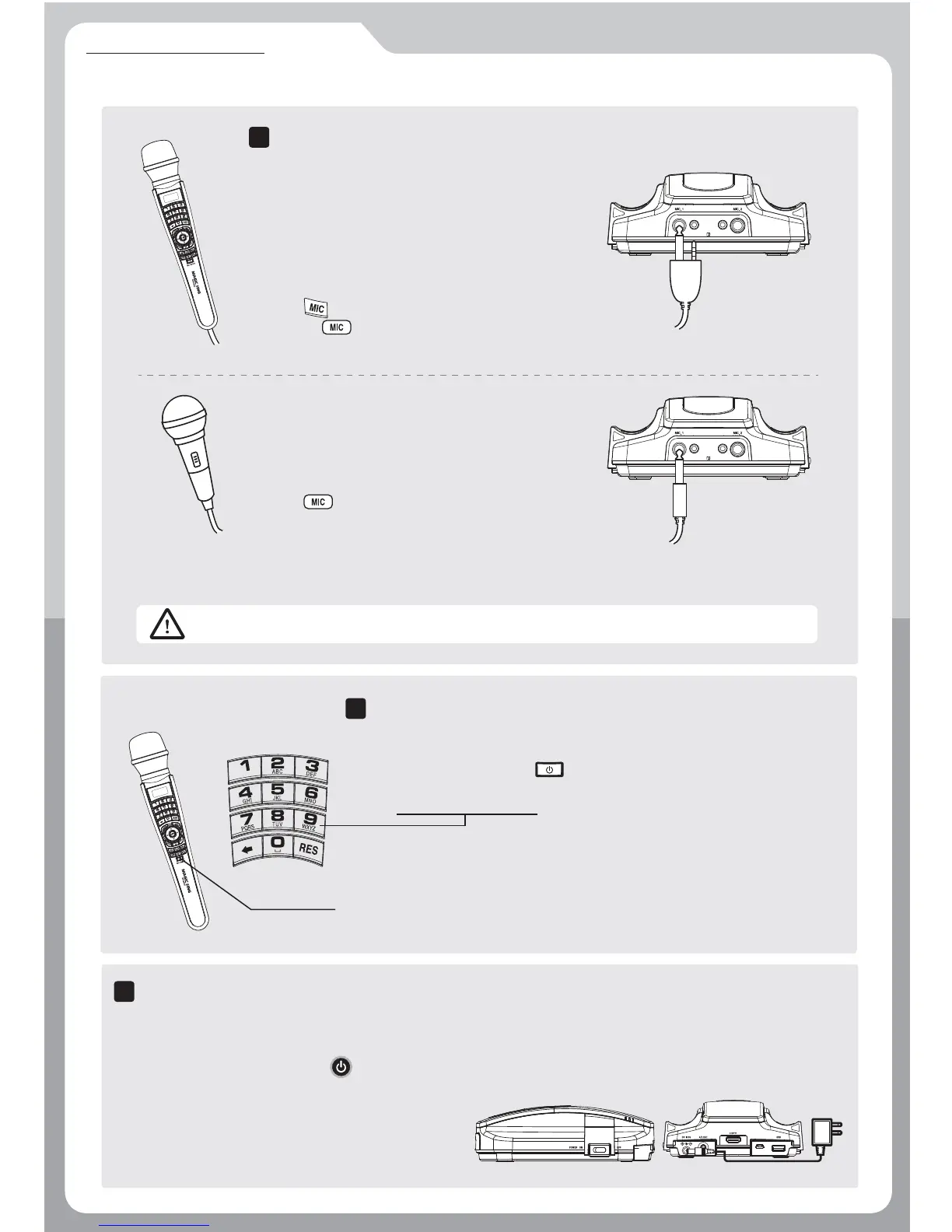
How to power on/off
7
Connect the power adaptor as shown in the picture.
And turn on the power switch on the right side of the
main device.To turn it off, press button on the remote controller and turn off the power switch on the
right side of the main device.
※ This button activates the ON/ OFF of the MIC function.
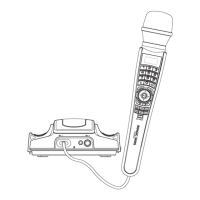
How to use digital wired MIC
6
How to connect wired MIC
5
Buttons on the MIC function are similar to those on the provided
remote controller. Press the button to activate the MIC function.
Press [0~9 Number button] to select the song you would like to sing.
When there is no input signal within 60 minutes, the power will be
turned off automatically.
When you connect the microphone cable to
a front terminal of main device,
the two cable jacks should be inserted into
two terminals completely.
* Volume control
Press button on the microphone.
or Press button on the remote control.
(for the second microphone volume control, press MIC button two times)
- Main wired MIC
An optional microphone cable is able to be
connected to the front socket of main device.
* Volume control
Press button on the remote control.
(Optional MIC volume controlled by only remote control.)
If you have second optional wired MIC and want to control volume,
press MIC button two times.
- Optional wired MIC
A microphone which has 3.5mm diameter should not be connected to the main device.


 To Next Page