EasyManua.ls Logo

Magnasonic MM176 K - User Manual

Magnasonic MM176 K
20 pages
Print Icon
To Next Page IconTo Next Page
Loading...
MM176 K
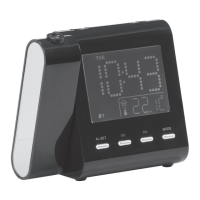
Projection Dual Alarm Clock Radio with Auto Time Set
Radio-réveil projecteur à 2 alarmes
avec réglage automatique de l’heure
For Customer Assistance Call:
Pour joindre le Service d’assistance
à la clientèle, composez le:
1-800-663-5954
Instruction Manual
Guide de l’utilisateur
Thank you for your purchase of this Magnasonic product. Please read this Instruction Manual
carefully before using product to ensure proper use. Keep this manual in a safe place for future
reference.
Merci d’avoir fait l’achat de cet appareil Magnasonic. Veuillez lire le présent guide attentivement
avant de faire fonctionner l’appareil pour vous assurer de l’utiliser correctement. Conservez le
présent guide dans un endroit sûr afin de pouvoir vous y référer au besoin.
www.magnasonic.ca

Questions and Answers

  • M
    Mary OchoaJul 31, 2025
    Why does my Magnasonic MM176 K show the incorrect time?
    • H
      Hunter CaldwellJul 31, 2025
      If your Magnasonic Clock Radio displays the incorrect time, first, check the batteries to ensure they are correctly connected, not dead, or properly installed. If the batteries are fine, make sure you set the clock.
  • M
    Melissa WilliamsAug 6, 2025
    How to fix a Magnasonic MM176 K Clock Radio that has no power?
    • M
      Mary SmithAug 6, 2025
      If your Magnasonic Clock Radio does not turn on, ensure that the AC line cord is firmly inserted into the AC outlet.
  • J
    Juan BradshawAug 12, 2025
    What to do if the alarm does not turn on on my Magnasonic Clock Radio?
    • A
      Amy BurtonAug 12, 2025
      If your Magnasonic Clock Radio alarm doesn't activate, ensure the alarm is set to the 'on' position by pressing the ALARM ON OFF button. Also, verify that the clock and alarm time are properly set.
  • M
    Mary RiveraAug 18, 2025
    How to fix noise or sound distortion on my Magnasonic MM176 K?
    • M
      Margaret BarryAug 18, 2025
      If you are experiencing noise or distorted sound on your Magnasonic Clock Radio while using AM, try turning the radio for better AM reception, as the interference may be caused by traffic. If you are using FM, make sure the antenna wire is fully extended.
  • S
    Sonia HughesAug 25, 2025
    Why is there no sound coming from my Magnasonic MM176 K?
    • J
      James MartinezAug 25, 2025
      If your Magnasonic Clock Radio produces no sound, first, ensure that the power is on by pressing the Power button. Then, check the VOLUME control and turn it up from the minimum position.

Summary

Safety Warnings

Electrical Shock and Radiation Hazards

Warns against exposure to moisture, improper control use, and opening the unit.

Important Safety Information

Electrical Safety and Fire Prevention

Advises on plug usage, extension cords, and product placement to avoid hazards.

Laser Safety Precautions

Details risks of laser radiation and servicing requirements by qualified personnel.

Manual Retention and Cleaning Guidelines

Instructions on keeping the manual and proper cleaning methods for the unit.

Product Information

Control Identification

Lists and describes the numbered controls on the product diagrams.

Packaging Contents and AC Operation

Details items included and how to connect to AC power.

Operating Instructions

Power Connection and Time Zone Setup

Guides on connecting power and setting the time zone for the device.

Daylight Saving Time and Manual Time;Calendar Settings

Instructions for setting DST and manually adjusting time and calendar.

Alarm Setting Procedures

Details how to set Alarm 1 and Alarm 2, including weekday options.

Alarm Output and Snooze Functionality

Configuring alarm output, ON/OFF, duration, and snooze interval.

Display Content and Sleep Function

Changing display information and activating the sleep timer.

Radio Operation

Steps for turning on/off, selecting stations, and adjusting volume.

Projection Features

Adjusting focus and flipping the projected time image.

Care and Maintenance

Precautions for cleaning and maintaining the unit.

Specifications

Warnings

Troubleshooting

Magnasonic Warranty

Warranty Exclusions

Lists conditions under which the warranty is not applicable.

Carry-In Parts & Labour Warranty Periods

Details the warranty duration for different product categories.

Magnasonic MM176 K Specifications

General IconGeneral
BrandMagnasonic
ModelMM176 K
CategoryClock Radio
Display TypeLED
Alarm FunctionYes
Snooze FunctionYes
Power SourceAC Adapter
Battery BackupYes
Radio BandAM/FM
Alarm TypeBuzzer

Related product manuals