EasyManua.ls Logo

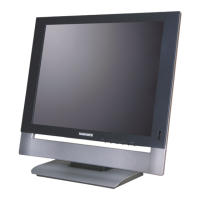
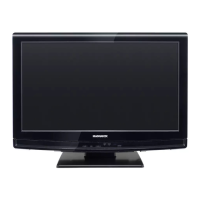
Magnavox 15MF227B - User Manual

Magnavox 15MF227B
43 pages
Print Icon
To Next Page IconTo Next Page
Loading...
P41T5009-813-1B
English
Español
User Manual
Manuel de l’utilisateur
Guía del usuario
15MF227B
15MF237S
19MF337B LCD TV
For Customer Use / À l’usage du client /
Para Uso del Cliente
Model/Modle/ModeloNo. :
Serial/Srie/Serie No. :
Quick Use Guide Inside!
Guide d’usage Rapide Incluse!
Guía de Uso Rápido Incluida!

Other manuals for Magnavox 15MF227B

Questions and Answers

  • J
    Jeffrey HarmonAug 16, 2025
    What to do if my Magnavox LCD TV has no power?
    • E
      Emily StevensAug 16, 2025
      First, ensure the TV's AC power cord is securely plugged into the mains socket. If it is, unplug the TV, wait 60 seconds, then plug it back in and turn the television on again.
  • R
    Robert BartonAug 19, 2025
    Why is my Magnavox 15MF227B LCD TV television not responding to the remote control?
    • M
      Mrs. Laura BrownAug 19, 2025
      Check whether the batteries in the remote are working and replace them if necessary. Clean the remote control sensor lens on the TV. Ensure you are within the operating range of approximately twenty feet. As an alternative, you can use the buttons on the top of your TV. Also, check if the remote control is in the correct mode.
  • D
    danielle23Aug 22, 2025
    Why is there no sound on my Magnavox 15MF227B?
    • C
      Cynthia SchmidtAug 22, 2025
      First, increase the volume. Also, check that the TV is not muted by pressing the MUTE button on the remote control. Note that when no signal is detected, the TV automatically switches off the sound, which is normal.
  • H
    Hunter WhiteAug 25, 2025
    What to do if my Magnavox 15MF227B LCD TV has no picture?
    • M
      Michael MooreAug 26, 2025
      Check the antenna connections at the bottom of the TV to ensure they are properly connected. Try changing to another channel. Adjust the contrast and brightness settings, or try another auto picture setting. Also, check the Closed Captions control, as some TEXT modes could block the screen. Finally, make sure you've selected the correct AV source.
  • B
    Brandon KnightAug 28, 2025
    What to do if my Magnavox 15MF227B has good sound but poor color or no picture?
    • J
      John HinesAug 28, 2025
      Adjust the contrast, color, tint, and brightness settings. Alternatively, try another auto picture setting.
  • S
    Sabrina SanchezAug 31, 2025
    Why does my Magnavox 15MF227B LCD TV have a snowish picture and noise?
    • J
      Jacob ColonAug 31, 2025
      Check the antenna connection.
  • A
    Alyssa SalasSep 3, 2025
    How to fix ghost or double images on my Magnavox 15MF227B?
    • F
      Frank LeeSep 3, 2025
      This issue may be due to obstructions like high-rise buildings or hills affecting the antenna signal. Using a highly directional antenna may improve the picture.
  • E
    eduardo55Sep 6, 2025
    Why is my Magnavox 15MF227B LCD TV not playing photo, music or video or playing it in poor quality only?
    • R
      rebeccahuntSep 6, 2025
      Check if the source complies with a supported code.
  • C
    Cathy DavisSep 9, 2025
    What to do if my Magnavox 15MF227B LCD TV PC modes do not work?
    • K
      Karen RodriguezSep 9, 2025
      Check whether the connections are correct. Make sure the source is correctly selected by pressing the SOURCE button. Also, verify that you have configured the computer on a compatible display resolution.
  • M
    Mr. Paul GarciaSep 12, 2025
    Why does my Magnavox 15MF227B LCD TV take a long time to start after improper shutdown?
    • C
      Charles CollinsSep 12, 2025
      If your TV has been shut down improperly (e.g., due to a power drop or unplugging the power cord), starting it again will take longer than usual.

Summary

Device Connections Overview

Optimal Connection Types

Details on various connection types like HDMI, Component, S-Video, Composite, and RF.

Connection Guides

Set-Top Box and Cable Box Connections

Instructions for connecting set-top boxes and cable boxes via HDMI, RF, and A/V inputs.

DVD;VCR and Other Device Connections

Connecting DVD players, VCRs, and other devices using Component, S-Video, and Composite cables.

Video Camera, Audio, and PC Connections

Connecting cameras, audio systems (SPDIF), and PCs (VGA).

Safety and Precautions

Important Safety Instructions

Covers general operating, electrical safety, stability, mounting, and grounding precautions.

Additional Precautions and Handling

Advice on screen care, TV positioning, and environmental considerations.

Getting Started and Support

Customer Support and Product Information

Contact information for Magnavox support and product recycling guidelines.

Preparation and Initial Setup

Steps for initial setup, including safety warnings, wall mounting, and understanding TV signals.

Source and Remote Operations

Connecting Various Sources

Guides for connecting Cable TV, Satellite, S-Video, Component, HDMI, and DBS sources.

Remote Control Functions

Detailed usage of remote buttons for basic controls, features, and settings.

On-Set TV Controls

Using the physical buttons on the TV set for volume, channels, and menu navigation.

Navigating TV Menus

Settings Menu Operations

Guide to navigating and adjusting settings using the on-screen menu system.

TV Menu: Installation

Setup for language, channel tuning, source selection, and AV settings.

TV Menu: Features

Configuration of closed captions, digital caption options, and sleep timer.

TV Menu: Picture and Sound

Adjusting picture settings (Smart Picture, Contrast, Brightness) and sound settings (Smart Sound, Mode).

TV Menu: Parental Controls

Setting up channel locks, TV/Movie ratings, region locks, and PIN management.

PC Mode Settings

PC Mode: Installation and Source

Setting language, source, picture adjustments, and factory reset for PC mode.

PC Mode: Picture Settings

Adjusting picture settings like Contrast, Brightness, Color Temperature, and Format in PC mode.

PC Mode: Sound Settings

Configuring sound settings like Smart Sound and Virtual Sound for PC input.

Advanced Functions

Recording TV Programs

Instructions for recording TV programs using an external recorder.

Troubleshooting Common Issues

Solutions for picture, audio, power, remote, connectivity, and software problems.

Glossary of Technical Terms

Definitions for video, audio, signal standards, resolution, and digital output.

Care, Compliance, and Specifications

Care and Maintenance

Advice on screen care, TV positioning, and proper cleaning procedures.

Regulatory Compliance

FCC notices and declaration of conformity for the device.

Technical Specifications

Details on display, sound, connectivity, dimensions, power, and wall mounting.

Limited Warranty Information

Warranty Coverage and Exclusions

Details on warranty period, coverage, and specific exclusions.

Obtaining Service and Legal Disclaimers

Procedures for warranty service and important legal disclaimers.

Magnavox 15MF227B Specifications

General IconGeneral
Screen Size15 inches
Display TypeLCD
Resolution1024 x 768
Aspect Ratio4:3
Response Time16 ms
HDMI Ports1
USB Ports0
Brightness250 cd/m2
InputsComposite, VGA
Power Consumption30W

Related product manuals