EasyManua.ls Logo

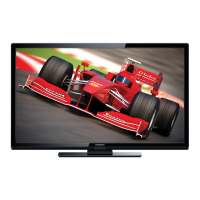
Magnavox 47MF439B - User Manual

Magnavox 47MF439B
107 pages
Print Icon
To Next Page IconTo Next Page
Loading...
47MF439B
User Manual
Manuel de l'utilisateur
Guía del usuario
For Customer Use / Àl’usage du client /
Para Uso del Cliente
Model/Modle/Modelo No.
Serial/Srie/Serie No.
:
:
HIGH-DEFINITION TELEVISION
EnglishFrench
Español

Table of Contents

Question and Answer IconNeed help?

Do you have a question about the Magnavox 47MF439B and is the answer not in the manual?

Summary

Need help fast?

Know these safety symbols

IMPORTANT SAFETY INSTRUCTIONS

Notice

Pixel Characteristics

Explains structural properties of LCD pixels like constant bright or dark points, which are normal.

Warranty and Service Information

Outlines user-serviceable parts, repair procedures, and conditions that void the warranty.

Regulatory Compliance

Details FCC and Canadian notices, cable requirements, and copyright information.

Important Information

Product Information and Registration Benefits

Details product information, energy consumption, and benefits of registering your Magnavox TV.

Screen Care and Maintenance

Provides guidelines for cleaning and protecting the TV screen to prevent damage.

Environmental and Disposal Guidelines

Offers advice on environmental care, product disposal, and battery recycling.

Safety and Regulatory Notices

Includes warnings regarding exposure to elements and electrical safety precautions.

Your TV Operations

Side Controls and Indicators

Identifies and explains the buttons and indicators located on the side panel of the TV.

Remote Control Functions

Details the functions of all buttons on the Magnavox remote control for operating the TV.

Getting Started with Your TV

Initial Setup: Batteries, Positioning, and Security

Covers inserting remote batteries, optimal TV placement, and using a Kensington security lock.

Connecting External Devices and Power

Guides on connecting antennas, cables, set-top boxes, and managing power cords.

Switch on and set up the TV

Using Your TV Functions

Power and Standby Operations

Instructions on turning the TV on, off, and putting it into standby mode.

Channel Selection and Volume Control

Guides on switching channels, adjusting volume, and using the mute function.

Watching Content from External Sources

Explains how to watch channels from set-top boxes, DVDs, and other connected devices.

Advanced TV Customization

Quick Access Menu and Settings

Access common settings like audio, captions, picture format, and equalizer via the quick menu.

Picture and Sound Adjustments

Detailed guide to modifying picture formats, contrast, brightness, color, and sound parameters.

Time and Sleep Functions

Covers automatic and manual clock setting, and using the sleep timer.

Parental Control and Content Locking

Manage TV ratings, movie ratings, and region ratings to restrict content access.

View closed captions (subtitles)

Display captions

Instructions on turning closed caption display on, off, or during mute.

Select caption services

Guides on choosing specific caption streams for analog and digital channels.

Select how digital captions are displayed

Allows customization of caption text size, font, color, and background.

Difficulties viewing closed captions on DTV programming

Troubleshooting steps for viewing closed captions on digital TV broadcasts.

Use your TV as a PC monitor

Supported screen resolutions

Lists compatible screen resolutions and refresh rates for PC input.

Activate HDMI-CEC

Enables control of connected HDMI devices through the TV's remote.

Channel Installation and Management

Initial Channel Setup and Language Selection

Guides through selecting menu language, location, and performing automatic channel installation.

Antenna Signal Optimization

Instructions for tuning ATSC channels and adjusting antenna for optimal signal strength.

Channel Management and Settings Reset

Covers uninstalling/reinstalling channels and resetting picture/sound settings to defaults.

Emergency Alert System (EAS)

Configures how emergency alert messages are displayed on the TV.

Update your TV software

Check your current software version

Verifies the current software version and provides a description.

Prepare for the software upgrade

Lists the necessary equipment and steps to prepare for a software update.

Download the software

Instructions on obtaining the latest software upgrade files from the Magnavox website.

Upgrade software

Step-by-step guide for installing new software onto the TV.

Connecting External Devices

Understanding TV Ports and Connectors

Details side and back connectors, including HDMI, Component, S-Video, and Composite.

Connecting A;V Sources

Provides examples for connecting DVD players, recorders, and set-top boxes via different interfaces.

Connecting Computers and Audio Systems

Guides on connecting PCs via S-Video, DVI, HDMI, and connecting home theater amplifiers.

Troubleshooting Common Issues

Power and Connectivity Problems

Addresses issues like no power, HDMI errors, and unresponsive remote controls.

Picture and Sound Quality Issues

Helps resolve problems with no sound, bad picture quality, distorted images, and color inaccuracies.

Notes for the use of USB devices

Digital Content Issues

Covers file system limitations, naming conventions, and content access times for USB devices.

USB Memory Device Issues

Details Mass Storage Class compliance and supported USB device specifications.

Product information

Picture enhancement

Lists display characteristics like resolution, brightness, aspect ratio, and viewing angles.

Sound enhancement

Details audio capabilities including mono/stereo modes and power output.

Connections

Provides information on port types, supported resolutions, and audio/video compatibility.

Warranty

Warranty Coverage and Eligibility

Outlines the terms, duration, and requirements for product warranty claims.

Exclusions and Limitations

Specifies what is not covered by the warranty, including misuse and unauthorized repairs.

Obtaining Assistance

Provides contact information and procedures for seeking warranty service or support.

Summary

Need help fast?

Know these safety symbols

IMPORTANT SAFETY INSTRUCTIONS

Notice

Pixel Characteristics

Explains structural properties of LCD pixels like constant bright or dark points, which are normal.

Warranty and Service Information

Outlines user-serviceable parts, repair procedures, and conditions that void the warranty.

Regulatory Compliance

Details FCC and Canadian notices, cable requirements, and copyright information.

Important Information

Product Information and Registration Benefits

Details product information, energy consumption, and benefits of registering your Magnavox TV.

Screen Care and Maintenance

Provides guidelines for cleaning and protecting the TV screen to prevent damage.

Environmental and Disposal Guidelines

Offers advice on environmental care, product disposal, and battery recycling.

Safety and Regulatory Notices

Includes warnings regarding exposure to elements and electrical safety precautions.

Your TV Operations

Side Controls and Indicators

Identifies and explains the buttons and indicators located on the side panel of the TV.

Remote Control Functions

Details the functions of all buttons on the Magnavox remote control for operating the TV.

Getting Started with Your TV

Initial Setup: Batteries, Positioning, and Security

Covers inserting remote batteries, optimal TV placement, and using a Kensington security lock.

Connecting External Devices and Power

Guides on connecting antennas, cables, set-top boxes, and managing power cords.

Switch on and set up the TV

Using Your TV Functions

Power and Standby Operations

Instructions on turning the TV on, off, and putting it into standby mode.

Channel Selection and Volume Control

Guides on switching channels, adjusting volume, and using the mute function.

Watching Content from External Sources

Explains how to watch channels from set-top boxes, DVDs, and other connected devices.

Advanced TV Customization

Quick Access Menu and Settings

Access common settings like audio, captions, picture format, and equalizer via the quick menu.

Picture and Sound Adjustments

Detailed guide to modifying picture formats, contrast, brightness, color, and sound parameters.

Time and Sleep Functions

Covers automatic and manual clock setting, and using the sleep timer.

Parental Control and Content Locking

Manage TV ratings, movie ratings, and region ratings to restrict content access.

View closed captions (subtitles)

Display captions

Instructions on turning closed caption display on, off, or during mute.

Select caption services

Guides on choosing specific caption streams for analog and digital channels.

Select how digital captions are displayed

Allows customization of caption text size, font, color, and background.

Difficulties viewing closed captions on DTV programming

Troubleshooting steps for viewing closed captions on digital TV broadcasts.

Use your TV as a PC monitor

Supported screen resolutions

Lists compatible screen resolutions and refresh rates for PC input.

Activate HDMI-CEC

Enables control of connected HDMI devices through the TV's remote.

Channel Installation and Management

Initial Channel Setup and Language Selection

Guides through selecting menu language, location, and performing automatic channel installation.

Antenna Signal Optimization

Instructions for tuning ATSC channels and adjusting antenna for optimal signal strength.

Channel Management and Settings Reset

Covers uninstalling/reinstalling channels and resetting picture/sound settings to defaults.

Emergency Alert System (EAS)

Configures how emergency alert messages are displayed on the TV.

Update your TV software

Check your current software version

Verifies the current software version and provides a description.

Prepare for the software upgrade

Lists the necessary equipment and steps to prepare for a software update.

Download the software

Instructions on obtaining the latest software upgrade files from the Magnavox website.

Upgrade software

Step-by-step guide for installing new software onto the TV.

Connecting External Devices

Understanding TV Ports and Connectors

Details side and back connectors, including HDMI, Component, S-Video, and Composite.

Connecting A;V Sources

Provides examples for connecting DVD players, recorders, and set-top boxes via different interfaces.

Connecting Computers and Audio Systems

Guides on connecting PCs via S-Video, DVI, HDMI, and connecting home theater amplifiers.

Troubleshooting Common Issues

Power and Connectivity Problems

Addresses issues like no power, HDMI errors, and unresponsive remote controls.

Picture and Sound Quality Issues

Helps resolve problems with no sound, bad picture quality, distorted images, and color inaccuracies.

Notes for the use of USB devices

Digital Content Issues

Covers file system limitations, naming conventions, and content access times for USB devices.

USB Memory Device Issues

Details Mass Storage Class compliance and supported USB device specifications.

Product information

Picture enhancement

Lists display characteristics like resolution, brightness, aspect ratio, and viewing angles.

Sound enhancement

Details audio capabilities including mono/stereo modes and power output.

Connections

Provides information on port types, supported resolutions, and audio/video compatibility.

Warranty

Warranty Coverage and Eligibility

Outlines the terms, duration, and requirements for product warranty claims.

Exclusions and Limitations

Specifies what is not covered by the warranty, including misuse and unauthorized repairs.

Obtaining Assistance

Provides contact information and procedures for seeking warranty service or support.
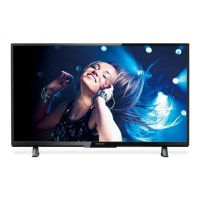
Magnavox 47MF439B Specifications

General IconGeneral
BrandMagnavox
Model47MF439B
CategoryTV
LanguageEnglish

Related product manuals