Magner350 USER Guide
Magner INT 47
18) Stop Double Notes
When double notes are detected, the machine sends the notes to Reject Pocket and stops.
19) Tape Detection
In Value mode, Tape Detection function is enabled or not.
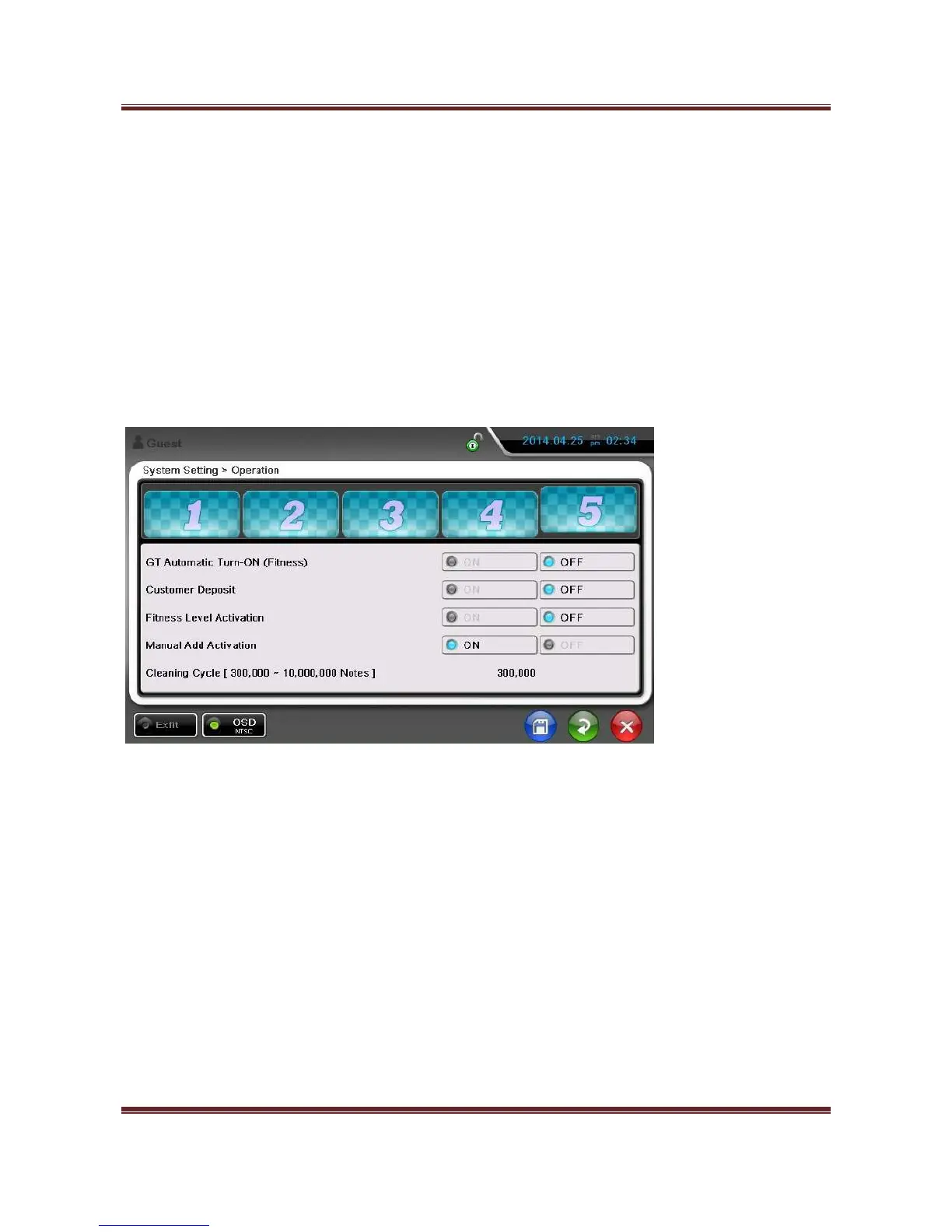
20) GT Automatic Turn-On (Fitness) – Pincode is needed.
When enter Pincode, “5” tab is shown as below.
When enter FIT or ATM mode, GT is turned on automatically.
21) Customer Deposit – Pincode is needed.
Enter the client information, account no, type of deposit and keep and print value of the deposit.


 To Next Page