Section
7
Menu Structure and Features
7.0 Pushbutton Operation
The menu structure and pushbutton operation of the LTM series transmitters is simple and user-friendly. The
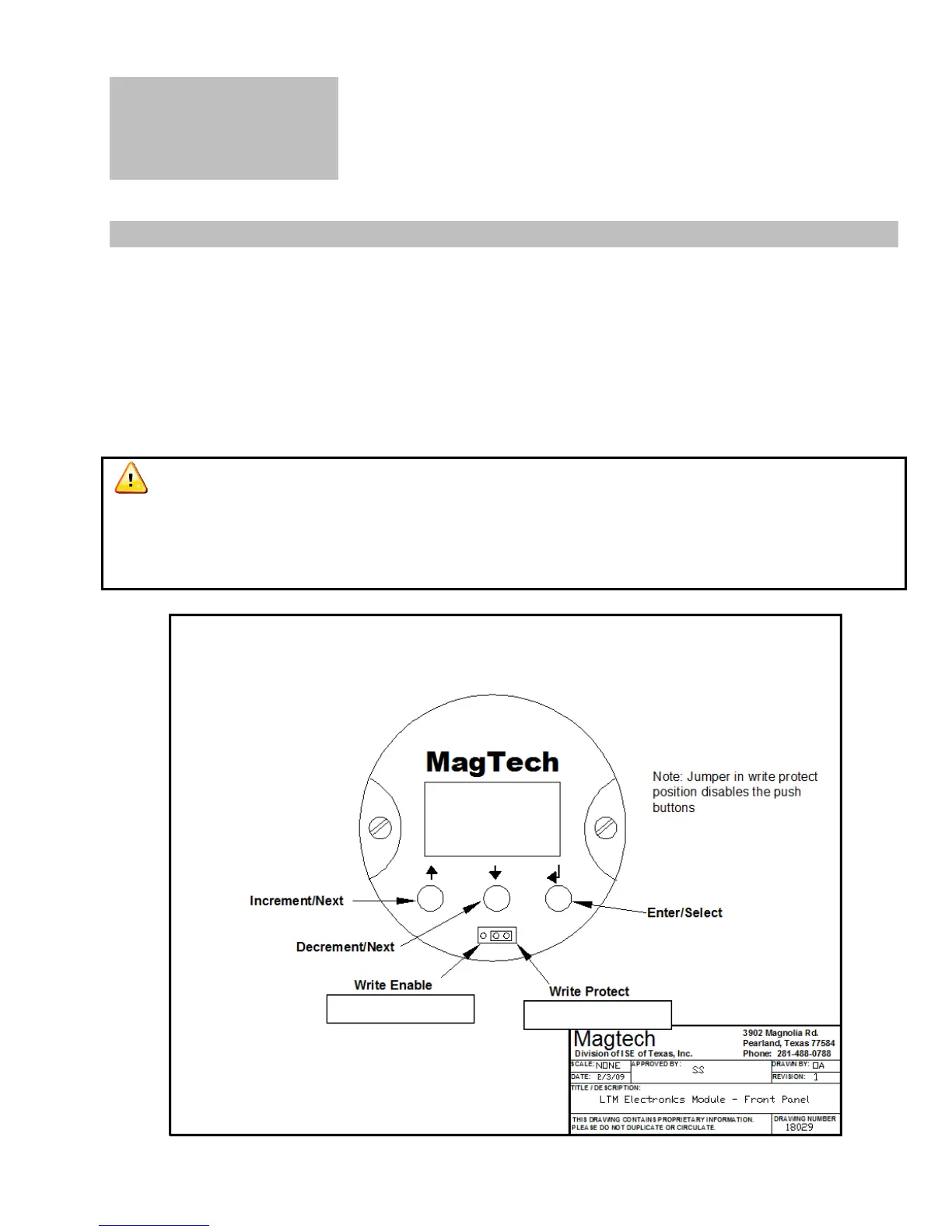
electronics module has 3 pushbuttons (from left to right):
↑ : This button is used to increment values and change “Yes” to “No” and “No” to “Yes”.
↓ : This button is used to decrement values and change “Yes” to “No” and “No” to “Yes”.
← : This is the enter button used to execute functions and enter/exit into or out of submenus.
The pushbuttons are timed not pressurized. It does not matter how hard/firm you press them. The
buttons depend on the length of time they are pressed. The longer you hold the button the faster it will
increment/decrement values. Hold the enter button down for 2 seconds to enter the configuration menus
and 1 second for all subsequent menus.
Figure 15. Front Panel of Electronics Module
15


 To Next Page