16
Majestic • RUBY25IN, RUBY25IL, RUBY30IN, RUBY30IL, RUBY35IN, RUBY35IL Owner’s Manual • 2542-981 Rev. K • 5/21
Appliance ON/OFF:
A wall control, thermostat or remote control may be used
to control the ON/OFF function of the appliance. Follow
instructions included with the installed control. Contact
your dealer for details.
Fan Kit
• This appliance includes a factory installed fan.
• Fan functions are integrated into the included IFT-
RC400 remote control.
CAUTION! Risk of burns! Appliance surfaces are hot
when operating and during cool down. Use care and
wear gloves when opening the front and accessing com-
ponents inside the appliance.
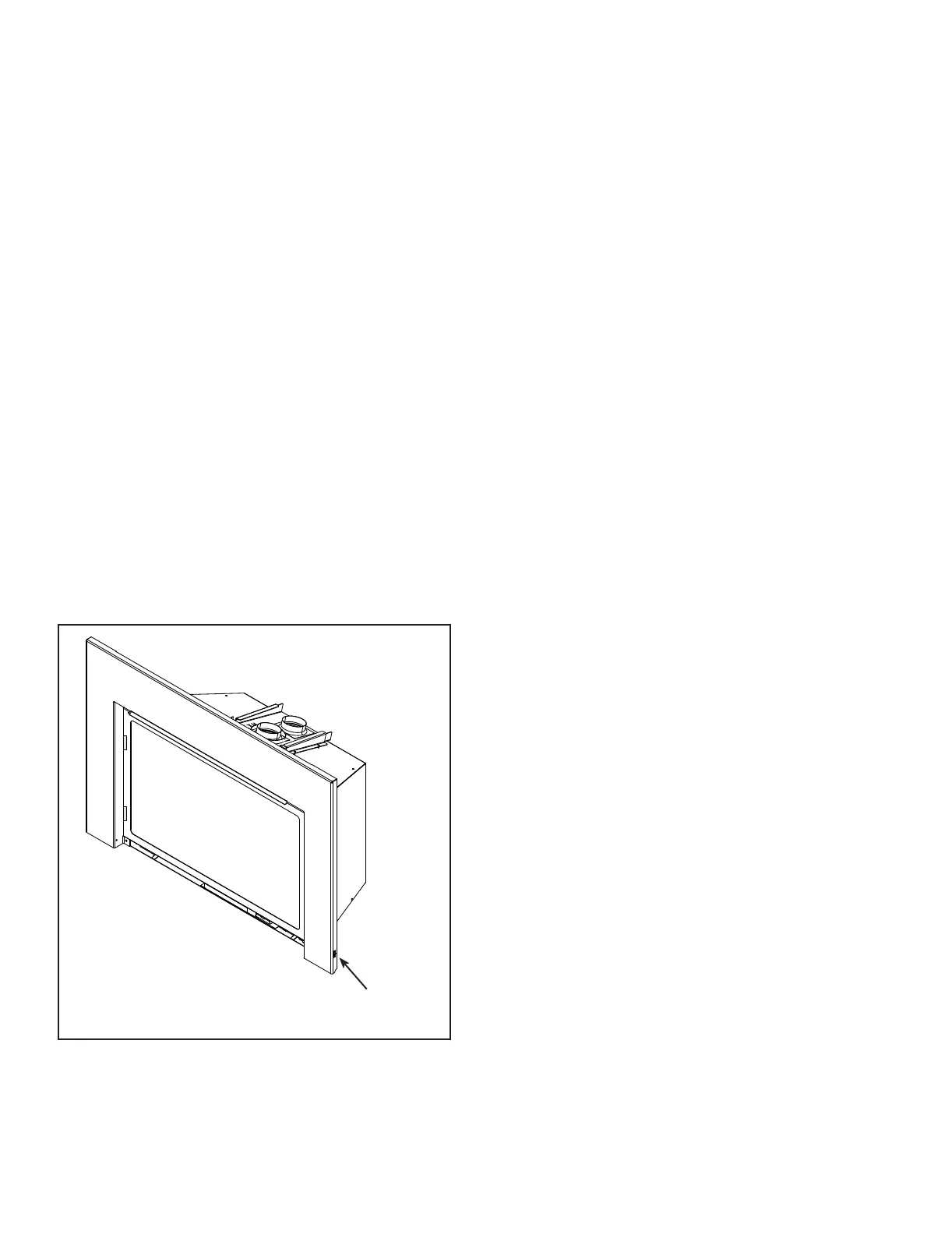
- Toggle the appliance reset switch to the o position .
See Figure 3.10 for reset switch location.
or
- Set the IFT-ECM 3-position selector switch to OFF
position.
- Wait ve (5) minutes to allow possible accumulated
gas to clear.
- Toggle the appliance reset switch to the on position.
or
- Set the IFT-ECM 3-position selector switch to ON or
REMOTE position. Module will beep once and ash a
three GREEN LED code on successful startup.
If placed in ON position, the appliance will ignite
normally if the error condition was corrected.
If placed in IFT-REM position or reset switch used, use
the paired IFT-RC400, IFT-RC150 or wired wall switch
to start the appliance; appliance will ignite normally if the
error condition was corrected.
If the IFT-ECM re-enters the lock-out condition after these
steps, call your dealer for service.
SURROUND
RESET SWITCH
Figure 3.10 Surround Reset Switch



 To Next Page