9 Getting started
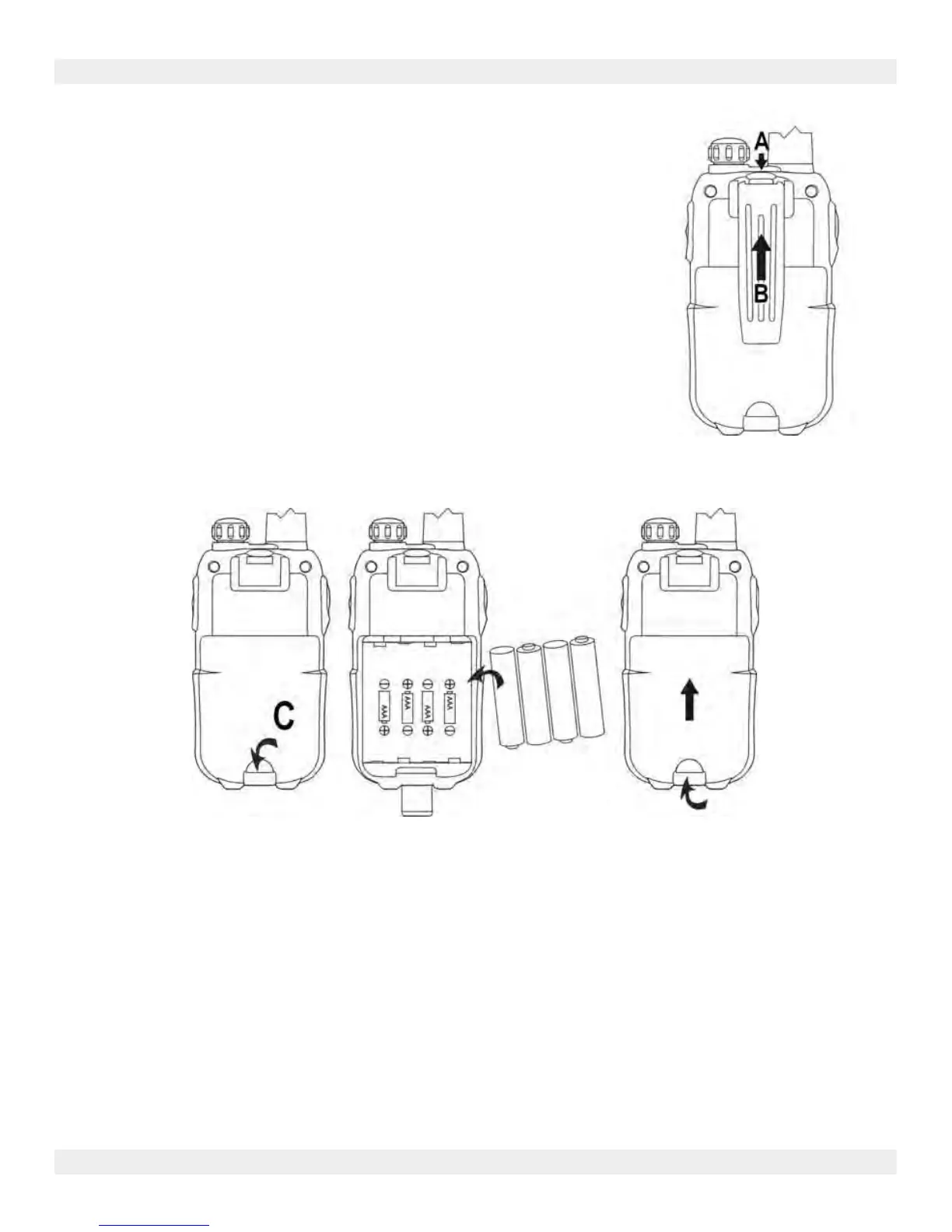
9.1 Installing/Removing the Belt Clip
1. To remove the belt clip from the unit, push the belt clip
(B) towards the antenna, while pulling the clip tab (A).
2. When re-installing the belt clip, a click indicates the belt
clip is locked into position
9.2 Battery Installation
1. Remove the belt clip (see chapter “9.1 Installing/Removing the Belt Clip”)
2. Lift the battery door by gently pushing the door clip (C) using your finger nail.
3. Install the NiMh batteries. Make sure that the polarity of the NiMh batteries is
correct.
4. Close the battery door.
5. Re-install the belt clip
MTD90
LICENCE FREE 2-WAY RADIOS
Page 5


 To Next Page