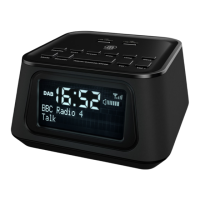
Instrucons Guide
Dual Alarm Setting
Press the ‘Alarm’ button (Ref.10) once for Alarm 1 or twice for
Alarm 2. Press the ‘Select’ dial (Ref.7) to conrm.
To turn the alarm on or o, use the ‘Select’ dial (Ref.7) so that
“ON” is ashing and press the ‘Select’ dial (Ref.7) to conrm.
The hour digits for the alarm will ash. Use the ‘Select’ dial (Ref.7)
to change the hour and press the ‘Select’ dial (Ref.7) to conrm.
Use the ‘Select’ dial (Ref.7) to change the minutes and press
‘Select’ dial (Ref.7) to conrm.
Use the ‘Select’ dial (Ref.7) to change the volume and press
‘Select’ dial (Ref.7) to conrm.
Use the ‘Select’ dial (Ref.7) to change between which sound you
would like: Alarm, DAB or FM Radio. Press the ‘Select’ dial (Ref.7)
to conrm.
To set Alarm 2, follow Alarm 1 instructions but press the ‘Alarm’
button (Ref.10) twice.
NOTE: You can press the ‘Info’ (Ref.4) button to go back to the
previous step when programming the alarm.
17


 To Next Page