42
M2 ASSEMBLY GUIDE
6. VERIFY CONNECTION AND ENTER Z-STEPS
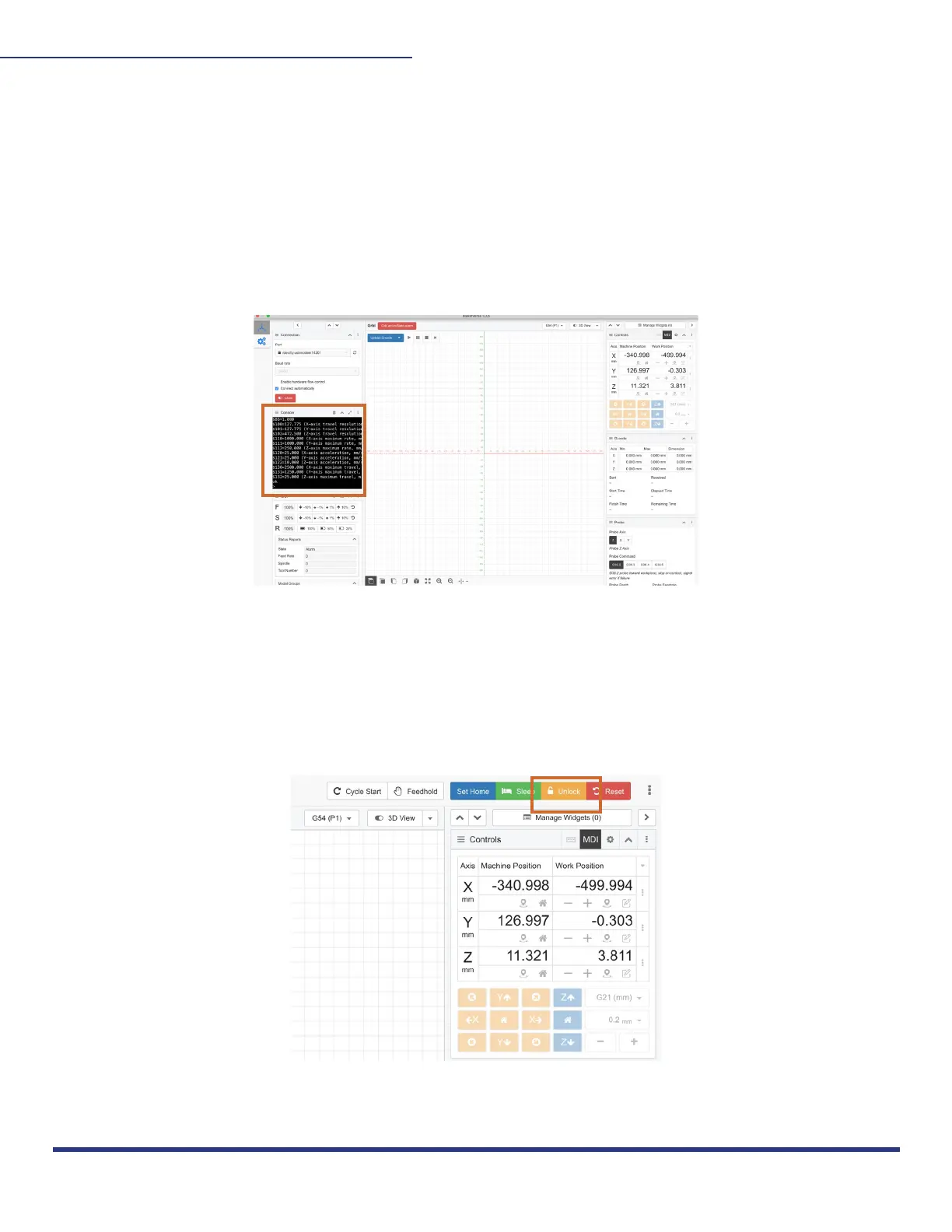
You will know your M2 is connected when you see the Grbl Gcode readout in the Console,
shown below. If you don’t see lines of code, then your M2 is not connected. To disconnect at
any time, click close.
You will also have to set your Z Step Per Rotation to 472.5 for Easel, input $102 = 472.5 in the
console and press enter. These commands will only have to be entered once.
7. UNLOCK:
Because the M2 is an omni-directional CNC without endstops, the “Alarm” is active and must
be unlocked. Click the yellow “Unlock” button in the top right corner to start the calibration
process. The console will confirm the machine is unlocked.
This work is licensed under the creative commons Attribution
NonCommercial-NoDerivatives 4.0 International license. Last Updated 8.12.2020
Version 1.8


 To Next Page