EasyManua.ls Logo

Makita 6916D - User Manual

Makita 6916D
20 pages
Print Icon
To Next Page IconTo Next Page
Loading...
INSTRUCTION MANUAL
WARNING:
For your personal safety, READ and UNDERSTAND before using.
SAVE THESE INSTRUCTIONS FOR FUTURE REFERENCE.
www.makitatools.com
Cordless Impact
Driver
Equipped with Electric Brake
MODEL 6916D
Question and Answer IconNeed help?

Do you have a question about the Makita 6916D and is the answer not in the manual?

Summary

SPECIFICATIONS

Model

Details the specific model number of the cordless impact driver.

Capacities

Lists the screw and bolt sizes the tool can handle.

No load speed (RPM)

Specifies the maximum rotations per minute without load.

Impacts per minute

Indicates the number of blows per minute the tool delivers.

Overall length

Provides the total length of the tool.

Net weight

States the weight of the tool without the battery.

Battery Charger

Details specifications for the compatible battery charger.

Input

Specifies the electrical input requirements for the charger.

Output

Indicates the electrical output from the charger.

Battery Cartridge

Lists specifications related to the battery cartridge.

Voltage

Shows the voltage of the battery cartridge.

Charging time

Details the time required to charge the battery.

GENERAL SAFETY RULES

Work Area

Keep your work area clean and well lit

Maintains a clean and well-lit workspace to prevent accidents.

Do not operate power tools in explosive atmospheres

Avoids operating tools in potentially explosive environments.

Keep bystanders, children, and visitors away

Ensures bystanders and children are kept clear during operation.

Electrical Safety

Use only the specified charger for battery recharging

Use only the specified charger for battery recharging.

Utilize only the designated battery pack for the tool

Utilize only the designated battery pack for the tool.

Personal Safety

Stay alert, watch what you are doing, and use common sense

Maintain alertness, common sense, and avoid using tool when impaired.

Dress properly. Do not wear loose clothing or jewelry

Wear appropriate clothing, secure long hair, and avoid loose items.

Avoid accidental starting. Be sure switch is in the locked or off position

Prevent accidental starts by ensuring the switch is off before handling.

Remove adjusting keys or wrenches before turning the tool on

Remove any keys or wrenches before powering on the tool.

Do not overreach. Keep proper footing and balance

Maintain proper footing and balance to avoid overreaching.

Use safety equipment. Always wear eye protection

Utilize appropriate safety equipment, including eye protection.

Tool Use and Care

Use clamps or other practical way to secure and support the workpiece

Secure the workpiece with clamps or other means for stability.

Do not force tool. Use the correct tool for your application

Avoid forcing the tool; use the correct tool for the job.

Do not use tool if switch does not turn it on or off

Do not operate a tool with a malfunctioning on/off switch.

Disconnect battery pack from tool or place the switch in the locked or off position

Disconnect battery or set switch to off before adjustments or storage.

Store idle tools out of reach of children and other untrained persons

Store tools safely away from children and untrained individuals.

When battery pack is not in use, keep it away from other metal objects

Store battery packs away from conductive metal objects to prevent shorts.

SPECIFIC SAFETY RULES

Hold tool by insulated gripping surfaces

Hold tool by insulated grips when contacting potential live wires.

Be aware that this tool is always in an operating condition

Recognize the tool operates continuously without needing plug-in.

Always be sure you have a firm footing

Ensure stable footing and check for people below when working at height.

Hold the tool firmly

Maintain a firm grip on the tool during operation.

Wear ear protectors

Use ear protection when operating the tool.

SYMBOLS

volts

Symbol indicating voltage measurement.

revolutions or reciprocation per minute

Symbol for rotations or reciprocations per minute.

direct current

Symbol representing direct current.

number of blow

Symbol indicating the number of blows.

no load speed

Symbol for no load speed measurement.

IMPORTANT SAFETY INSTRUCTIONS FOR CHARGER & BATTERY CARTRIDGE

General Instructions and Cautions

Read and follow all instructions and markings before using charger and battery.

Environmental and Usage Precautions

Protect charger from elements; use only recommended attachments.

Cord and Extension Cord Safety

Ensure cords are not damaged or tripped over; use appropriate extension cords.

Handling Damaged Equipment

Do not use charger if cord, plug, or unit is damaged.

ADDITIONAL SAFETY RULES FOR CHARGER & BATTERY CARTRIDGE

Charging Temperature Limits

Charge batteries within specified temperature range (10°C-40°C).

Prohibited Charging Methods

Avoid using transformers, generators, or DC receptacles for charging.

Ventilation and Storage Precautions

Keep vents clear; do not store in hot locations or cover unit.

Battery Short-Circuit Prevention

Prevent short-circuiting battery terminals with conductive materials.

Battery Handling and Disposal

Do not incinerate damaged batteries; handle carefully and charge in ventilated areas.

FUNCTIONAL DESCRIPTION

Installing or removing battery cartridge

Instructions for safely installing and removing the battery cartridge.

Charging

Procedure for charging the battery cartridge using the charger.

Tips for maintaining maximum battery life

Charge before full discharge

Charge batteries before they are fully discharged to prolong life.

Avoid overcharging

Avoid overcharging fully charged batteries to maintain service life.

Optimal charging temperature

Charge batteries at room temperature between 10°C and 40°C.

Ni-MH battery storage charge

Charge Ni-MH batteries if stored unused for over six months.

Switch action

Electric brake

Reversing switch action

Verify rotation direction before operation

Verify the direction of rotation before commencing any operation.

Engage reversing switch after tool stops

Engage the reversing switch only when the tool has completely stopped.

Return switch to neutral when not in use

Always return the reversing switch lever to the neutral position when not in use.

ASSEMBLY

Installing or removing driver bit or socket bit

OPERATION

Operational Guidance

Guidance on bit usage, screw pressure, alignment, and tool resting.

Factors Affecting Fastening Torque

Understand factors affecting fastening torque like battery, bit, and bolt.

MAINTENANCE

Replacing carbon brushes

Procedure for checking and replacing worn carbon brushes.

Use only identical carbon brushes

Always use identical replacement carbon brushes for service.

Authorized Service Center Maintenance

All repairs by authorized service centers using genuine parts.

Recycling the Battery

Remove the battery from the tool

First step is to remove the battery from the tool.

Take battery to Makita Service Center

Recycle battery at a Makita Factory or Authorized Service Center.

Contact Makita for recycling locations

Contact Makita service for battery recycling location information.

ACCESSORIES

Consult Makita service for accessory details

Consult local Makita service for accessory details.

Recommended Accessories

Includes screw bits, batteries, chargers, shoulder strap, and carrying case.

FACTORY SERVICE CENTERS

CUSTOMERS RECORD

Service Request Procedure

Instructions for seeking service by sending the tool to a service center.

WARNING

California Proposition 65 Dust Warning

Warning regarding cancer and reproductive harm from certain dusts in California.

MAKITA LIMITED ONE YEAR WARRANTY

Warranty Policy

Details the terms and conditions of the one-year limited warranty.

Warranty Exclusions

Warranty void for unauthorized repairs, wear and tear, abuse, or alterations.

Liability Limitations

Disclaimers for indirect damages and implied warranties after term.

Summary

SPECIFICATIONS

Model

Details the specific model number of the cordless impact driver.

Capacities

Lists the screw and bolt sizes the tool can handle.

No load speed (RPM)

Specifies the maximum rotations per minute without load.

Impacts per minute

Indicates the number of blows per minute the tool delivers.

Overall length

Provides the total length of the tool.

Net weight

States the weight of the tool without the battery.

Battery Charger

Details specifications for the compatible battery charger.

Input

Specifies the electrical input requirements for the charger.

Output

Indicates the electrical output from the charger.

Battery Cartridge

Lists specifications related to the battery cartridge.

Voltage

Shows the voltage of the battery cartridge.

Charging time

Details the time required to charge the battery.

GENERAL SAFETY RULES

Work Area

Keep your work area clean and well lit

Maintains a clean and well-lit workspace to prevent accidents.

Do not operate power tools in explosive atmospheres

Avoids operating tools in potentially explosive environments.

Keep bystanders, children, and visitors away

Ensures bystanders and children are kept clear during operation.

Electrical Safety

Use only the specified charger for battery recharging

Use only the specified charger for battery recharging.

Utilize only the designated battery pack for the tool

Utilize only the designated battery pack for the tool.

Personal Safety

Stay alert, watch what you are doing, and use common sense

Maintain alertness, common sense, and avoid using tool when impaired.

Dress properly. Do not wear loose clothing or jewelry

Wear appropriate clothing, secure long hair, and avoid loose items.

Avoid accidental starting. Be sure switch is in the locked or off position

Prevent accidental starts by ensuring the switch is off before handling.

Remove adjusting keys or wrenches before turning the tool on

Remove any keys or wrenches before powering on the tool.

Do not overreach. Keep proper footing and balance

Maintain proper footing and balance to avoid overreaching.

Use safety equipment. Always wear eye protection

Utilize appropriate safety equipment, including eye protection.

Tool Use and Care

Use clamps or other practical way to secure and support the workpiece

Secure the workpiece with clamps or other means for stability.

Do not force tool. Use the correct tool for your application

Avoid forcing the tool; use the correct tool for the job.

Do not use tool if switch does not turn it on or off

Do not operate a tool with a malfunctioning on/off switch.

Disconnect battery pack from tool or place the switch in the locked or off position

Disconnect battery or set switch to off before adjustments or storage.

Store idle tools out of reach of children and other untrained persons

Store tools safely away from children and untrained individuals.

When battery pack is not in use, keep it away from other metal objects

Store battery packs away from conductive metal objects to prevent shorts.

SPECIFIC SAFETY RULES

Hold tool by insulated gripping surfaces

Hold tool by insulated grips when contacting potential live wires.

Be aware that this tool is always in an operating condition

Recognize the tool operates continuously without needing plug-in.

Always be sure you have a firm footing

Ensure stable footing and check for people below when working at height.

Hold the tool firmly

Maintain a firm grip on the tool during operation.

Wear ear protectors

Use ear protection when operating the tool.

SYMBOLS

volts

Symbol indicating voltage measurement.

revolutions or reciprocation per minute

Symbol for rotations or reciprocations per minute.

direct current

Symbol representing direct current.

number of blow

Symbol indicating the number of blows.

no load speed

Symbol for no load speed measurement.

IMPORTANT SAFETY INSTRUCTIONS FOR CHARGER & BATTERY CARTRIDGE

General Instructions and Cautions

Read and follow all instructions and markings before using charger and battery.

Environmental and Usage Precautions

Protect charger from elements; use only recommended attachments.

Cord and Extension Cord Safety

Ensure cords are not damaged or tripped over; use appropriate extension cords.

Handling Damaged Equipment

Do not use charger if cord, plug, or unit is damaged.

ADDITIONAL SAFETY RULES FOR CHARGER & BATTERY CARTRIDGE

Charging Temperature Limits

Charge batteries within specified temperature range (10°C-40°C).

Prohibited Charging Methods

Avoid using transformers, generators, or DC receptacles for charging.

Ventilation and Storage Precautions

Keep vents clear; do not store in hot locations or cover unit.

Battery Short-Circuit Prevention

Prevent short-circuiting battery terminals with conductive materials.

Battery Handling and Disposal

Do not incinerate damaged batteries; handle carefully and charge in ventilated areas.

FUNCTIONAL DESCRIPTION

Installing or removing battery cartridge

Instructions for safely installing and removing the battery cartridge.

Charging

Procedure for charging the battery cartridge using the charger.

Tips for maintaining maximum battery life

Charge before full discharge

Charge batteries before they are fully discharged to prolong life.

Avoid overcharging

Avoid overcharging fully charged batteries to maintain service life.

Optimal charging temperature

Charge batteries at room temperature between 10°C and 40°C.

Ni-MH battery storage charge

Charge Ni-MH batteries if stored unused for over six months.

Switch action

Electric brake

Reversing switch action

Verify rotation direction before operation

Verify the direction of rotation before commencing any operation.

Engage reversing switch after tool stops

Engage the reversing switch only when the tool has completely stopped.

Return switch to neutral when not in use

Always return the reversing switch lever to the neutral position when not in use.

ASSEMBLY

Installing or removing driver bit or socket bit

OPERATION

Operational Guidance

Guidance on bit usage, screw pressure, alignment, and tool resting.

Factors Affecting Fastening Torque

Understand factors affecting fastening torque like battery, bit, and bolt.

MAINTENANCE

Replacing carbon brushes

Procedure for checking and replacing worn carbon brushes.

Use only identical carbon brushes

Always use identical replacement carbon brushes for service.

Authorized Service Center Maintenance

All repairs by authorized service centers using genuine parts.

Recycling the Battery

Remove the battery from the tool

First step is to remove the battery from the tool.

Take battery to Makita Service Center

Recycle battery at a Makita Factory or Authorized Service Center.

Contact Makita for recycling locations

Contact Makita service for battery recycling location information.

ACCESSORIES

Consult Makita service for accessory details

Consult local Makita service for accessory details.

Recommended Accessories

Includes screw bits, batteries, chargers, shoulder strap, and carrying case.

FACTORY SERVICE CENTERS

CUSTOMERS RECORD

Service Request Procedure

Instructions for seeking service by sending the tool to a service center.

WARNING

California Proposition 65 Dust Warning

Warning regarding cancer and reproductive harm from certain dusts in California.

MAKITA LIMITED ONE YEAR WARRANTY

Warranty Policy

Details the terms and conditions of the one-year limited warranty.

Warranty Exclusions

Warranty void for unauthorized repairs, wear and tear, abuse, or alterations.

Liability Limitations

Disclaimers for indirect damages and implied warranties after term.

Overview

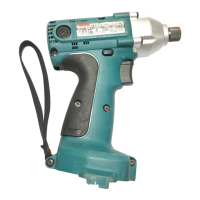
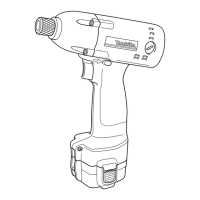
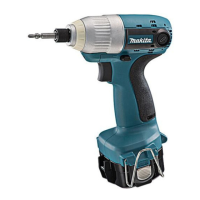
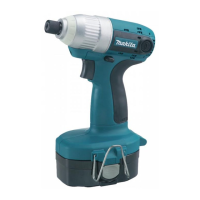
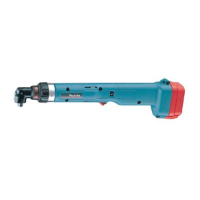
The Makita Cordless Impact Driver, model 6916D, is a powerful and versatile tool designed for various fastening applications. It is equipped with an electric brake for enhanced safety and control.

Function Description:

The impact driver is designed to fasten machine screws, standard bolts, and high tensile bolts. Its impact mechanism delivers high torque with minimal rotational force, making it efficient for driving fasteners into various materials. The electric brake ensures that the tool stops quickly after the switch trigger is released, preventing over-tightening and improving safety. The tool features a reversing switch to change the direction of rotation, allowing for both tightening and loosening of fasteners. When the reversing switch lever is in the neutral position, the switch trigger is locked, preventing accidental starting.

Important Technical Specifications:

  • Model: 6916D
  • Capacities:
    • Machine screw: 4 mm - 8 mm (5/32" - 5/16")
    • Standard bolt: 5 mm - 12 mm (3/16" - 1/2")
    • High tensile bolt: 5 mm - 10 mm (3/16" - 3/8")
  • No load speed (RPM): 0 - 2,300/min.
  • Impacts per minute: 0 - 3,000
  • Overall length: 168 mm (6 - 5/8")
  • Net weight: 1.5 kg (3.3 lbs)
  • Battery Charger (Model): DC1414
  • Battery Charger Input: A.C. only 50 Hz - 60 Hz
  • Battery Charger Output: D.C. 7.2 V - 14.4 V
  • Battery Cartridge (Models): 1222, 1234, 1235
  • Battery Voltage: 12 V
  • Charging time:
    • 1222: 45 min.
    • 1234: 60 min.
    • 1235: 70 min.

Usage Features:

  • Battery Cartridge Installation/Removal: To remove, press buttons on both sides of the cartridge and withdraw it. To insert, align the tongue with the groove in the housing and push until it clicks into place. Ensure the tool is switched off before handling the battery cartridge.
  • Switch Action: The tool is started by pulling the switch trigger. Speed increases with pressure on the trigger. Releasing the trigger stops the tool.
  • Reversing Switch Action: Depress the reversing switch lever from the 'A' side for clockwise rotation or from the 'B' side for counterclockwise rotation. The switch trigger is locked when the lever is in the neutral position. Always ensure the tool has come to a complete stop before changing the direction of rotation to prevent damage.
  • Driver Bit/Socket Bit Installation/Removal: Use only driver bits or socket bits of 12 mm (15/32") or 9 mm (3/8") as shown in the manual. To install, pull the sleeve in the direction of the arrow, insert the bit fully, and release the sleeve to secure it. To remove, pull the sleeve and firmly pull out the bit. If the bit is not inserted deep enough, the sleeve will not return to its original position, and the bit will not be secured.
  • Fastening Operation: Hold the tool firmly and apply forward pressure to the screw head to prevent slipping. The proper fastening torque depends on the screw/bolt type and size, workpiece material, and battery charge level. It is recommended to perform a test operation to determine the correct fastening time for specific screws to avoid overstressing or damaging fasteners. Continuous operation until the battery is discharged requires a 15-minute rest period before using a fresh battery. Factors affecting fastening torque include battery discharge, incorrect driver bit/socket bit size, and bolt characteristics (diameter, torque coefficient, class, and length). Holding the tool or the material of the driving position, as well as operating at low speed, can also affect torque.

Maintenance Features:

  • Carbon Brush Replacement: Carbon brushes should be regularly checked and replaced when they wear down to the limit mark. Keep them clean and free to slip in their holders. Both carbon brushes should be replaced simultaneously with identical carbon brushes. To replace, remove the brush holder caps with a screwdriver, take out the worn brushes, insert new ones, and secure the caps. After replacement, run the tool with no load for about 1 minute to break in the brushes. Check the tool's operation and the electric brake. If the electric brake is not functioning correctly, service is required.
  • General Maintenance: Always ensure the tool is switched off and the battery cartridge is removed before performing any inspection or maintenance. For product safety and reliability, repairs and other maintenance should be performed by Makita Authorized or Factory Service Centers using genuine Makita replacement parts.
  • Battery Charger & Cartridge Maintenance:
    • Do not charge battery cartridges below 10°C (50°F) or above 40°C (104°F).
    • Do not use a step-up transformer, engine generator, or DC power receptacle for charging.
    • Ensure charger vents are not covered or clogged.
    • Always cover battery terminals with the battery cover when not in use.
    • Avoid shorting battery terminals with conductive materials or storing them with metal objects like nails or coins.
    • Do not expose the battery cartridge to water or rain.
    • Store the tool and battery cartridge in locations where the temperature will not exceed 50°C (122°F).
    • Do not incinerate battery cartridges, even if damaged or worn out, as they can explode.
    • Do not charge inside a box or container; ensure the battery is in a well-ventilated area during charging.
    • If the charger or cord is damaged, replace them immediately.
    • Unplug the charger from the outlet before maintenance or cleaning.
    • Supervise young children to prevent them from playing with the charger.
  • Battery Life Tips:
    • Charge the battery cartridge before it is completely discharged. Stop tool operation when power decreases.
    • Avoid overcharging fully charged battery cartridges, as this shortens service life.
    • Charge battery cartridges at room temperature (10°C - 40°C / 50°F - 104°F). Allow hot cartridges to cool before charging.
    • Charge Nickel Metal Hydride battery cartridges if not used for more than six months.
  • Recycling the Battery: Makita batteries must be recycled. Remove the battery from the tool and take it to a Makita Factory Service Center or an Authorized Service Center/Distributor designated as a Makita battery recycling location. Refer to local Yellow Pages under "Tools-Electric" for recycling locations.

Safety Precautions:

  • Always read and understand all instructions before using the tool to prevent electric shock, fire, and serious personal injury.
  • Keep the work area clean and well lit.
  • Do not operate in explosive atmospheres (flammable liquids, gases, dust).
  • Keep bystanders, children, and visitors away.
  • Use the specified charger for battery-operated tools.
  • Use only specifically designated battery packs.
  • Stay alert, watch what you are doing, and use common sense. Do not operate while tired or under the influence of drugs, alcohol, or medication.
  • Dress properly: avoid loose clothing, jewelry, and long hair near moving parts.
  • Avoid accidental starting: ensure the switch is in the locked or off position before inserting the battery pack.
  • Remove adjusting keys or wrenches before turning the tool on.
  • Do not overreach; maintain proper footing and balance.
  • Use safety equipment: wear eye protection, dust mask, non-skid safety shoes, hard hat, or hearing protection as appropriate.
  • Secure workpieces with clamps or other practical means.
  • Do not force the tool; use the correct tool for the application.
  • Do not use the tool if the switch does not turn it on or off.
  • Disconnect the battery pack or place the switch in the locked/off position before making adjustments, changing accessories, or storing the tool.
  • Store idle tools out of reach of children and untrained persons.
  • Keep battery packs away from other metal objects to prevent shorting, which can cause sparks, burns, or fire.
  • Maintain tools with care; keep cutting tools sharp and clean.
  • Check for misalignment, binding, or breakage of parts. Have damaged tools serviced.
  • Use only accessories recommended by the manufacturer.
  • Tool service must be performed by qualified repair personnel using identical replacement parts.
  • Hold the tool by insulated gripping surfaces when the cutting tool may contact hidden wiring to prevent electric shock.
  • Be aware that the tool is always in an operating condition as it does not need to be plugged into an outlet.
  • Always ensure firm footing, especially when working in high locations.
  • Hold the tool firmly.
  • Wear ear protectors.
  • Do not let comfort or familiarity with the product replace strict adherence to safety rules. Misuse can cause serious personal injury.
  • Dust created by power sanding, sawing, grinding, drilling, and other construction activities may contain chemicals known to cause cancer, birth defects, or other reproductive harm (e.g., lead, crystalline silica, arsenic, chromium). Work in well-ventilated areas and use approved safety equipment like dust masks to reduce exposure.

Makita 6916D Specifications

General IconGeneral
BrandMakita
Model6916D
CategoryImpact Driver
LanguageEnglish

Related product manuals