Need help?
Do you have a question about the Makita 6906 and is the answer not in the manual?
General safety rules for the work environment.
Guidelines for safe electrical usage and tool grounding.
Personal safety precautions while operating the tool.
Guidelines for using and maintaining the tool correctly.
Information regarding professional service and repair of the tool.
Advice on gripping surfaces, firm footing, and holding the tool securely.
Recommendations for ear protection and socket condition checks.
Guidance on torque variation and verification with a torque wrench.
Details on how the switch operates for forward and reverse rotation.
Instructions for attaching the auxiliary side grip to the tool.
Guidance on choosing the appropriate socket size for bolts and nuts.
Procedure for attaching and detaching sockets from the tool's anvil.
Explains the relationship between fastening time, torque, and voltage.
Details on voltage, socket condition, bolt type, and accessories influencing torque.
Instructions for checking and replacing worn carbon brushes.
Details the terms and conditions of the Makita one-year warranty.
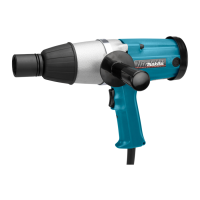
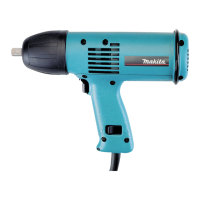
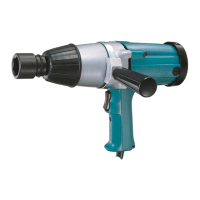
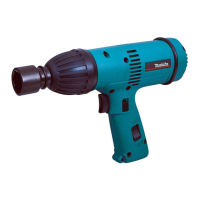
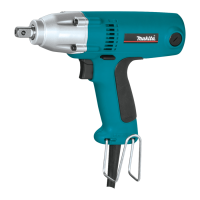
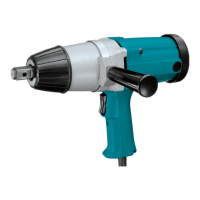
This document describes the Makita Model 6906 Impact Wrench, a power tool designed for fastening and unfastening bolts and nuts. The manual provides essential information on its functional description, usage, and maintenance, emphasizing safety precautions throughout.
The Makita Model 6906 is an impact wrench featuring a 19 mm (3/4") square drive, designed for heavy-duty fastening applications. It operates with a switch trigger that controls both the activation and the direction of rotation. The tool is equipped with double insulation, eliminating the need for a three-wire grounded power cord and grounded power supply system, which enhances electrical safety.
The switch trigger is reversible, allowing for both clockwise and counterclockwise rotation. To initiate clockwise rotation, the user pulls the lower part of the switch trigger. For counterclockwise rotation, the upper part of the switch trigger is pulled. Releasing the switch trigger immediately stops the tool. A crucial safety feature is that the direction of rotation should only be changed when the tool has come to a complete stop. Attempting to change direction while the tool is still rotating can cause damage to the internal mechanisms. Before plugging in the tool, it is essential to always check that the switch trigger actuates properly and returns to the "OFF" position when released, preventing accidental starts.
The impact wrench is designed to be used with a side grip, also referred to as an auxiliary handle, which is fitted into a groove on the middle of the hammer case and securely fastened. This side grip provides enhanced control and stability during operation, especially important given the tool's impact action.
Proper usage of the Makita Model 6906 Impact Wrench involves several key steps and considerations to ensure effective fastening and user safety.
Before any operation, it is critical to select the correct size socket for the bolts and nuts being worked on. Using an incorrect size socket can lead to inaccurate and inconsistent fastening torque, and potentially damage the bolt, nut, or the socket itself. Sockets are installed by pushing them onto the anvil of the tool until they lock into place. To remove a socket, it is simply pulled off.
When operating the tool, the user should hold it firmly and position the socket directly over the bolt or nut. The tool is then turned on to begin fastening. The proper fastening torque is achieved by fastening for the appropriate duration. The manual includes a graph illustrating the relationship between fastening torque and fastening time, which can vary based on factors such as the kind and size of the bolt, and the material of the workpiece.
Several factors can influence the fastening torque, and users should be aware of these to ensure accurate and secure fastening. These factors include:
To ensure optimal results, it is recommended to hold the tool pointed straight at the bolt or nut. Users should also be cautious of excessive fastening torque, which can damage the bolt, nut, or socket. Before starting a job, performing a test operation to determine the proper fastening time for the specific bolt or nut is highly advisable. After fastening, it is always recommended to check the torque with a torque wrench to confirm accuracy.
Regular maintenance is crucial for the longevity and safe operation of the Makita Model 6906 Impact Wrench. Before performing any inspection or maintenance, it is imperative to ensure that the tool is switched off and unplugged from the power source.
A key maintenance task involves checking and replacing the carbon brushes. Users should regularly remove and inspect the carbon brushes. They need to be replaced when they wear down to the limit mark indicated on the brush. It is important to keep the carbon brushes clean and ensure they can slip freely in their holders. When replacing carbon brushes, both brushes should be replaced at the same time, and only identical carbon brushes should be used. To access the carbon brushes, a screwdriver is used to remove the brush holder caps. After inserting new brushes, the caps are securely fastened.
For all other maintenance, adjustments, or repairs, it is strongly recommended that these services be performed only by qualified repair personnel at Makita Authorized or Factory Service Centers. This ensures that genuine Makita replacement parts are used, maintaining the product's safety and reliability. Using unauthorized parts or failing to follow proper maintenance instructions can create risks of electric shock or injury.
The manual also lists recommended accessories for the Makita Model 6906, including an extension bar, universal joint, side grip, hex wrench, front bumper, rear bumper, and a steel carrying case. These accessories are designed to enhance the tool's functionality and user experience. If assistance is needed regarding these accessories, users are advised to contact their local Makita service center.
Overall, the Makita Model 6906 Impact Wrench is a robust tool designed for efficient fastening, with a strong emphasis on user safety and proper maintenance practices to ensure reliable performance.
 General
| Input power | 650 W |
|---|---|
| Power source | AC |
| Rated speed (max) | 1700 RPM |
| Impact rate | 1600 bpm |
| Screw diameter | M16, M18, M20, M22 |
| Reverse | Yes |
| Product type | Impact wrench |
| Product color | Black, Blue |
 Weight and Dimensions
| Depth | 95 mm |
|---|---|
| Width | 327 mm |
| Height | 237 mm |
| Weight | 5600 g |

 To Next Page