EasyManua.ls Logo

Makita DCL180 - User Manual

Makita DCL180
16 pages
Print Icon
To Next Page IconTo Next Page
Loading...
INSTRUCTION MANUAL
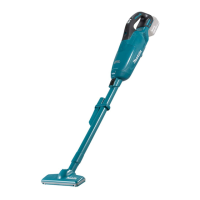
Cordless Cleaner
DCL140
DCL180
DCL180F
ENGLISH: Original instructions
Read before use.

Other manuals for Makita DCL180

Question and Answer IconNeed help?

Do you have a question about the Makita DCL180 and is the answer not in the manual?

Summary

Safety and Specifications

General Warnings and Safety

Safety warnings regarding appliance use by children, persons with reduced abilities, and general operation.

Product Specifications and Symbols

Details on product specifications, intended use, and explanation of equipment symbols.

Additional Safety Rules

Battery Safety and Maintenance Tips

Crucial safety instructions for battery handling and recommendations for maximizing battery life.

Functional Description

Battery and Switch Operations

Instructions for installing/removing battery, battery protection system, and switch operation.

Assembly and Battery Indication

Battery Capacity Check

How to check the remaining battery capacity using indicator lamps.

Filter Assembly

Description of the normal filter type and its components for assembly.

Dust Disposal

Normal Filter Dust Disposal

Procedure for emptying dust from the capsule with a normal filter.

Reassembly Procedures

High Performance Filter Dust Disposal

Procedure for emptying dust from the capsule with a high performance filter.

Normal Filter Reassembly

Steps to correctly reassemble the cleaner with a normal filter.

Troubleshooting Assembly

High Performance Filter Reassembly

Steps to correctly reassemble the cleaner with a high performance filter.

Filter Securing Lip Issue

Operation and Attachments

Using Extension Wand

How to use the nozzle with the extension wand for floor cleaning.

Using Corner Nozzle

How to use the corner nozzle for cleaning tight spaces.

Maintenance and Cleaning

General Cleaner Cleaning

General cleaning instructions for the cleaner body, suction opening, and filter area.

Filter and Sponge Filter Care

Instructions for washing, drying, and re-installing filters for optimal performance.

Pre-Repair Checks

Important Repair Information

Important note about not attempting self-repair and using authorized service centers.

Optional Accessories

Overview

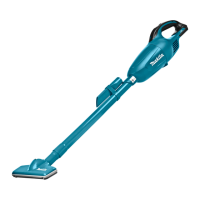
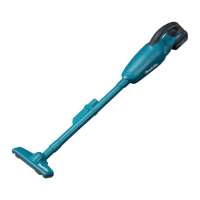
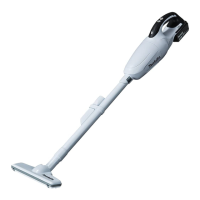
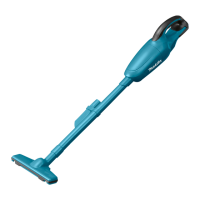
The Makita Cordless Cleaner is a versatile and portable cleaning tool designed for collecting dry dust in various settings. This appliance is suitable for household use and can be operated by individuals aged 8 years and above, as well as those with reduced physical, sensory, or mental capabilities, provided they receive proper supervision and instruction on safe use and understanding of potential hazards. Children should not play with the appliance, and cleaning or user maintenance should not be performed by children without supervision.

Function Description

The cordless cleaner operates on a battery system, offering freedom from power cords. It is primarily intended for dry dust collection. The cleaner features a trigger switch for activation and deactivation. Pulling the switch trigger starts the tool, and releasing it stops operation. For the DCL180F model, the trigger switch also controls a built-in lamp, which illuminates when the trigger is pulled and turns off when released. Users are cautioned not to look directly into the light to avoid eye damage.

The device incorporates a battery protection system for Lithium-ion batteries with a star marking. This system automatically cuts off power to extend battery life under specific conditions:

  • Overloaded: If the tool draws an abnormally high current due to overload, it will stop. To restart, release the trigger, stop the application causing the overload, and then pull the trigger again.
  • Overheated: If the tool does not start after an overload, the battery may be overheated. In this case, allow the battery to cool down before attempting to restart.
  • Low battery voltage: When the remaining battery capacity is too low, the tool will not operate. The solution is to remove and recharge the battery.

Battery cartridges with an indicator feature indicator lamps and a check button. Pressing the check button illuminates the indicator lamps for a few seconds, showing the remaining battery capacity. The indicator lamps provide a visual representation of the battery charge level, ranging from 75-100% (all lamps lighted) down to 0-25% (one lamp blinking). A specific blinking pattern indicates that the battery may have malfunctioned, and a solid blinking pattern indicates that the battery needs to be charged.

The cleaner utilizes a filter system to capture dust. There are two main types of filters: a normal filter and a high-performance filter. Both require proper installation within a capsule and prefilter to ensure effective dust collection and prevent dust from entering the motor housing.

Usage Features

The cordless cleaner offers several configurations for different cleaning tasks:

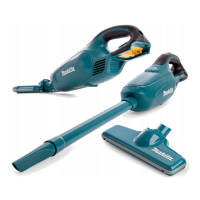
  • Nozzle: The basic nozzle attachment is used for cleaning tables, desks, furniture, and other surfaces. It slips on easily for quick attachment.
  • Nozzle + Extension Wand (Straight Pipe): For cleaning floors while standing erect, an extension wand can be fitted between the nozzle and the cleaner body. This arrangement provides extended reach and ergonomic comfort.
  • Corner Nozzle: A specialized corner nozzle is available for cleaning tight corners and crevices in cars or furniture.
  • Corner Nozzle + Extension Wand (Straight Pipe): For reaching high places or tight quarters where the cleaner body itself cannot fit, the corner nozzle can be combined with the extension wand.
  • Cleaning without Nozzle: The cleaner can also be used without any nozzle to pick up powder and dust directly.

When attaching accessories like nozzles or extension wands, users must twist-insert them in the direction of the arrow to ensure a secure connection. Twisting in the opposite direction during connection or disconnection may loosen the capsule.

Maintenance Features

Regular maintenance is crucial for the optimal performance and longevity of the cordless cleaner. Before performing any inspection or maintenance, always ensure the tool is switched off and the battery cartridge is removed.

  • Emptying Dust: The cleaner should be emptied before it becomes too full, as excessive dust can weaken suction force. It is essential to empty all dust from inside the cleaner to prevent filter clogging and motor damage. When opening the capsule to dispose of dust, it is advisable to place a garbage bag beneath it to catch any spills.
  • Disposing of Dust (Normal Filter): To remove dust from the normal filter, tap the capsule 4-5 times with your hand. Then, point the suction inlet downwards, twist the capsule in the direction of the arrow, and slowly disconnect it. After removing the prefilter by twisting it to unfasten its securing lip, clean out fine dust and lightly tap the filter to dislodge remaining dust.
  • Disposing of Dust (High Performance Filter): The process for the high-performance filter is similar. Tap the capsule, point the suction inlet downwards, and disconnect the capsule. Twist the high-performance filter in the direction of the arrow to unfasten its securing lip, then pull it off. Clean out fine dust and lightly tap the filter.
  • Reassembly of Filters: When reassembling, ensure the filter is placed straight and fully into position on the cleaner unit without being peeled back. Incorrect filter placement can lead to dust entering the motor housing and causing motor failure. The prefilter should be twisted until its securing lip is firmly locked into the cleaner unit. For the high-performance filter, ensure its securing lip is firmly locked into the cleaner unit. Finally, align the "O" symbol on the capsule with the "O" symbol on the handle and twist the capsule firmly in the direction of the arrow until it is secured.
  • Cleaning the Cleaner Body: The exterior of the cleaner body can be wiped with a cloth dampened in soapy water. The suction opening and filter mounting area should also be cleaned.
  • Washing Filters: When the filter becomes clogged or suction power weakens, it can be washed in soapy water. After washing, filters must be thoroughly dried before reuse to prevent poor suction and shorten motor life.
  • Cleaning the Sponge Filter: The sponge filter, if dirty, can be removed by pulling it out from between the pillars. It can be cleaned by tapping or washing and must be thoroughly dried if washed. When reinserting, ensure it is set in its original position, with each bottom edge of the pillar holding down the sponge filter, and no gap between the sponge filter and the suction opening.
  • General Cleaning Precautions: Never use gasoline, benzine, thinner, alcohol, or similar solvents, as these can cause discoloration, deformation, or cracks. Do not use an air duster to blow dust from the cleaner or filters, as this can force dust into the housing and cause failure. Always ensure both the filter and prefilter are correctly loaded before using the cleaner to prevent dust from entering the motor housing and causing motor failure.

For product safety and reliability, all repairs, maintenance, or adjustments should be performed by Makita Authorized Service Centers using genuine Makita replacement parts. Users should not attempt to repair the cleaner themselves.

Makita DCL180 Specifications

General IconGeneral
Power sourceBattery
Charging time- h
Battery voltage18 V
Maximum input power30 W
TypeDrum vacuum
Dust capacity0.65 L
Product colorBlack, Blue
Dust container typeBagless
Airflow46 l/s
Proper useHome, Professional
Noise level- dB
Cleaning typeDry
Cleaning surfacesBare floor, Carpet, Hard floor
Vacuum air filtering-
Dirt separating methodFiltering
Weight and Dimensions IconWeight and Dimensions
Weight1500 g

Related product manuals