EasyManua.ls Logo

Makita DUN500W - User Manual

Makita DUN500W
20 pages
Print Icon
To Next Page IconTo Next Page
Loading...
INSTRUCTION MANUAL
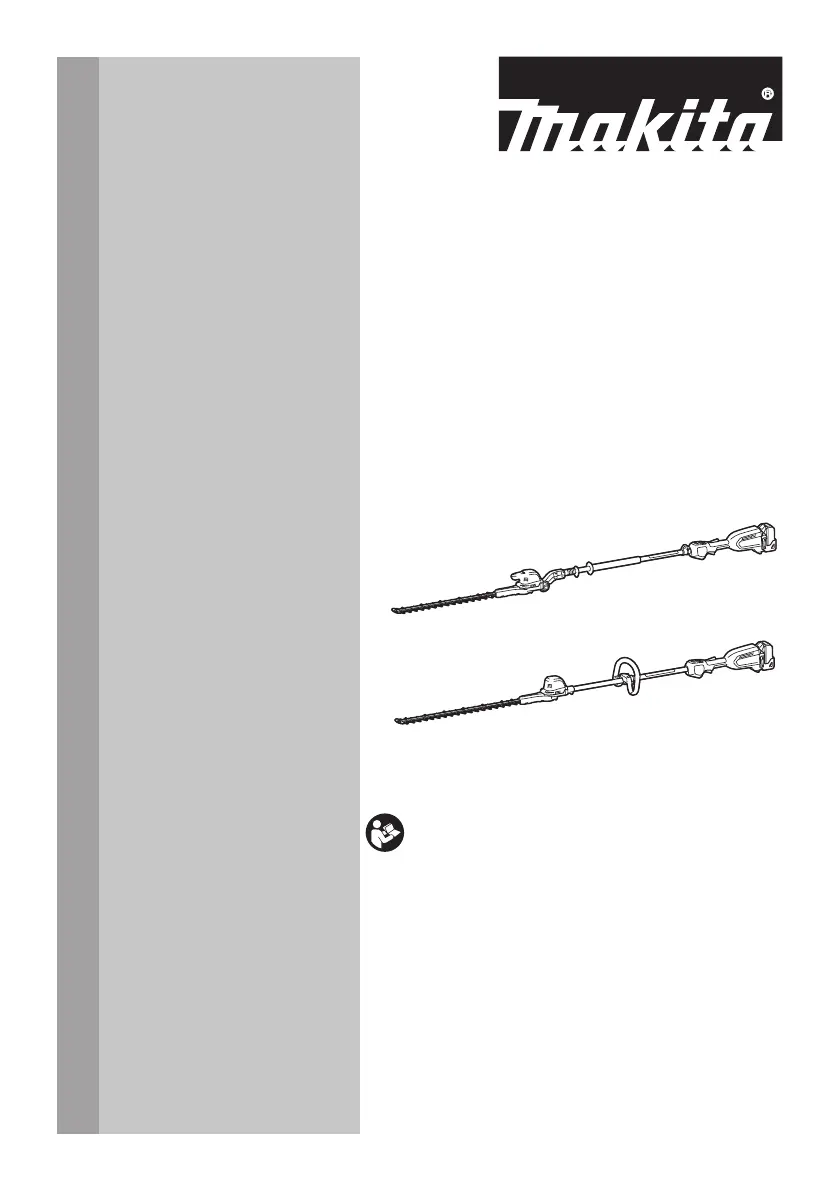
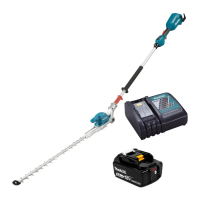
Cordless Pole Hedge Trimmer
DUN500W
DUN600L
ENGLISH: Original instructions
Read before use.

Questions and Answers

  • B
    Brian CameronAug 16, 2025
    Why Makita DUN500W Trimmer motor does not run?
    • O
      odawsonAug 16, 2025
      The motor of your Makita Trimmer might not be running due to several reasons. Ensure the battery cartridge is properly installed. Check the battery's charge level and recharge it if necessary; if recharging doesn't help, replace the battery. If the issue persists, the drive system may not be functioning correctly, requiring repair by an authorized service center.
  • H
    harrisbrittneyAug 19, 2025
    What to do if Makita DUN500W Trimmer motor stops running after a little use?
    • Y
      ycruzAug 19, 2025
      If your Makita Trimmer's motor stops shortly after starting, it could be due to a low battery charge. Recharge the battery, and if that doesn't solve the issue, try replacing the battery. Another possibility is overheating; if this is the case, stop using the tool and allow it to cool down.
  • C
    Cassandra RangelAug 22, 2025
    Why my Makita Trimmer motor does not run?
    • N
      ncrossAug 22, 2025
      If the Makita Trimmer motor isn't running, first ensure the battery cartridge is correctly installed. If it still doesn't work, the battery might be the issue. Try recharging it, and if that doesn't help, replace the battery. If problems persist after these steps, it could be a problem with the drive system, and you should seek assistance from an authorized service center.
  • J
    Jessica WalkerAug 25, 2025
    What to do if my Makita DUN500W Trimmer motor stops after short use?
    • S
      Sue GibsonAug 26, 2025
      If your Makita Trimmer motor stops shortly after you start using it, the battery charge level might be low. Try recharging the battery. If recharging doesn't solve the issue, you may need to replace the battery. Another possibility is overheating. If you suspect overheating, stop using the tool and allow it to cool down.
  • J
    Jacqueline HayesAug 28, 2025
    Why my Makita DUN500W Trimmer does not reach maximum RPM?
    • S
      Stacy BennettAug 28, 2025
      If your Makita Trimmer isn't reaching its maximum RPM, start by checking that the battery cartridge is correctly installed as described in the manual. If the installation is correct, the battery power may be dropping. Try recharging the battery, and replace it if recharging isn't effective. If the issue persists, the drive system may not be working correctly; seek assistance from an authorized service center.
  • C
    claudiamitchellAug 30, 2025
    What to do if Makita Trimmer shear blades do not move?
    • B
      Bryan WilliamsAug 30, 2025
      If the shear blades on your Makita Trimmer aren't moving, ensure the head is properly fixed at the correct operational angle. Also, check for any foreign objects caught between the shear blades. If there are foreign objects: 1. Use the reverse button. 2. Switch off the tool and remove the battery cartridge. 3. Remove the foreign objects using tools such as pliers. If the blades still don't move, the drive system may be faulty, and you should consult an authorized service center.
  • K
    Kathy WiseSep 3, 2025
    Why is my Makita DUN500W vibrating abnormally?
    • J
      Jacqueline JohnsonSep 3, 2025
      If your Makita Trimmer is vibrating abnormally, the shear blades might be broken, bent, or worn. Replace the shear blades. If the vibration continues after replacing the blades, the drive system may not be working correctly; in this case, seek assistance from an authorized service center.
  • R
    Robert KeithSep 5, 2025
    What to do if Makita DUN500W Trimmer shear blades and motor cannot stop?
    • V
      victoriariversSep 5, 2025
      If the shear blades and motor on your Makita Trimmer won't stop, this indicates an electrical malfunction. Immediately remove the battery and seek assistance from an authorized service center for repair.
  • D
    Dwayne CarlsonSep 9, 2025
    Why does my Makita Trimmer tool not reach maximum RPM?
    • M
      Matthew HowellSep 9, 2025
      If your Makita Trimmer isn't reaching its maximum RPM, it could be due to a few reasons: Ensure the battery cartridge is correctly installed as described in the manual. Also, check if the battery power is dropping; if so, recharge the battery, and if that's not effective, replace it. If the problem continues, the drive system might not be working correctly and needs professional repair.
  • K
    Kevin MejiaSep 12, 2025
    What to do if Makita DUN500W Trimmer has abnormal vibration?
    • S
      Sarah KleinSep 12, 2025
      If your Makita Trimmer is vibrating abnormally, stop using it immediately. This could be because the shear blades are broken, bent, or worn, and they will need to be replaced. If replacing the blades doesn't solve the problem, the drive system might not be working correctly, and you should seek professional repair.

Summary

SPECIFICATIONS

Model Specifications

Key technical details of the tool models.

Applicable Battery and Charger

Lists compatible battery cartridges and chargers.

Recommended Battery Adapter

Information on compatible battery adapters.

Symbols Explained

Visual indicators and their meanings.

Intended Use

Defines the primary purpose of the tool.

Noise Levels

Specifies sound pressure and power levels.

SAFETY WARNINGS

General Power Tool Safety

Universal safety guidelines for power tools.

Work Area Safety Precautions

Ensuring a safe environment for operation.

Electrical Safety Guidelines

Preventing electrical shock hazards.

Vibration Information

Vibration Data and Warnings

Details on vibration emission and precautions.

Personal Safety

User Safety Precautions

Personal protective measures and conduct.

Power Tool Use and Care

Tool Operation and Maintenance

Guidelines for using and caring for the tool.

Battery Tool Use and Care

Battery Operation and Maintenance

Guidelines for battery handling and care.

Cordless Pole Hedge Trimmer Safety

Specific Safety Warnings

Critical safety advice for this hedge trimmer.

Additional Safety and Preparation

Pre-Operation Preparation

Steps to take before using the tool.

Personal Protective Equipment

Recommended safety gear for users.

Operation Procedures

Operating the Hedge Trimmer

Step-by-step guide for using the tool.

Maintenance and Storage

Tool Care and Storage

Instructions for cleaning, maintenance, and storage.

Battery Cartridge Safety

Battery Cartridge Safety Instructions

Essential safety for battery handling.

Battery Life Maintenance

Maximizing Battery Lifespan

Tips to extend battery service life.

PARTS DESCRIPTION

Component Identification

Labels and descriptions of tool parts.

FUNCTIONAL DESCRIPTION

Battery Installation and Removal

Procedures for handling the battery.

Battery Capacity Indicator

How to check the remaining battery level.

Tool Protection Systems

Tool and Battery Protection

How the tool's systems prevent damage.

Power Switch Operation

Switch Lever and Trigger Action

How to safely operate the power switch.

Speed Adjustment

Adjusting Tool Speed

How to change the operational speed.

Debris Removal Feature

Using the Reverse Button

Functionality for clearing debris.

Cutting Angle Adjustment

Adjusting the Cutting Head Angle

How to change the angle of the cutting head.

Hex Wrench Storage

Storing the Hex Wrench

Proper storage for the hex wrench.

Shear Blade Replacement

Installing and Removing Blades

Procedure for replacing shear blades.

ASSEMBLY: Handle Installation

Handle Installation Steps

Steps to attach the handle.

ASSEMBLY: Blade and Rod Components

Rod and Bearing Assembly

Steps for assembling rod and bearing.

Shear Blades Assembly

Steps for attaching shear blades.

Felt Pad and Sleeve Attachment

Steps for attaching felt pad and sleeves.

ASSEMBLY: Component Alignment and Attachment

Protrusion and Hole Alignment

Steps for aligning parts.

Plate and Gasket Assembly

Steps for assembling plates and gasket.

ASSEMBLY: Final Cover Attachment

Cover and Bolt Attachment

Final steps for assembling the cover.

Shoulder Harness Attachment

Attaching the Shoulder Harness

How to connect the harness to the tool.

Operating the Tool

General Operating Instructions

Key instructions for using the tool.

MAINTENANCE

Cleaning the Tool

Instructions for cleaning the main tool body.

Shear Blade Maintenance

Care and upkeep for the shear blades.

Tool Storage Guidelines

Proper methods for storing the tool.

Shear Blade Grinding

Grinding Shear Blades

Process for sharpening the shear blades.

Grease Lubrication

Lubricating Moving Parts

How to apply grease for smooth operation.

TROUBLESHOOTING GUIDE

Troubleshooting Common Issues

Solutions for typical problems.

OPTIONAL ACCESSORIES

Recommended Accessories

List of compatible optional accessories.

Makita DUN500W Specifications

General IconGeneral
BrandMakita
ModelDUN500W
CategoryTrimmer
LanguageEnglish

Related product manuals