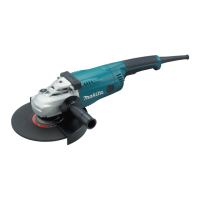
This document provides an instruction manual for Makita Angle Grinders, specifically models GA7080, GA7081, GA7082, GA9080, GA9081, and GA9082. It covers specifications, safety warnings, functional descriptions, assembly, operation, maintenance, and optional accessories.
Function Description
The Makita Angle Grinder is designed for grinding, sanding, and cutting metal and stone materials without the use of water. It features a shaft lock for easy accessory installation and removal, and some models allow for rotation of the switch handle to suit various work needs. The tool is double-insulated for safety and operates on single-phase AC supply.
Specific operational modes include:
- Grinding and Sanding: Involves applying the wheel or disc to the workpiece, generally keeping the edge at an angle of about 15° to the surface. During the break-in period with a new wheel, forward direction grinding is not recommended until the wheel edge is rounded off.
- Abrasive Cut-Off / Diamond Wheel Operation: Used for cutting materials. It is crucial not to "jam" the wheel or apply excessive pressure, and to allow the wheel to reach full speed before entering the cut. The angle of the wheel should not be changed during cutting operations. Diamond wheels should be operated perpendicular to the material being cut.
- Wire Cup Brush Operation: Used for surface cleaning or material removal. Users are cautioned against applying too much pressure to avoid over-bending wires and premature breakage.
- Wire Wheel Brush Operation: Similar to wire cup brush, used for surface work. Users should check the brush operation with no load before use and avoid excessive pressure.
Important Technical Specifications
The specifications vary slightly across models, primarily in wheel diameter, rated speed, and net weight.
Wheel Diameter:
- 180 mm for GA7080, GA7081, GA7082
- 230 mm for GA9080, GA9081, GA9082
Max. Wheel Thickness:
- 7.2 mm for 180 mm models
- 6.5 mm for 230 mm models
Spindle Thread: M14 or M16 or 5/8" (varies by region/model)
Rated Speed (n):
- 8,500 min⁻¹ for GA7080, GA7081
- 6,600 min⁻¹ for GA7082, GA9080, GA9081, GA9082
Overall Length:
- 509 mm for GA7080, GA7082, GA9080, GA9082
- 461 mm for GA7081, GA9081
Net Weight (EPTA-Procedure 01/2014):
- GA7080: 6.3 - 6.8 kg
- GA7081: 6.1 - 6.6 kg
- GA7082: 6.0 - 6.5 kg
- GA9080: 6.5 - 8.6 kg
- GA9081: 6.3 - 8.4 kg
- GA9082: 6.2 - 8.3 kg
Safety Class: Double Insulation
Power Supply: Operates on single-phase AC supply, 220 V to 250 V for models GA7082 / GA9082 in public low-voltage distribution systems.
Usage Features
Shaft Lock:
- Used to prevent spindle rotation when installing or removing accessories.
- NOTICE: Never actuate the shaft lock when the spindle is moving to prevent damage.
Switch Handle Mounting Positions (GA7080 / GA9080 only):
- The switch handle can be rotated 90° left or right to suit work needs.
- CAUTION: Ensure the switch handle is locked in the desired position before operation.
Switch Action:
- Lock-on and Lock-off Switch (Country specific): Features a lock lever. To start, push the lock lever and pull the switch trigger. For continuous operation, pull the trigger and then push the lock lever. To stop from locked position, pull the trigger fully then release.
- Lock-on Switch (Country specific): To start, pull the switch trigger. For continuous operation, pull the trigger and then push the lock lever. To stop from locked position, pull the trigger fully then release.
- Lock-off Switch (Country specific, including Australia and New Zealand): To start, push the lock lever and pull the switch trigger. Release the trigger to stop.
- CAUTION: Always check the switch trigger actuates properly and returns to "OFF" position before plugging in.
- CAUTION: Switch off the tool in case of blackout or accidental shutdown to prevent unexpected restarts.
- NOTICE: Do not pull the switch trigger hard without pressing the lock lever to avoid breakage.
Indication Lamp (GA7080 / GA7081 / GA9080 / GA9081 only):
- Lights up green when plugged in.
- If it doesn't light up, the mains cord or controller may be defective.
- If it lights up but the tool doesn't start, carbon brushes may be worn, or the controller, motor, or switch may be defective.
Unintentional Restart Proof (GA7080 / GA7081 / GA9080 / GA9081 only):
- Prevents the tool from starting with the switch locked-on when plugged in. The indication lamp blinks red.
- To cancel, return the switch to the OFF position.
- NOTE: Wait more than one second before restarting after unintentional restart proof activates.
Soft Start Feature (GA7080 / GA7081 / GA9080 / GA9081 only):
- Reduces starting reaction for smoother operation.
Side Grip (Handle) Installation:
- Can be installed in any of the 3 holes on the tool.
- CAUTION: Ensure it is securely installed before operation.
Loop Handle Installation (Optional Accessory):
- Provides more comfortable grip for some applications.
- CAUTION: Ensure bolts are securely tightened. Hold the gripping area and keep hands away from metal parts during operation to avoid electric shock if live wire is cut.
Wheel Guard Installation:
- Locking Screw Type: Mount with protrusions aligned with notches on the bearing box, rotate to protect the operator, and tighten the screw.
- Clamp Lever Type (Optional Accessory): Loosen nut, pull lever, then tighten nut with spanner and close lever to fasten.
- WARNING: For depressed center wheel, flap disc, flex wheel, or wire wheel brush, the closed side of the guard must point toward the operator.
- WARNING: For abrasive cut-off / diamond wheel, use the special wheel guard designed for cut-off wheels.
Accessory Installation (Depressed Center Wheel, Flap Disc, Flex Wheel, Abrasive Disc, Ezynut, Wire Cup Brush, Wire Wheel Brush):
- Follow specific instructions for each accessory, including proper flange placement and tightening procedures.
- CAUTION: Ensure mounting parts fit perfectly to avoid dangerous vibration.
- WARNING: Use supplied guard when flex wheel is on the tool to prevent injury from shattering.
- CAUTION: Do not use Ezynut with Super Flange as they are too thick to retain the entire thread.
- CAUTION: Check operation of brushes by running tool with no load, ensuring no one is in front or in line with the brush.
Connecting a Vacuum Cleaner (Optional Accessory):
- For masonry cutting to avoid dusty environments.
- WARNING: Never vacuum metal particles as they can ignite dust and the filter.
Maintenance Features
General Maintenance:
- CAUTION: Always switch off and unplug the tool before inspection or maintenance.
- NOTICE: Do not use gasoline, benzine, thinner, alcohol, or similar substances as they can cause discoloration, deformation, or cracks.
- Repairs and adjustments should be performed by Makita Authorized or Factory Service Centers using genuine Makita replacement parts.
- NOTE: Do not loosen the screw on the cover to avoid accidental opening.
Air Vent Cleaning:
- Regularly clean the tool's air vents or whenever they become obstructed to ensure proper cooling and prevent motor damage.

 Need help?

 To Next Page
 General