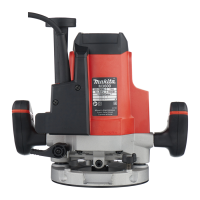
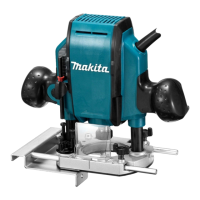
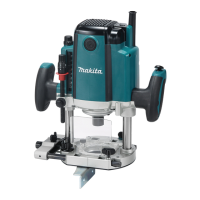
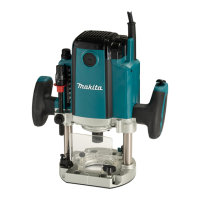
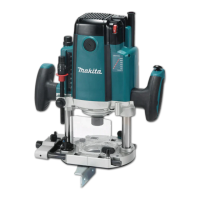
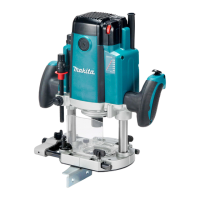
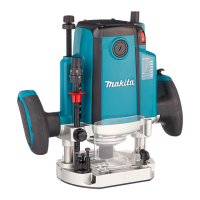
This document outlines the operation and maintenance of the Makita M3600 Router, a double-insulated power tool designed for flush trimming and profiling wood, plastic, and similar materials. It emphasizes safety precautions and proper usage to ensure efficient and safe operation.
The router's primary function is to cut grooves, chamfers, and decorative edges using various router bits. Its design allows for precise depth adjustments, making it suitable for a range of woodworking tasks. The tool is intended for use with a single-phase AC supply within the 220 V to 250 V range, and its double insulation eliminates the need for an earth wire.
Function Description
The Makita M3600 Router features a robust design for accurate and controlled material removal. Key functional aspects include:
- Depth Adjustment: The router allows for precise depth of cut adjustments. Users can set the desired depth by loosening the lock lever, lowering the tool body until the router bit touches the surface, and then using the fast-feed button and stopper pole for coarse adjustments. Minute adjustments (1.5 mm or 1/16" per turn) can be made by rotating the stopper pole. For deeper grooves, it is recommended to make multiple passes with progressively deeper settings to avoid motor overload and maintain control. The maximum recommended depth of cut per pass for grooves is 20 mm (13/16").
- Stopper Block: The rotary stopper block is equipped with three adjusting hex bolts, enabling users to pre-set three different depths of cut without needing to readjust the stopper pole. This feature enhances efficiency for repetitive tasks requiring varying depths.
- Switch Action: The tool is operated via a switch lever. Moving the lever to the "I" position starts the tool, while moving it to the "O" position stops it. Users are advised to hold the tool firmly when turning it off to counteract the reaction force.
- Router Bit Installation: Router bits are securely installed by inserting them all the way into the collet cone, pressing the shaft lock to keep the shaft stationary, and tightening the collet nut with a wrench. For bits with smaller shank diameters, a collet sleeve must be used. Proper installation is crucial to prevent bit breakage and ensure safety.
- Dust Extraction (Optional): An optional vacuum head can be attached for dust extraction, which helps maintain a clean work area and reduces dust-related hazards. This is particularly useful when operating the tool in an inverted position with a router stand.
- Spacer (Optional): For tools with a knob, an optional spacer can be used to prevent the router bit from dropping into the chuck when replacing bits in an inverted position, especially when used with a router stand.
Usage Features
The M3600 Router is designed for versatile use in various trimming and profiling applications:
- Straight Guide (Type A & B): This accessory is used for making straight cuts, chamfers, and grooves. It attaches to the tool base, and the distance between the router bit and the guide can be adjusted using thumb screws and a fine adjusting screw. For larger diameter router bits, additional pieces of wood can be bolted to the straight guide to prevent the bit from striking the guide.
- Templet Guide: The templet guide allows the router to follow patterns, enabling intricate and consistent cuts. It is installed by loosening screws on the tool base, inserting the guide, and then tightening the screws. When using a templet, the tool is moved with the templet guide sliding along the side of the pattern. It's important to account for the distance between the router bit and the outside of the templet guide when planning cuts.
- Trimmer Guide (Type A & B): Ideal for trimming curved cuts in veneers for furniture, the trimmer guide features a guide roller that rides along the curve of the workpiece, ensuring a fine and consistent cut. Similar to the straight guide, it attaches to the guide holder, and adjustments can be made to the distance between the router bit and the guide roller.
- General Operation: Before starting, the tool base should be placed on the workpiece without the router bit making contact. The tool is then turned on, allowed to reach full speed, and lowered into the workpiece. It should be moved forward smoothly over the surface until the cut is complete. For edge cutting, the workpiece surface should be on the left side of the router bit in the feed direction. Moving the tool too fast can result in poor cut quality or damage, while moving too slowly can cause burning or marring of the cut. A sample cut on scrap material is recommended to check dimensions and cut appearance before working on the actual workpiece.
Maintenance Features
Regular maintenance is essential for the longevity and safe operation of the Makita M3600 Router:
- Carbon Brush Replacement: The carbon brushes should be checked regularly and replaced when they wear down to the limit mark. Both brushes should be replaced simultaneously with identical carbon brushes. To replace them, the brush holder caps are removed with a screwdriver, the worn brushes are taken out, and new ones are inserted before securing the caps. For tools with a knob, the knob must be removed by turning it counterclockwise before accessing the brush holder caps, and re-installed after replacement.
- Cleaning: The tool's handles should be kept dry, clean, and free from oil and grease. It is crucial to avoid using gasoline, benzine, thinner, alcohol, or similar substances for cleaning, as these can cause discoloration, deformation, or cracks in the tool.
- General Inspection: Before any adjustments or maintenance, the tool must be switched off and unplugged. Regular checks for misalignment, binding of moving parts, breakage, or any other condition affecting the tool's operation are necessary. Damaged parts should be repaired by qualified personnel using identical replacement parts to maintain safety and reliability.
- Lubrication: Users should follow instructions for lubricating and changing accessories as specified in the manual to ensure smooth operation and extend the tool's life.
By adhering to these functional, usage, and maintenance guidelines, users can ensure the safe, efficient, and reliable performance of their Makita M3600 Router.

 Need help?
 General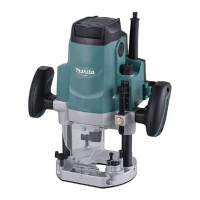

 To Next Page