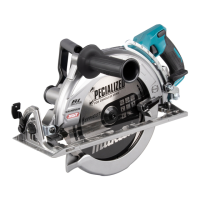
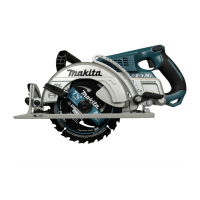
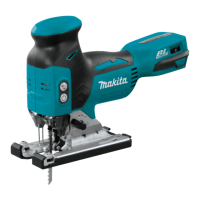
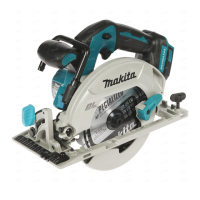
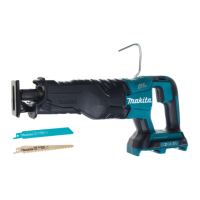
The Makita RS002G Cordless Rear Handle Saw is a robust and versatile power tool designed for performing lengthways and crossways straight cuts, as well as miter cuts with angles in wood, ensuring firm contact with the workpiece. This instruction manual provides comprehensive details on its specifications, safety warnings, operational features, and maintenance.
Function Description
The RS002G is a cordless circular saw that offers freedom of movement without the constraint of power cords. Its primary function is to cut wood products with precision and efficiency. The tool is equipped with a rear handle design, which often provides better control and balance during operation, especially for demanding cuts.
A key feature of this saw is its wireless activation function, which enables clean and comfortable operation. By connecting a supported Makita vacuum cleaner to the tool, the vacuum cleaner can run automatically in conjunction with the saw's switch operation. This significantly reduces dust and debris in the work area, enhancing safety and visibility. The wireless unit, an optional accessory, is installed in a dedicated slot on the tool.
The saw incorporates a tool/battery protection system that automatically cuts off power to the motor to extend both tool and battery life. This system activates under conditions such as overload, overheating, or low battery capacity, preventing damage to the tool and battery.
Important Technical Specifications
- Model: RS002G
- Blade diameter: 260 mm
- Max. Cutting depth:
- at 0°: 95.0 mm
- at 45° bevel: 70.0 mm
- at 56° bevel: 54.5 mm
- No load speed: 4,000 min⁻¹
- Overall length: 489 mm
- Rated voltage: D.C. 36 V - 40 V max
- Net weight: 5.7 - 6.3 kg (weight may vary depending on the battery cartridge)
- Applicable battery cartridges: BL4020, BL4025, BL4040, BL4050F (BL4050F is the recommended battery)
- Applicable chargers: DC40RA, DC40RB, DC40RC
- Noise level (A-weighted):
- Sound pressure level (LPA): 96 dB(A)
- Sound power level (LWA): 107 dB(A)
- Uncertainty (K): 3 dB(A)
- Vibration total value (tri-axial vector sum) determined according to EN62841-2-5:
- Work mode: cutting wood
- Vibration emission (ah,w): 2.5 m/s² or less
- Uncertainty (K): 1.5 m/s²
Usage Features
The RS002G offers several features designed to enhance usability and safety:
- Adjusting Depth of Cut: The cutting depth can be easily adjusted by loosening a lever on the depth guide and moving the base up or down. For optimal safety and cleaner cuts, the depth should be set so that no more than one blade tooth projects below the workpiece, minimizing the risk of kickback.
- Bevel Cutting: The tool allows for bevel cuts by tilting the tool base to the desired angle. A lever is used to secure the angle. It's important to remove the side grip (handle) when performing bevel cuts to prevent interference with the workpiece or the operator's body, which could lead to kickback or personal injury.
- Sighting: For straight cuts, the 0° position on the front of the base should be aligned with the cutting line. For 45° bevel cuts, the 45° position is used.
- Positive Stopper: This feature aids in quickly setting designated bevel angles (around 22.5°/45°/56°). The operator turns the positive stopper to the desired angle, loosens the lever, tilts the tool base until it stops at the preset angle, and then tightens the lever.
- Switch Action: To prevent accidental starting, the tool is equipped with a lock-off button. To start the tool, the lock-off button must be depressed before pulling the switch trigger. Releasing the switch trigger stops the tool. The tool also features an electric blade brake that quickly stops the circular saw blade after the switch lever is released.
- Soft Start Feature: This electronic function suppresses the starting shock, making the tool easier and smoother to operate.
- Battery Cartridge Installation/Removal: The battery cartridge is installed by aligning its tongue with the groove in the housing and pushing it in until it locks. A red indicator on the button's upper side signals if it's not fully locked. To remove, slide the button on the front of the cartridge and pull the battery out.
- Remaining Battery Capacity Indication: A check button on the battery cartridge activates indicator lamps that show the remaining battery capacity for a few seconds.
- Hook: A convenient hook allows for temporary hanging of the tool. It can be lifted until it snaps into the open position and lowered into the closed position when not in use.
- Rip Fence (Guide Rule) (Optional Accessory): This accessory helps achieve extra-accurate straight cuts and repeated cuts of uniform width. It slides snugly against the workpiece and is secured by a clamping screw on the front of the base.
- Wireless Activation Function: This function allows the tool to wirelessly connect with a compatible Makita vacuum cleaner. Once registered, the vacuum cleaner automatically starts and stops with the saw, providing effective dust extraction. The registration process involves installing a wireless unit into the tool's slot, setting the vacuum cleaner's stand-by switch to "AUTO," and pressing the wireless activation buttons on both the tool and the vacuum cleaner. Wireless activation lamps on both devices indicate the status of the connection and operation.
Maintenance Features
Proper maintenance is crucial for the safety, reliability, and longevity of the RS002G:
- General Cleaning: After each use, wipe off saw dust from the tool. Fine saw dust can enter the tool and cause malfunctions or fire. Never use gasoline, benzine, thinner, alcohol, or similar substances, as they can cause discoloration, deformation, or cracks.
- Blade Guard Cleaning: When changing the circular saw blade, it's important to clean the upper and lower blade guards of accumulated sawdust. This ensures proper operation of the guarding system. Compressed air is recommended for this task, with appropriate eye and breathing protection.
- Checking Blade Guard Function: Before each use, the lower guard's function should be checked. It should retract smoothly above the base without hindrance and automatically return to contact the stopper. If it doesn't function properly, check for sawdust accumulation or have it serviced.
- Adjusting 0°-Cut Accuracy: The 0°-cut accuracy is factory-set but can be adjusted if needed. This involves slightly loosening the lever on the bevel scale plate, making the base perpendicular to the blade using a triangular or square rule by turning the adjusting screw, and then tightening the lever. A test cut should be made to verify verticalness.
- Offset Wrench Storage: The offset wrench, used for blade installation/removal, has a designated storage location on the tool to prevent it from being lost.
- Service: For repairs or any other maintenance not covered in the manual, the tool should be serviced by Makita Authorized or Factory Service Centers, using genuine Makita replacement parts.
- Battery Maintenance:
- Charge the battery cartridge before it's completely discharged.
- Avoid overcharging fully charged battery cartridges.
- Charge batteries at room temperature (10 °C - 40 °C / 50 °F - 104 °F). Allow hot battery cartridges to cool before charging.
- Remove the battery cartridge from the tool or charger when not in use for long periods.
- Charge the battery cartridge if it won't be used for more than six months.
Safety Warnings
The manual emphasizes numerous safety warnings, including:
- Always wear eye protection and ear protection.
- Keep hands away from the cutting area and blade.
- Maintain a firm grip with both hands and position your body to resist kickback forces.
- Ensure the switch is in the off-position before connecting to a power source or battery pack.
- Do not use the tool if the switch does not turn it on and off properly.
- Disconnect the battery pack before making adjustments, changing accessories, or storing the tool.
- Use only the specified battery cartridges and chargers.
- Do not expose the tool or battery to rain, wet conditions, fire, or excessive temperatures.
- Do not use damaged or modified batteries.
- Ensure the circular saw blade is installed with teeth pointing up at the front of the tool and is securely tightened.
- Never defeat the lock-off button.
- Do not force the saw; push it forward at a speed that allows the blade to cut without slowing.
- Always check the lower guard for proper closing before each use.
- Do not attempt to remove cut material when the blade is moving.
- Avoid cutting nails.
- Wear a dust mask when performing cutting operations, especially with materials that may contain toxic chemicals.
- Do not stop the blades by lateral pressure.
- Only use saw blades with the diameter marked on the tool.
- Keep blades sharp and clean.
- Do not use abrasive wheels.
- Do not use the battery adapter with the circular saw.
- Do not let the vacuum cleaner hose become entangled with the workpiece.
By adhering to these guidelines, users can ensure safe and efficient operation of the Makita RS002G Cordless Rear Handle Saw.

 Need help?
 General

 To Next Page