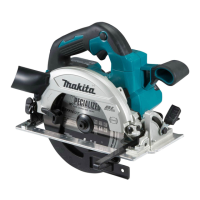
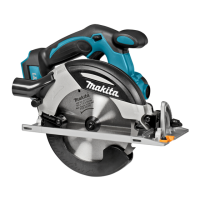
This document provides an instruction manual for the Makita Cordless Circular Saw models DHS660 and DHS661. It covers general power tool safety warnings, specific safety warnings for cordless circular saws, and detailed instructions for assembly, operation, and maintenance.
The manual emphasizes the importance of reading all safety warnings, instructions, illustrations, and specifications provided with the power tool to prevent electric shock, fire, and serious injury. It advises users to save all warnings and instructions for future reference.
Work Area Safety:
- Keep the work area clean and well lit to avoid accidents.
- Do not operate power tools in explosive atmospheres where flammable liquids, gases, or dust may ignite.
- Keep children and bystanders away to prevent loss of control.
Electrical Safety:
- Power tool plugs must match the outlet, and no modifications should be made to the plug.
- Avoid body contact with earthed or grounded surfaces to reduce the risk of electric shock.
- Do not expose power tools to rain or wet conditions.
- Do not abuse the cord; keep it away from heat, oil, sharp edges, or moving parts.
- When operating outdoors, use an extension cord suitable for outdoor use.
- If operating in a damp location is unavoidable, use a residual current device (RCD) protected supply.
- Be aware that power tools can produce electromagnetic fields (EMF) and users of pacemakers should consult a doctor.
Personal Safety:
- Stay alert, watch what you are doing, and use common sense. Do not operate the tool when tired or under the influence of drugs, alcohol, or medication.
- Use personal protective equipment, including eye protection, dust masks, non-skid safety shoes, hard hats, or hearing protection.
- Prevent unintentional starting by ensuring the switch is in the off-position before connecting to power or carrying the tool.
- Remove any adjusting key or wrench before turning the power tool on.
- Do not overreach; maintain proper footing and balance.
- Dress properly; do not wear loose clothing or jewelry, and keep hair and clothing away from moving parts.
- If devices for dust extraction are provided, ensure they are connected and properly used.
- Do not become complacent due to familiarity with tools; always follow safety principles.
- Always wear protective goggles to protect eyes from injury. In some regions, a face shield is also legally required.
- Employers are responsible for enforcing the use of appropriate safety protective equipment.
Power Tool Use and Care:
- Do not force the power tool; use the correct tool for the application.
- Do not use the power tool if the switch does not turn it on and off.
- Disconnect the plug or remove the battery pack before making adjustments, changing accessories, or storing the tool.
- Store idle power tools out of the reach of children and untrained users.
- Maintain power tools and accessories; check for misalignment, binding, or breakage of parts.
- Keep cutting tools sharp and clean.
- Use the power tool, accessories, and tool bits according to instructions, considering working conditions and the work to be performed.
- Keep handles and grasping surfaces dry, clean, and free of oil and grease.
- Do not wear cloth work gloves when using the tool, as they may become entangled.
Battery Tool Use and Care:
- Recharge only with the charger specified by the manufacturer.
- Use power tools only with specifically designated battery packs.
- When the battery pack is not in use, keep it away from metal objects that could short the terminals.
- Under abusive conditions, liquid may be ejected from the battery; avoid contact and seek medical help if contact occurs.
- Do not use a damaged or modified battery pack or tool.
- Do not expose the battery pack or tool to fire or excessive temperature.
- Follow all charging instructions and do not charge outside the specified temperature range.
- Have your power tool serviced by a qualified repair person using only identical replacement parts.
- Never service damaged battery packs; service should be performed by the manufacturer or authorized service providers.
- Follow instructions for lubricating and changing accessories.
Cordless Circular Saw Safety Warnings
Cutting Procedures:
- DANGER: Keep hands away from the cutting area and the blade. Keep the second hand on the auxiliary handle or motor housing.
- Do not reach underneath the workpiece.
- Adjust the cutting depth so that less than a full tooth of the blade teeth is visible below the workpiece.
- Never hold the workpiece in your hands or across your leg while cutting; secure it to a stable platform.
- Hold the power tool by insulated gripping surfaces when cutting where the tool may contact hidden wiring.
- When ripping, always use a rip fence or straight edge guide.
- Always use blades with the correct size and shape of arbor holes.
- Never use damaged or incorrect blade washers or bolts.
Kickback Causes and Related Warnings:
Kickback is a sudden reaction to a pinched, jammed, or misaligned saw blade, causing the saw to lift up and out of the workpiece toward the operator. It can be caused by the blade being pinched, jammed, or twisted.
- Maintain a firm grip with both hands and position your body to resist kickback forces, not in line with the blade.
- If the blade is binding or if you interrupt a cut, release the trigger and hold the saw motionless until the blade stops. Do not attempt to remove the saw while the blade is in motion.
- When restarting a saw in the workpiece, center the saw blade in the kerf so that the saw teeth are not engaged.
- Support large panels to minimize the risk of blade pinching and kickback.
- Do not use dull or damaged blades.
- Blade depth and bevel adjusting locking levers must be tight and secure.
- Use extra caution when sawing into existing walls or other blind areas.
- ALWAYS hold the tool firmly with both hands. NEVER place your hand, leg, or any part of your body under the tool base or behind the saw, especially when making cross-cuts.
- Never force the saw; push it forward at a speed that allows the blade to cut without slowing.
Lower Guard Function:
- Check the lower guard for proper closing before each use. Do not operate the saw if the lower guard does not move freely and close instantly. Never clamp or tie the lower guard open.
- Check the operation of the lower guard spring.
- The lower guard may be retracted manually only for special cuts like "plunge cuts" and "compound cuts." Release it as soon as the blade enters the material.
- Always observe that the lower guard covers the blade before placing the saw down.
- To check the lower guard, open it by hand, then release and watch its closure. Ensure the retracting handle does not touch the tool housing.
Additional Safety Warnings:
- Use extra caution when cutting damp wood, pressure-treated lumber, or wood containing knots.
- Do not attempt to remove cut material when the blade is moving.
- Avoid cutting nails.
- Place the wider portion of the saw base on the solidly supported part of the workpiece.
- Before setting the tool down, ensure the guard has closed and the blade has stopped.
- Never attempt to saw with the circular saw held upside down in a vise.
- Some materials contain toxic chemicals; prevent dust inhalation and skin contact.
- Do not stop the blades by lateral pressure.
- Do not use abrasive wheels.
- Only use saw blades with the diameter marked on the tool or specified in the manual.
- Keep blades sharp and clean.
- Wear a dust mask and hearing protection.
- Always use the saw blade intended for the material being cut.
- Only use saw blades marked with a speed equal to or higher than the tool's speed.
- For European countries, always use blades conforming to EN847-1.
Important Safety Instructions for Battery Cartridge:
- Read all instructions and cautionary markings on the battery charger, battery, and product using the battery.
- Do not disassemble the battery cartridge.
- If operating time becomes excessively shorter, stop operating immediately to avoid overheating, burns, or explosion.
- If electrolyte gets into eyes, rinse with clear water and seek medical attention.
- Do not short the battery cartridge by touching terminals with conductive material, storing with other metal objects, or exposing to water/rain.
- Do not store the tool and battery cartridge in locations where the temperature may reach or exceed 50 °C (122 °F).
- Do not incinerate the battery cartridge.
- Be careful not to drop or strike the battery.
- Do not use a damaged battery.
- Lithium-ion batteries are subject to Dangerous Goods Legislation requirements for commercial transport.
- Follow local regulations for battery disposal.
- Use batteries only with Makita products.
Tips for Maintaining Maximum Battery Life:
- Charge the battery cartridge before it is completely discharged.
- Never recharge a fully charged battery cartridge.
- Charge the battery cartridge at room temperature (10 °C - 40 °C / 50 °F - 104 °F).
- Charge the battery cartridge if not used for a long period (more than six months).
Important Safety Instructions for Wireless Unit (for DHS661 only):
- Do not disassemble or tamper with the wireless unit.
- Keep the wireless unit away from young children.
- Use the wireless unit only with Makita tools.
- Do not expose the wireless unit to rain or wet conditions.
- Do not use the wireless unit in places where the temperature exceeds 50°C (122°F).
- Do not operate the wireless unit near medical instruments or automated devices.
- The wireless unit produces electromagnetic fields (EMF) but is not harmful to the user.
- The wireless unit is an accurate instrument; be careful not to drop or strike it.
- Avoid touching the terminal of the wireless unit with bare hands or metallic materials.
- Always remove the battery on the tool when installing the wireless unit.
- When opening the lid of the slot, avoid dust and water. Keep the inlet clean.
- Always insert the wireless unit in the correct direction.
- Do not press the wireless activation button too hard or with a sharp object.
- Always close the lid of the slot when operating.
- Do not remove the wireless unit from the slot while power is supplied to the tool.
- Do not remove or put any sticker on the wireless unit.
- Do not leave the wireless unit in a place where static electricity or electrical noise could be generated, or in a place subject to high heat, dust, or corrosive gas.
- If sudden temperature changes cause dew, do not use until completely dried.
- When cleaning, gently wipe with a dry soft cloth. Do not use benzine, thinner, or conductive grease.
- When storing, keep it in the supplied case or a static-free container.
- Do not insert any devices other than the Makita wireless unit into the slot.
- Do not use the tool with a damaged slot lid.
- Do not pull and/or twist the slot lid more than necessary. Restore it if it comes off.
- Replace the slot lid if it is lost or damaged.
Functional Description
Installing or Removing Battery Cartridge:
- Always switch off the tool before installing or removing the battery cartridge.
- Hold the tool and battery cartridge firmly to prevent slipping and injury.
- To remove, slide the battery cartridge from the tool while sliding the button on the front.
- To install, align the tongue on the battery cartridge with the groove in the housing and slip it into place until it locks. Ensure the red indicator on the button is not visible.
- Always install the battery cartridge fully. Do not install it forcibly.
Tool/Battery Protection System:
The tool is equipped with a protection system that automatically cuts off power to the motor under certain conditions to extend tool and battery life.
- Overload protection: If the tool draws abnormally high current, it stops automatically. Turn the tool off, stop the application, then restart.
- Overheat protection: If the tool/battery overheats, it stops automatically, and the battery indicator blinks for about 60 seconds. Let the tool cool down before restarting.
- Overdischarge protection: If the battery capacity becomes low, the tool stops automatically. Remove and charge the batteries.
- Releasing protection lock: If the protection system works repeatedly, the tool locks, and the battery indicator shows a specific state. To release, remove the battery, place it in the charger, and wait until charging finishes.
Indicating the Remaining Battery Capacity:
When the switch trigger is pulled, the battery indicator shows the remaining capacity. For battery cartridges with an indicator, press the check button to illuminate the lamps for a few seconds.
Switch Action:
- Before installing the battery cartridge, ensure the switch trigger actuates properly and returns to the "OFF" position.
- NEVER defeat the lock-off button.
- NEVER use the tool if it runs without pressing the lock-off button.
- To start, depress the lock-off button and pull the switch trigger. Release the trigger to stop.
- The tool brakes the circular saw blade immediately after releasing the switch trigger. Hold the tool firmly to respond to the brake's reaction.
Automatic Speed Change Function:
This tool has "high speed mode" and "high torque mode." It automatically changes the operation mode based on the workload. Low workload uses "high speed mode" for quicker cutting, while high workload uses "high torque mode" for powerful cutting. The mode indicator lights up green in "high torque mode" and blinks green under excessive load.
Adjusting Depth of Cut:
- After adjusting, always tighten the lever securely.
- Loosen the lever, move the base up or down to align the pointer with the desired depth on the depth guide, then tighten the lever.
- For cleaner, safer cuts, set the depth so no more than one blade tooth projects below the workpiece.
Bevel Cutting:
- After adjusting the bevel angle, always tighten the lever and clamping screw securely.
- Loosen the lever and clamping screw, tilt for the desired angle, then tighten.
- Use the stopper for precise 45° angle cutting.
Sighting:
- For straight cuts, align the 0° position on the front of the base with your cutting line.
- For 45° bevel cuts, align the 45° position.
Lighting the Lamp:
- Do not look directly into the light source.
- To turn on the lamp without running the tool, pull the switch trigger without pressing the lock-off button.
- To turn on the lamp with the tool running, press and hold the lock-off button and pull the switch trigger.
- The lamp goes out 10 seconds after releasing the switch trigger.
- Use a dry cloth to wipe dirt off the lens; do not scratch it.
Hook (Optional Accessory):
- Always remove the battery when hanging the tool with the hook.
- Never hook the tool at high locations or on unstable surfaces.
- Do not pull the tool downward when hooked.
- Attach the hook with screws.
- To use, turn the hook until it snaps into the open position. Turn it to the closed position when not in use.
Assembly
Hex Wrench Storage:
Store the hex wrench as shown in the figure to prevent loss.
Removing or Installing Circular Saw Blade:
- Ensure the circular saw blade is installed with teeth pointing up at the front of the tool.
- Use only the Makita wrench to install or remove the circular saw blade.
- To remove, press the shaft lock, loosen the hex bolt with the hex wrench, then remove the hex bolt, ring (country specific), outer flange, and circular saw blade.
- To install, follow the removal procedure in reverse.
For Tool with Inner Flange for Other than 15.88 mm Hole-Diameter Saw Blade:
- The inner flange has different diameter protrusions on each side. Choose the correct side that fits the saw blade hole perfectly.
- Mount the inner flange so the correct protrusion faces outward, then place the saw blade and outer flange.
- Tighten the hex bolt clockwise securely. Be careful not to tighten forcibly.
- Ensure the protrusion "a" on the inner flange fits into the saw blade hole "a" perfectly to avoid dangerous vibration.
For Tool with Inner Flange for a 15.88 mm Hole-Diameter Saw Blade (Country Specific):
- Mount the inner flange with its recessed side facing outward onto the mounting shaft.
- Place the circular saw blade (with the ring attached if needed), outer flange, and hex bolt.
- Tighten the hex bolt clockwise securely. Be careful not to tighten forcibly.
- If a ring is needed, ensure the correct ring for the blade's arbor hole is installed between the inner and outer flanges to avoid improper mounting and vibration.
Blade Guard Cleaning:
When changing the blade, clean the upper and lower blade guards of accumulated sawdust.
Connecting a Vacuum Cleaner:
Connect a Makita vacuum cleaner hose to the dust nozzle for clean cutting operation.
Operation
- Move the tool forward in a straight line gently to avoid overheating and kickback.
- When the battery cartridge temperature is low, the tool may not work at full capacity. Use it for light-duty cuts until the battery warms up.
- Hold the tool firmly with both the front grip and rear handle.
- Set the base on the workpiece without the blade making contact.
- Turn on the tool and wait for full speed.
- Move the tool forward smoothly until the cut is completed.
- Keep the sawing line straight and speed uniform for clean cuts.
- If the cut deviates, do not force the tool back. Release the switch, wait for the blade to stop, withdraw the tool, realign, and restart.
- Avoid positioning that exposes the operator to chips and wood dust. Use eye protection.
Lanyard (Tether Strap) Connection (for working at height):
- Always keep the tool tethered when working "at height." Maximum lanyard length is 2 m (6.5 ft).
- Use only lanyards appropriate for this tool type and rated for at least 4.0 kg (8.8 lbs).
- Do not anchor the tool lanyard to your body or movable components. Anchor it to a rigid structure.
- Ensure the lanyard is properly secured at each end.
- Inspect the tool and lanyard before each use for damage and proper function.
- Do not wrap lanyards around or allow them to contact sharp or rough edges.
- Fasten the other end of the lanyard outside the working area.
- Attach the lanyard so the tool moves away from the operator if it falls.
- Do not use near moving parts or running machinery.
- Do not carry the tool by the attachment device or the lanyard.
- Only transfer the tool between your hands while properly balanced.
- Do not attach lanyards in a way that keeps guards, switches, or lock-offs from operating properly.
- Avoid getting tangled in the lanyard.
- Keep the lanyard away from the cutting area.
- Use multi-action and screw gate type carabineers; do not use single action spring clip carabineers.
- If the tool is dropped, it must be tagged, removed from service, and inspected by a Makita Factory or Authorized Service Center.
Wireless Activation Function (for DHS661 only)
This function enables clean and comfortable operation by connecting to a supported vacuum cleaner, which runs automatically with the tool's switch operation.
Installing the Wireless Unit:
- Place the tool on a flat and stable surface.
- Clean dust and dirt from the tool before installing the wireless unit.
- Touch a static discharging material before picking up the wireless unit to prevent malfunction from static.
- Ensure the wireless unit is inserted in the correct direction and the lid is completely closed.
- Open the lid on the tool.
- Insert the wireless unit into the slot, aligning projections with recessed portions, then close the lid.
- To remove, open the lid slowly; hooks on the back of the lid will lift the wireless unit. Keep it in the supplied case or a static-free container.
Tool Registration for the Vacuum Cleaner:
- A Makita vacuum cleaner supporting the wireless activation function is required.
- Finish installing the wireless unit to the tool before starting registration.
- Do not pull the switch trigger or turn on the power switch on the vacuum cleaner during registration.
- Refer to the vacuum cleaner's instruction manual.
- Install batteries to the vacuum cleaner and the tool.
- Set the stand-by switch on the vacuum cleaner to "AUTO".
- Press the wireless activation button on the vacuum cleaner for 3 seconds until the lamp blinks green. Then press the wireless activation button on the tool.
- If successful, the lamps light green for 2 seconds and start blinking blue.
- If the lamps finish blinking green after 20 seconds, press the wireless activation button on the tool while the cleaner's lamp is blinking. If the cleaner's lamp does not blink green, push the button briefly and hold it down again.
- When performing multiple registrations for one vacuum cleaner, finish them one by one.
Starting the Wireless Activation Function:
- Finish tool registration prior to wireless activation.
- Install the wireless unit to the tool.
- Connect the hose of the vacuum cleaner to the tool.
- Set the stand-by switch on the vacuum cleaner to "AUTO".
- Push the wireless activation button on the tool briefly; the lamp will blink blue.
- Pull the switch trigger of the tool and check if the vacuum cleaner runs.
- To stop wireless activation, push the wireless activation button on the tool.
- The lamp will stop blinking blue if no operation occurs for 2 hours. In this case, set the stand-by switch on the cleaner to "AUTO" and push the wireless activation button on the tool again.
- The vacuum cleaner starts/stops with a delay.
- Transmission distance may vary.
- If multiple tools are registered, the vacuum cleaner may start even if you don't pull the trigger.
Cancelling Tool Registration for the Vacuum Cleaner:
- Install batteries to the vacuum cleaner and the tool.
- Set the stand-by switch on the vacuum cleaner to "AUTO".
- Press the wireless activation button on the vacuum cleaner for 6 seconds until the lamp blinks green and then red. Then press the wireless activation button on the tool.
- If successful, the lamps light up red for 2 seconds and start blinking blue.
- If the lamps finish blinking red after 20 seconds, press the wireless activation button on the tool while the cleaner's lamp is blinking. If the cleaner's lamp does not blink red, push the button briefly and hold it down again.
Maintenance
- Always ensure the tool is switched off and the battery cartridge is removed before inspection or maintenance.
- Clean out the upper and lower guards to prevent sawdust accumulation that could impede operation. Use compressed air, ensuring proper eye and breathing protection.
- Never use gasoline, benzine, thinner, alcohol, or similar substances, as they may cause discoloration, deformation, or cracks.
- Repairs, maintenance, or adjustments should be performed by Makita Authorized or Factory Service Centers using genuine Makita replacement parts.
Adjusting 0°-cut or 45°-cut Accuracy:
- Loosen the lever and clamping screw on the front and rear of the tool to change the bevel angle.
- Set the stopper to the 0°-45° bevel angle position for adjustment.
- Make the base perpendicular or 45° to the circular saw blade using a triangular or square rule by turning the adjusting screw with a hex wrench.
- Tighten the lever and clamping screw, then make a test cut.
Adjusting the Parallelism:
- Set the tool to the maximum cutting depth.
- Ensure all levers and screws are tightened.
- Slightly loosen the illustrated screw.
- While opening the lower guard, move the rear of the base so that distances A and B become equal.
- Tighten the screws and make a test cut to check parallelism.

 Need help?
 General

 To Next Page