Need help?
Do you have a question about the Makita TW001G and is the answer not in the manual?
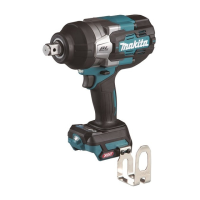
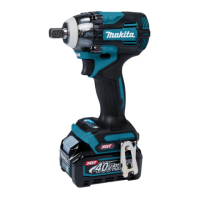
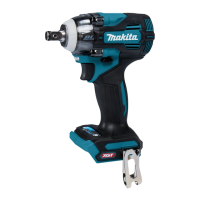
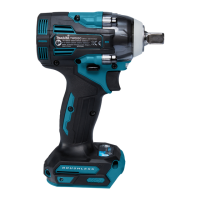
This document provides the instruction manual for the Makita Cordless Impact Wrench, model TW001G, offering comprehensive details on its function, usage, and maintenance.
The Makita TW001G is a cordless impact wrench designed for fastening bolts and nuts. It operates on a D.C. 36V-40V max battery system and is equipped with a tool/battery protection system that automatically cuts off power to extend tool and battery life under certain conditions, such as overload, overheat, or overdischarge.
The tool features a switch action for controlling operation, where pulling the switch trigger starts the tool and increasing pressure increases speed. Releasing the trigger stops the tool. It also includes a reversing switch lever to change the direction of rotation between clockwise and counterclockwise. When the reversing switch lever is in the neutral position, the switch trigger cannot be pulled, preventing unintentional starting.
A front lamp illuminates the work area, and its status can be toggled on or off. The lamp automatically turns off approximately 10 seconds after releasing the switch trigger. If the tool overheats, the light flashes for one minute before turning off, indicating the need to cool down the tool.
The impact wrench offers several application modes, including different impact force settings and assist modes for driving bolts. The impact force can be adjusted in four steps: Max (4), Hard (3), Medium (2), and Soft (1), allowing for tightening suitable to various tasks. These settings influence the maximum blows per minute and are designed for different purposes, from maximum force and speed to fine adjustment with small diameter bolts to avoid thread breakage.
The assist modes, displayed on the panel, include clockwise and counterclockwise settings for preventing overtightening or loosening bolts. These modes help to repeat screwdriving with equal torque and reduce the risk of bolt/nut breakage. Some assist modes automatically stop the tool after a certain duration of impact blows or when the bolt/nut is sufficiently loosened. A "Full speed mode" is also available, which allows the tool to operate at its fastest speed without requiring the trigger to be pulled fully.
To use the tool, first ensure the battery cartridge is properly installed. The battery cartridge slides into the housing and locks into place with a click; a red indicator should not be visible when fully inserted. Always switch off the tool and remove the battery cartridge before making any adjustments or carrying out work on the tool. When installing or removing the battery cartridge, hold both the tool and cartridge firmly to prevent accidental drops and potential injury or damage.
The tool's operation involves holding it firmly, placing the impact socket over the bolt or nut, and then pulling the switch trigger. The proper fastening torque can vary based on the bolt type, size, and workpiece material. It's recommended to perform a test operation to determine the correct fastening time for specific bolts and nuts before starting a job. After fastening, always check the torque with a torque wrench.
The impact force can be changed by pressing a dedicated button, and the selected level is displayed on the panel. This adjustment can be made within approximately one minute after releasing the switch trigger. Similarly, application modes can be changed by pressing the mode button.
The hook, which can be installed on either side of the tool, is convenient for temporarily hanging the tool. When installing the hook, ensure it is secured firmly with screws to prevent it from coming off.
For optimal performance, always use the correct size impact socket for bolts and nuts. Incorrect sizes can lead to inaccurate fastening torque and damage. When installing an impact socket with an O-ring and pin, remove the pin and O-ring, align the socket with the square drive, insert the pin, and then return the O-ring to secure it.
During continuous operation, the hammer case may become extremely hot, so avoid touching it to prevent burns. If the tool is operated continuously until the battery discharges, allow it to rest for 15 minutes before inserting a fresh battery cartridge.
Regular maintenance is crucial for the safety and reliability of the Makita TW001G. Always ensure the tool is switched off and the battery cartridge is removed before performing any inspection or maintenance.
Cleaning: Never use gasoline, benzine, thinner, alcohol, or similar substances for cleaning, as these can cause discoloration, deformation, or cracks. For the front lamp, use a dry cloth to wipe off dirt from the lens, being careful not to scratch it, which could lower illumination.
Battery Care: To maximize battery life, charge the battery cartridge before it is completely discharged. Stop tool operation and charge the battery when power decreases. Avoid overcharging, as this shortens battery service life. Charge the battery cartridge at room temperature (10 °C - 40 °C / 50 °F - 104 °F). If the battery cartridge is hot, allow it to cool down before charging. Remove the battery cartridge from the tool or charger when not in use for long periods. If not used for more than six months, charge the battery cartridge.
General Maintenance: Check for misalignment or binding of moving parts, breakage of parts, and any other conditions that might affect the tool's operation. If damaged, have the power tool repaired by a Makita Authorized or Factory Service Center. Poorly maintained tools can lead to accidents.
Impact Socket Inspection: Regularly check the impact socket for wear, cracks, or damage before installation. A worn impact socket can reduce fastening torque.
Professional Servicing: For repairs, any other maintenance, or adjustments, it is recommended to have them performed by Makita Authorized or Factory Service Centers, using only genuine Makita replacement parts. This ensures the safety of the power tool is maintained.
Battery Safety: Do not disassemble or tamper with the battery cartridge, as this can cause fire, excessive heat, or explosion. If operating time becomes excessively shorter, stop immediately to prevent overheating, burns, or explosion. If electrolyte gets into eyes, rinse with clear water and seek medical attention immediately. Avoid shorting the battery cartridge by not touching terminals with conductive material, storing it with other metal objects, or exposing it to water/rain. Do not store or use the tool and battery cartridge in locations where the temperature exceeds 50 °C (122 °F). Never incinerate the battery cartridge, even if severely damaged or worn out, as it can explode in a fire. Do not nail, cut, crush, throw, drop, or hit the battery cartridge against hard objects, as this can result in fire, excessive heat, or explosion. Do not use a damaged battery. For commercial transport of lithium-ion batteries, follow Dangerous Goods Legislation requirements, including special packaging and labeling. Tape or mask off open contacts and pack the battery to prevent movement in packaging. Dispose of battery cartridges safely according to local regulations. Use batteries only with Makita-specified products to avoid fire, excessive heat, explosion, or electrolyte leaks. If the tool is not used for a long period, remove the battery. Be aware that the battery cartridge may become hot during and after use, causing burns. Avoid touching the tool's terminal immediately after use if it is hot. Prevent chips, dust, or soil from getting into battery cartridge terminals, holes, and grooves, as this can lead to poor performance or breakdown. Do not use the battery cartridge near high-voltage electrical power lines unless the tool supports it, as it may cause malfunction or breakdown. Keep the battery away from children.
 General
| Type | Impact Wrench |
|---|---|
| Impacts per Minute | 2, 200 ipm |
| Impact Rate (IPM) | 3, 200 IPM |
| Max. tightening torque | 180 Nm |
| Nut Busting Torque | 2, 050 Nm |
| Square Drive | 1/2 inch |
| No Load Speed (RPM) | 1, 700 |
| Battery Voltage | 40V |


 To Next Page