Strona 14 z 27
3.6. Description of the cooling segment operation.
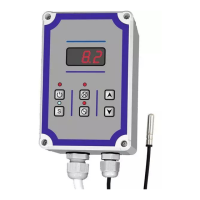
When the controller is connected to the power supply, the display shows the currently measured
temperature. In addition to displaying the temperature value, the controller does not control
any external elements.
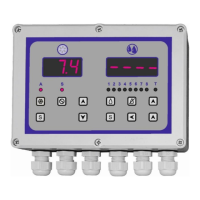
Pressing the button
causes the cooling control operation to start. This status is indicated by
diode placed above the display (blue). Depending on the programming of the controller,
this signaling is intermittently flashing (pre-cooling) or continuous. The work of the chiller (unit)
is signaled by the diode located above the button. The chiller (unit) then works in an automatic
cycle according to the settings made.
The operation of the stirrer is indicated by the diode located above the button . Pressing
the button
causes manual operation of the stirrer, which is indicated by the intermittent
lighting of the diode located above this button. Manual operation of the stirrer is possible in the
following cases:
− if cooling is switched on and the stirrer is not working,
− if cooling is switched off,
− if the washing process is on.
During the manual release of the stirrer, pressing the button
again switches off the manual
operation mode.
It is recommended to change the control temperature after switching off the cooling process.
The temperature values saved can be read both when the cooling process is switched on and
off.


 To Next Page
 Loading...