RANDOMIZING
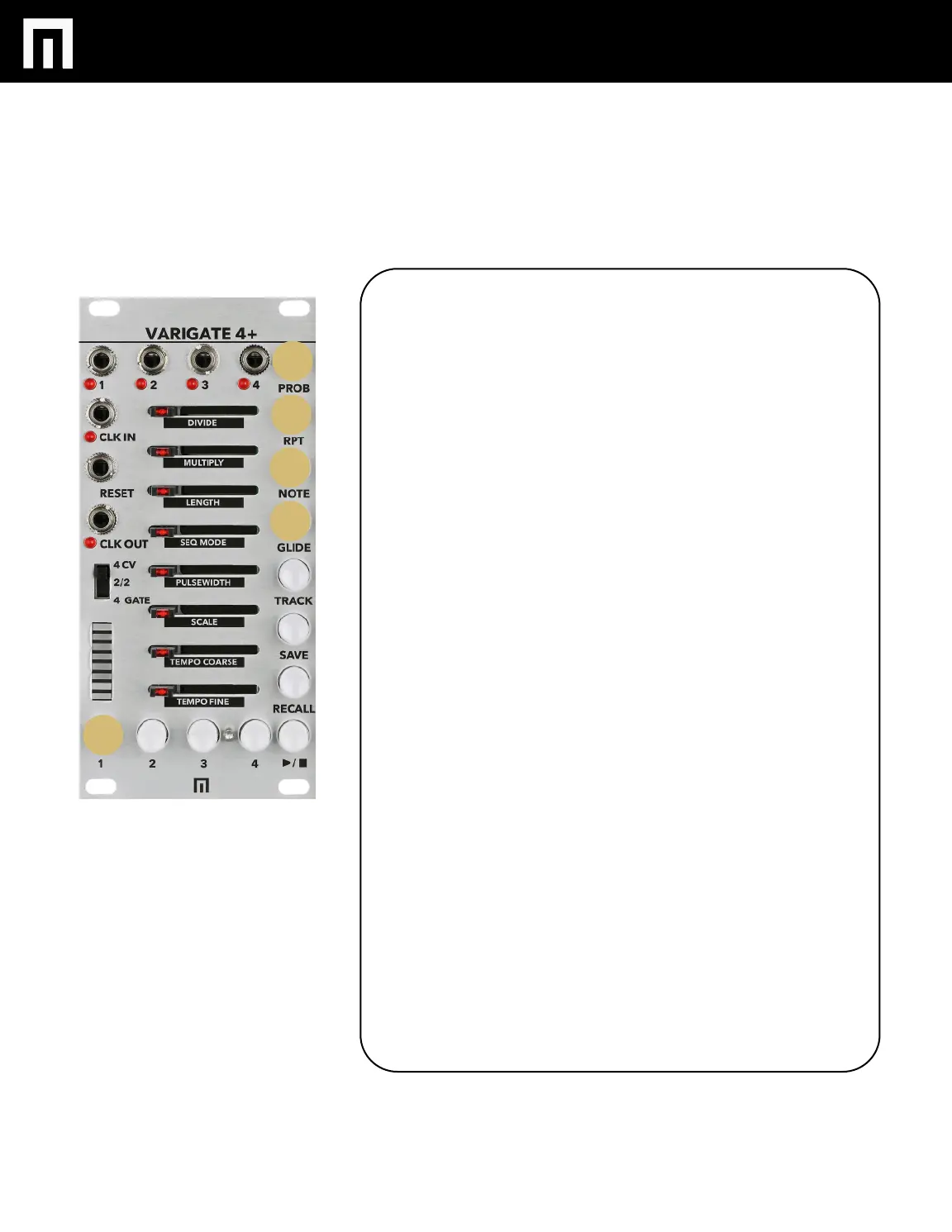
You can randomize the following features on each step for a given
CHANNEL.
REPEAT
NOTE
GLIDE
Once in RANDOMIZE MODE for these features, sliders positioned full
right equals full randomization for a given step. Sliders positioned to
full left equals zero randomization.
RANDOMIZE REPEATS PER STEP:
Hold PROBABILTY + REPEAT for a second until REPEAT is pulsing. Now
move step sliders to the right to program random repeats per step. If
you move a step slider to the right to 4 for instance (refer the LED bar
graph), the range will be set from 1 to 4 repeats for that step and will
randomize within this range on every cycle of the sequence. You can
also add randomization to already programmed repeats per step and
within a set range. If you already have 3 repeats programmed on a step
and you hold PROBABILITY + NOTE, then move that step slider to the
right to 5 for instance, your randomized repeat range will now be
between 3 and 5 for that step every time the sequence cycles.
RANDOMIZE CV/NOTES PER STEP:
Hold PROBABILITY + NOTE for a second until NOTE is pulsing. Now
move sliders to the right to start adding random cv/notes per step. If
you move a step slider to 4 for instance, the range will be set from 1 to
4 and will randomize within this range on every cycle of the sequence.
You can also add randomization to already programmed cv/notes per
step and within a set range. Hold PROBABILITY + NOTE and move one
these step sliders to 7 for instance. Now the range of randomization will
occur between what was already programmed +7 for that step every
time the sequence cycles.
RANDOMIZE GLIDE PER STEP:
Hold PROBABILITY + GLIDE for a second until GLIDE is pulsing. If you
move the slider to the right to 4 for instance, the range for glide per
step will be set from 1 to 4 and will be randomized within this range on
every cycle of the sequence. You can also add randomization to existing
glide per step and within a set range. If existing glide is programmed
on a step and set at 3, and you then hold PROBABILITY + GLIDE, you
can then move that step slider to the right to 7 and the randomization
range will be set between 3 and 7 every time the sequence cycles.
PG. 10
VARIGATE 4+ MANUAL V.1


 To Next Page