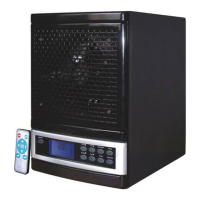
Set Unit to desired functions and levels. Turn unit off using the “ON/OFF”
switch on the front display (rear power switch remains “on”). Press
“Time/Set” button once. The “Time/Set” indicator will flash. While flashing,
use “Hour up” or “Hour down” controls to set the desired hour and “Fan up”
or “Fan down” controls for the desired minute to set the time of day you wish
the unit to automatically turn on. Press the “Time/Set” button two final times
to set the timer. The appearance of a clock icon on your LCD panel indicates
that this function has been properly set.
1. Manually, or with remote control, turn unit “on”.
2. Press “Fan △“or “Fan “to adjust airflow speed. There are five speeds
from which to choose.
3.”Sterilize” controls the UV lamps and photo-catalytic filter. You’ll know
that this feature is activated from the soft blue glow visible through the front
grill. Press this button to both activate and de-activate this feature “Don’t
stare directly at the blue light.”
4.” Anion” controls the dispersing of negative ions. You‘ll know that this
feature is activated as the orange bulb will be lit and clearly visible through
the front grill. With the “Sterilize” feature, this button can both activate and
de-activate the negative ions
5.”Sleep” mode dims the LCD panel to a minimum level allowing for a good
night sleep when the unit is used in the bedroom. It is important to note that
use of “Sleep” mode does interrupt the Activated Oxygen setting but leaves
all remaining settings in tact.
6. Proper Installation of photo-catalytic filter. Please be sure if you want
to replace a photo-catalytic filter and reinstall the photo-catalytic filter, you
must install it according to the pictures indicated below otherwise the unit
will not work.
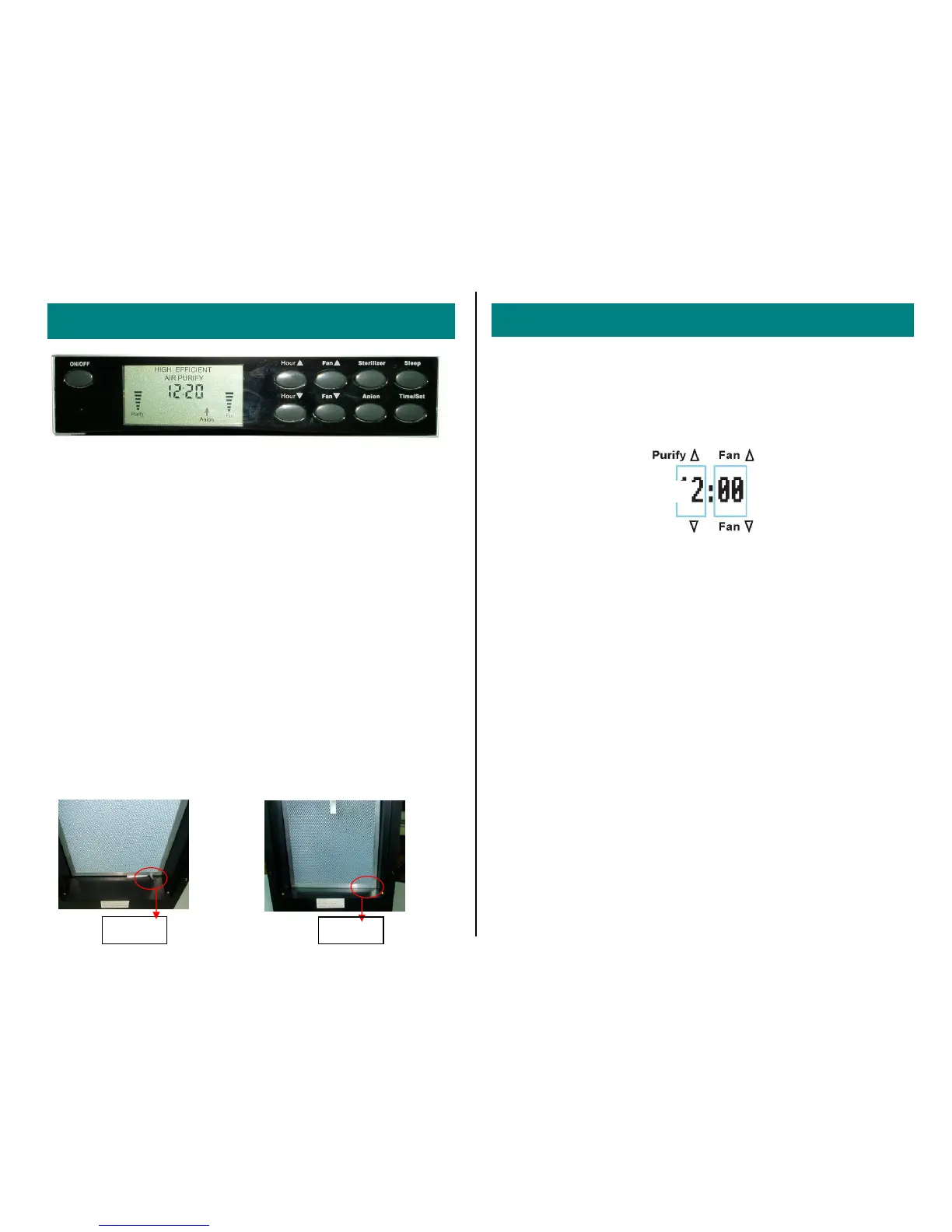
To set the clock to the current time, press the “Time/Set” button twice in
quick succession. The “Time” indicator will flash. While flashing, press
“Hour up” or “Hour down” to set the hour. Press “Fan up” or “Fan down” to
set the minutes. Press the “Time/Set” button one final time to conclude the
process. NOTE: The Air Purifier and Sterilizer employ a US standard 12
hour clock.
Your Air Purifier gives you the option to start or shut
down the unit using the digital timer feature...
To set the “start” time:
To set the “shut off” time:
While unit is on press “Time/Set” button once. As with previous timer
function, “Time/Set” display panel indicator will flash. While flashing, use
“Purify” and “Fan” controls to set desired hour and minute per previous
examples. Press “Time/Set” button twice to conclude this process. As
before, the clock icon appearing on the LCD panel is your indicator that this
function has been properly set.
OPERATION / SETTINGS AND CONTROLS
Adjust Hour
Adjust Minute
SETTING THE CLOCK AND DIGITAL TIMER
-5-
Wrong
Correct
Hou


 To Previous Page
 Loading...