17
Adjusting the release device
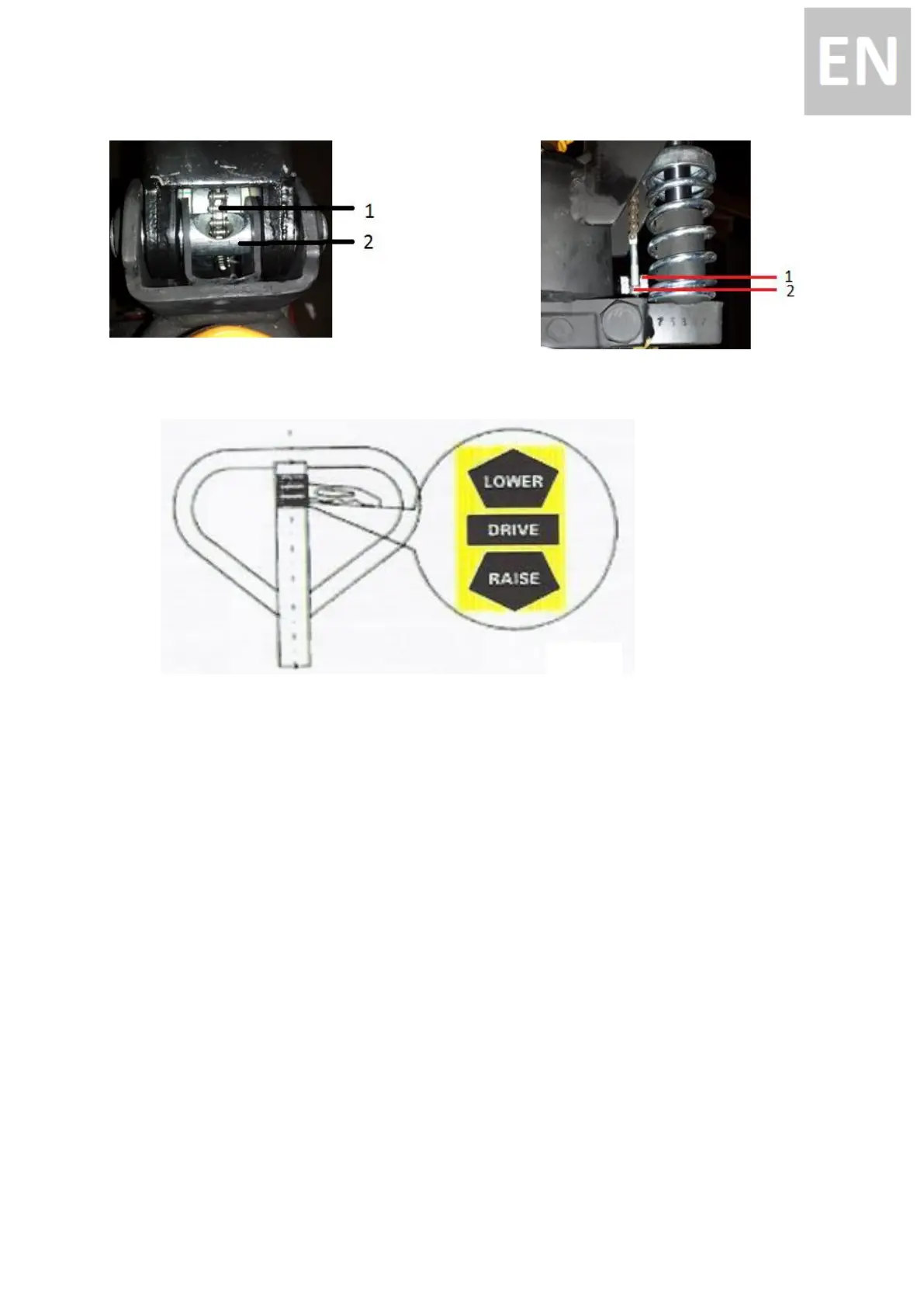
On the handle of this hand pallet truck, you can find the lever, which operates in three positions:
Lower = Lowering the fork LOWER-Position
Drive = Drive the truck Drive-Position
Raise = Lift the fork Raise-Position
If however they have been changed, you can adjust according to the following steps
1: If the forks elevate while pumping in the DRIVE position, turn the adjusting nut (59) on the
adjusting bolt (58) clockwise until pumping action does not raise the forks and the DRIVE position
properly.
2: If the forks descend while pumping in the DRIVE position, turn the nut (59) counter-clockwise until
the forks do not lower.
3: If the forks do not descend when the Lever is in the LOWER position, turn the nut (59) clockwise
until raising the Lever (51) lowers the forks. Then check the DRIVE position according to item 1 and 2
to be sure that the nut (59) is in the proper position.


 To Next Page