5
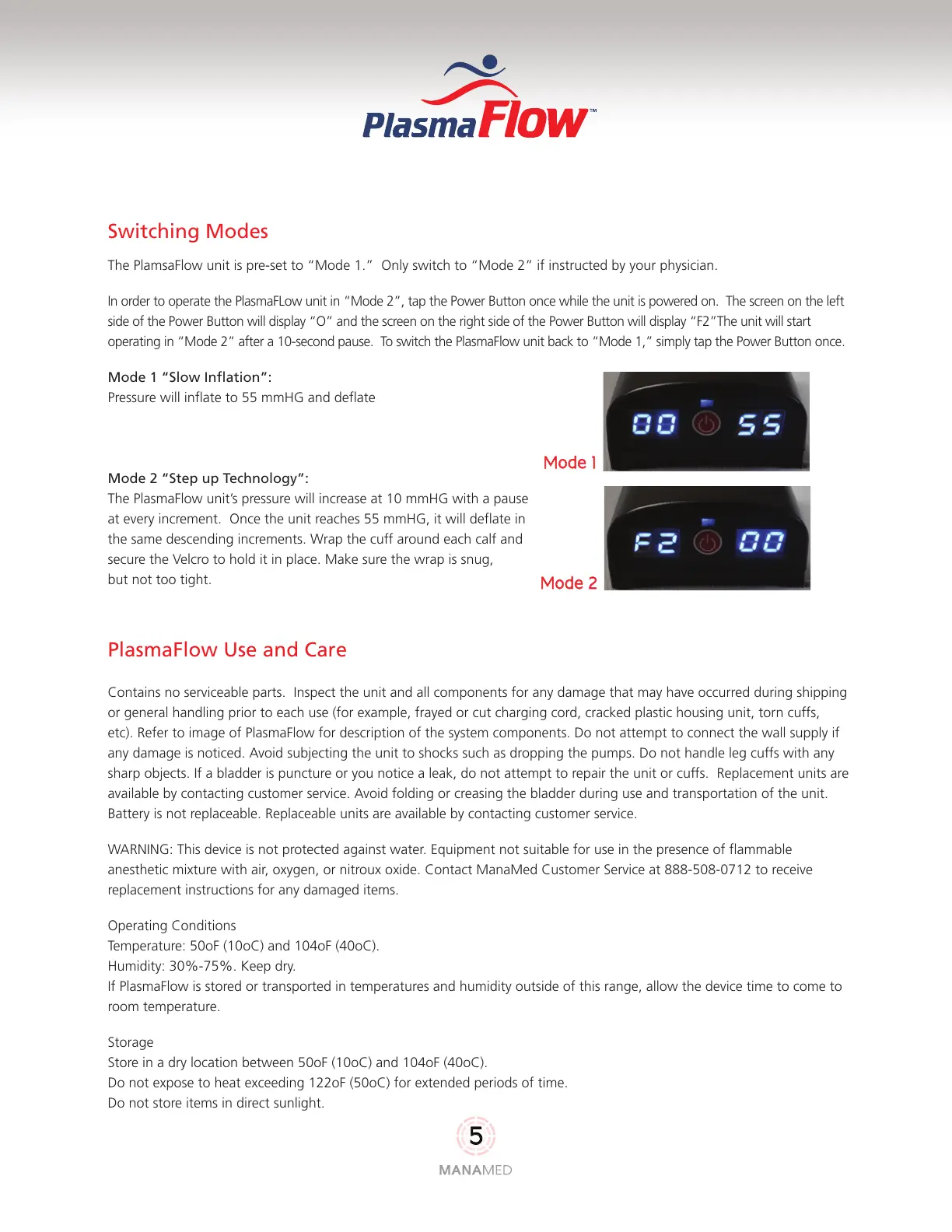
Mode 1
Mode 2
Switching Modes
The PlamsaFlow unit is pre-set to “Mode 1.” Only switch to “Mode 2” if instructed by your physician.
In order to operate the PlasmaFLow unit in “Mode 2”, tap the Power Button once while the unit is powered on. The screen on the left
side of the Power Button will display “O” and the screen on the right side of the Power Button will display “F2”The unit will start
operating in “Mode 2” after a 10-second pause. To switch the PlasmaFlow unit back to “Mode 1,” simply tap the Power Button once.
Mode 1 “Slow Inflation”:
Pressure will inflate to 55 mmHG and deflate
Mode 2 “Step up Technology”:
The PlasmaFlow unit’s pressure will increase at 10 mmHG with a pause
at every increment. Once the unit reaches 55 mmHG, it will deflate in
the same descending increments. Wrap the cuff around each calf and
secure the Velcro to hold it in place. Make sure the wrap is snug,
but not too tight.
PlasmaFlow Use and Care
Contains no serviceable parts. Inspect the unit and all components for any damage that may have occurred during shipping
or general handling prior to each use (for example, frayed or cut charging cord, cracked plastic housing unit, torn cuffs,
etc). Refer to image of PlasmaFlow for description of the system components. Do not attempt to connect the wall supply if
any damage is noticed. Avoid subjecting the unit to shocks such as dropping the pumps. Do not handle leg cuffs with any
sharp objects. If a bladder is puncture or you notice a leak, do not attempt to repair the unit or cuffs. Replacement units are
available by contacting customer service. Avoid folding or creasing the bladder during use and transportation of the unit.
Battery is not replaceable. Replaceable units are available by contacting customer service.
WARNING: This device is not protected against water. Equipment not suitable for use in the presence of flammable
anesthetic mixture with air, oxygen, or nitroux oxide. Contact ManaMed Customer Service at 888-508-0712 to receive
replacement instructions for any damaged items.
Operating Conditions
Temperature: 50oF (10oC) and 104oF (40oC).
Humidity: 30%-75%. Keep dry.
If PlasmaFlow is stored or transported in temperatures and humidity outside of this range, allow the device time to come to
room temperature.
Storage
Store in a dry location between 50oF (10oC) and 104oF (40oC).
Do not expose to heat exceeding 122oF (50oC) for extended periods of time.
Do not store items in direct sunlight.



 To Next Page