Brightness adjustment
Press and hold the interface to
enter the brightness adjustment
mode, select the brightness level at
a single point, press and confirm to
return to the previous interface.
Shutdown
The shutdown screen can be used
to view the Bluetooth name and
version number of the device. Press
and hold the interface for 3 seconds
to shut down.
Lookup
Long press this interface in the
connected state. The phone sends
out a sound so you can find your
phone easier.
QR code
You can scan the QR code with your
mobile phone to install the
“Walkfit” application.
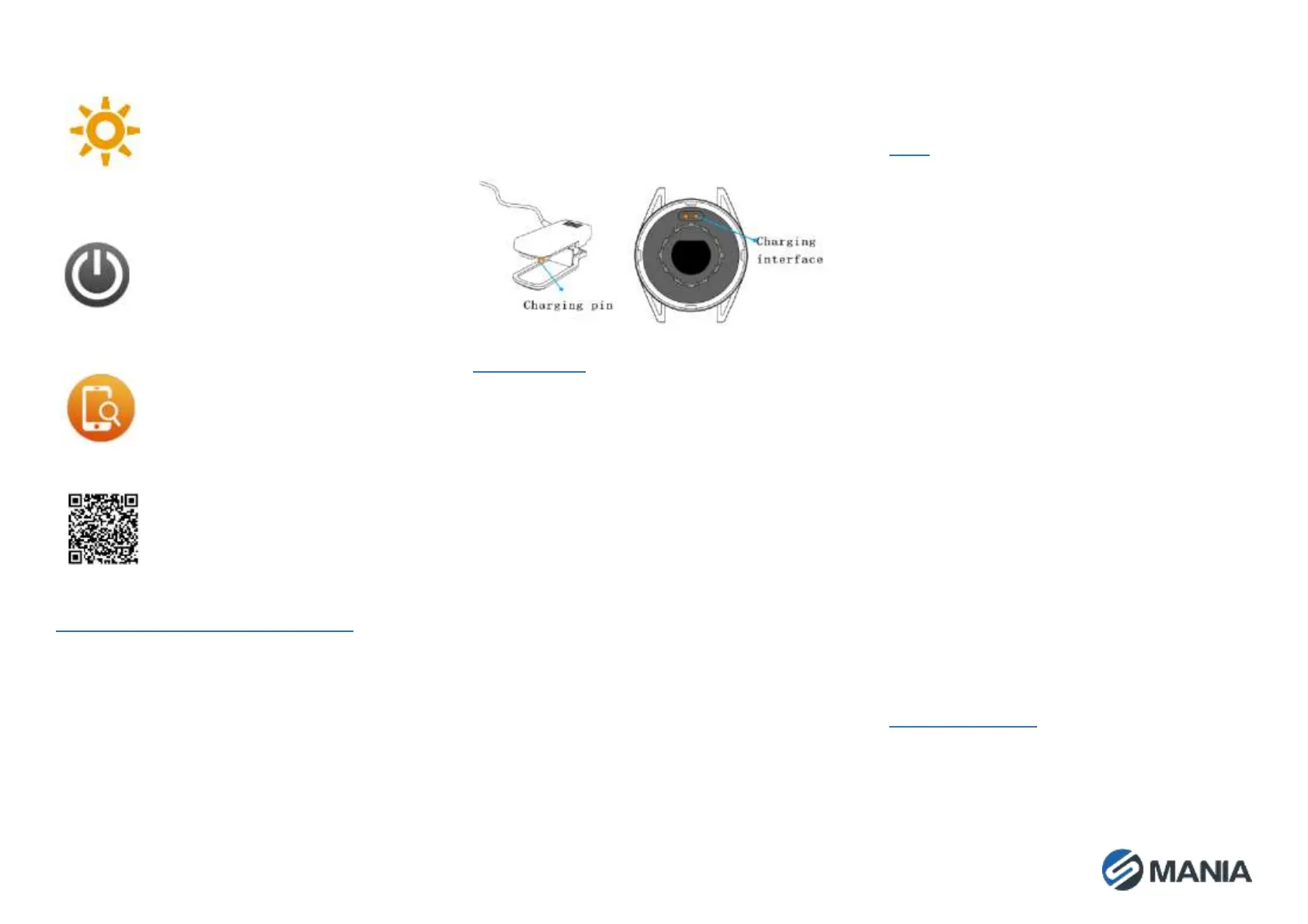
CHARGING THE SMARTWATCH
When you start using this product, if the battery is
low or the battery is exhausted, please charge it
first. This product uses a dedicated USB charging
clamp for charging. Align the 2 pins on the
charging clamp with the charging interface of the
smartwatch to charge the battery.
The input voltage is required to be 5V/1A or 5V/2A.
When charging starts, the device indicator flashes,
and the main page shows the charging status.
The charging method is as shown below:
USAGE TIPS
• Due to the high water temperature while
bathing, vapor can easily enter the device
in a gaseous state to condense and
damage the circuit board. It is strictly
forbidden to expose the smartwatch to
contact with benzene-based, thinners,
strong acids or alkali, and other chemicals,
which would cause erosion of the
equipment.
• Electronic products should not be close
to strong magnetic fields.
• Dispose of the packaging, batteries, and
electronic products according to local
policies.
• Due to Android restrictions, when the
Walkfit application runs in the background,
incoming calls, message alerts, and GPS
motion functions may not work properly.
Power consumption protection and self-
startup system privileges need to be turned
on.
FAQ
1. Can't find the smartwatch when binding or
can't connect?
• Please check if the watch has battery.
When the power is seriously lower than
the safe value, the Bluetooth signal is
weak.
• Please confirm that your phone has
Bluetooth enabled and make sure that
the watch and the phone are no more
than 0–5 meters apart.
• The problem can be solved only after the
Bluetooth of some mobile phones is
restarted.
2. Why can't I receive a call or a reminder?
• Some mobile phone systems will
forcibly turn off the background app,
and need to be placed onto the
exceptions list of the mobile phone
system.
• Confirm that the app's push message
switch has been turned on. If it is not
turned on, please enable the push
function and related permissions.
MAINTENANCE
• Clean the smartwatch regularly, especially
its inner side, and keep it dry.
• Adjust the tightness of the smartwatch
strap to ensure aeration.


 To Next Page
 Loading...