EasyManua.ls Logo

Manta 24LHN79T - User Manual

Manta 24LHN79T
80 pages
Print Icon
To Next Page IconTo Next Page
Loading...
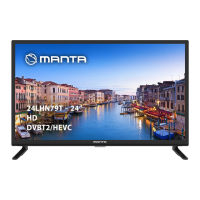
LED TV
24LHN79T
IOTUSVLDKBPCTVHJ
6TFSNBOVBM
.BOVBMEPVTVÈSJP
.BOVBMEFVTVBSJP
)BT[OÈMBUJVUBTÓUÈT
/BWPEJMB[BVQPSBCP
32LHS89T

Table of Contents

Question and Answer IconNeed help?

Do you have a question about the Manta 24LHN79T and is the answer not in the manual?

Summary

Introduction

Safety Precautions

Covers product safety, power, cords, environment, and wall mounting.

Product Handling & Care

Instructions on product placement, ventilation, cleaning, and screen care.

TV Buttons Overview

Explains the function of physical buttons on the TV set.

Connectivity Sockets

Details various input/output connections like HDMI, USB, AV, etc.

Remote Control Functions

Explains the function of each button on the remote control.

General Operation

Switching On and Off

Guides on how to power the TV on and put it into standby mode.

Menu Navigation Basics

How to access and navigate the TV's main menu system.

Channel Management

Procedures for selecting channels, auto/manual tuning, and program editing.

Picture Settings - Core Adjustments

Adjustments for Picture Mode, Contrast, Brightness, Color, Tint, and Sharpness.

Picture Settings - Advanced Features

Details on Color Temp, Noise Reduction, and HDMI Mode.

Sound Settings

Adjustments for Sound Mode, Treble, Bass, Balance, Auto Volume, and SPDIF Mode.

Time and Sleep Settings

Configuration for Time Zone, Sleep Timer, Auto Standby, and OSD Timer.

Security Lock Settings

Options for System Lock, Set Password, Channel Lock, Parental Guidance, and Key Lock.

Hotel Mode Configuration

Configuration options for Hotel Mode, Source Lock, Default Source, Program, and Volume.

Setup Menu Options

Settings for Language, TT Language, Audio/Subtitle Languages, Hearing Impaired, PVR File System, Aspect Ratio, Reset, Software Update, Environment, and HDMI CEC.

Initial Setup Wizard

Step-by-step guide for initial TV setup including language, country, and tuning.

Advanced Functions

USB Media Playback Overview

Connect USB device and navigate media menu (PHOTO, MUSIC, MOVIE, TEXT).

Playing Photos from USB

How to select, play, and navigate photo files from USB.

Playing Music from USB

How to select, play, and navigate music files from USB.

Playing Movies from USB

How to select, play, and navigate movie files from USB.

Playing Text Files from USB

How to select and display text files from USB.

USB Playback FAQs & Attention

File format support, USB device usage, and common playback issues.

Other Information

Troubleshooting Guide

Solutions for no picture/sound, no color, remote issues, and poor picture quality.

Signal Interference Issues

Addresses snowy dots, ripples, ghosting, and radio frequency interference.

Base Installation

Instructions for attaching the TV's support base using screws.

Summary

Introduction

Safety Precautions

Covers product safety, power, cords, environment, and wall mounting.

Product Handling & Care

Instructions on product placement, ventilation, cleaning, and screen care.

TV Buttons Overview

Explains the function of physical buttons on the TV set.

Connectivity Sockets

Details various input/output connections like HDMI, USB, AV, etc.

Remote Control Functions

Explains the function of each button on the remote control.

General Operation

Switching On and Off

Guides on how to power the TV on and put it into standby mode.

Menu Navigation Basics

How to access and navigate the TV's main menu system.

Channel Management

Procedures for selecting channels, auto/manual tuning, and program editing.

Picture Settings - Core Adjustments

Adjustments for Picture Mode, Contrast, Brightness, Color, Tint, and Sharpness.

Picture Settings - Advanced Features

Details on Color Temp, Noise Reduction, and HDMI Mode.

Sound Settings

Adjustments for Sound Mode, Treble, Bass, Balance, Auto Volume, and SPDIF Mode.

Time and Sleep Settings

Configuration for Time Zone, Sleep Timer, Auto Standby, and OSD Timer.

Security Lock Settings

Options for System Lock, Set Password, Channel Lock, Parental Guidance, and Key Lock.

Hotel Mode Configuration

Configuration options for Hotel Mode, Source Lock, Default Source, Program, and Volume.

Setup Menu Options

Settings for Language, TT Language, Audio/Subtitle Languages, Hearing Impaired, PVR File System, Aspect Ratio, Reset, Software Update, Environment, and HDMI CEC.

Initial Setup Wizard

Step-by-step guide for initial TV setup including language, country, and tuning.

Advanced Functions

USB Media Playback Overview

Connect USB device and navigate media menu (PHOTO, MUSIC, MOVIE, TEXT).

Playing Photos from USB

How to select, play, and navigate photo files from USB.

Playing Music from USB

How to select, play, and navigate music files from USB.

Playing Movies from USB

How to select, play, and navigate movie files from USB.

Playing Text Files from USB

How to select and display text files from USB.

USB Playback FAQs & Attention

File format support, USB device usage, and common playback issues.

Other Information

Troubleshooting Guide

Solutions for no picture/sound, no color, remote issues, and poor picture quality.

Signal Interference Issues

Addresses snowy dots, ripples, ghosting, and radio frequency interference.

Base Installation

Instructions for attaching the TV's support base using screws.

Manta 24LHN79T Specifications

General IconGeneral
Screen Size24 inches
Resolution1366 x 768
Display TypeLED
HDMI Ports2
USB Ports1
Brightness200 cd/m²
Contrast Ratio3000:1
Audio Output2 x 3W
Aspect Ratio16:9
Refresh Rate60 Hz
Built-in SpeakersYes
Power Consumption36W

Related product manuals