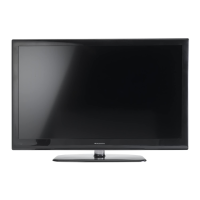
Need help?
Do you have a question about the Manta LED1902 and is the answer not in the manual?
Details warnings on high voltage, modifications, heat sources, liquid spills, and product placement.
Warns about earphone volume, disconnecting power during storms, and overloading outlets.
Emphasizes using manufacturer-specified parts and performing safety checks after service.
Covers electrical shock, RF energy, and general usage precautions with symbols and explanations.
Advises on minimum distances for ventilation and cautions against unstable placement.
Advises on avoiding heat, sunlight, and precautions for displaying still images.
Guides on placement, avoiding extreme conditions, and electrical insulation requirements.
Lists specific safety tips for operation, cleaning, and avoiding damage.
Provides guidelines for placing the TV on a firm surface with adequate spacing for ventilation.
Illustrates and describes various input/output ports on the rear panel of the TV.
Details the functions of various buttons on the remote control for TV operation.
Describes functions like P.MODE, S.MODE, P.SIZE, SUBTITLE, REC, TIME SHIFT, and TEXT.
Covers adjusting Picture Mode, Brightness, Contrast, Sharpness, Colour, Tint, and Aspect Ratio.
Details adjustments for Sound Mode, Bass, Treble, Balance, Surround, and AVL.
Covers channel management, favourite management, country selection, and auto search.
Explains how to use the EPG to view schedules, including daily, weekly, and extended modes.
Guides on starting standard recording for DTV programs and handling device speed issues.
Introduces the PVR function, its menus, recording flow, playback, and restrictions.
Explains how to activate and use TimeShift, including manual and automatic modes.
Provides solutions for common issues like no sound/picture, interference, and remote control malfunctions.
Addresses problems like 'no signal' and 'Mode Not Supported' messages in PC mode.
Guides on checking HDMI output enablement and connections.
Lists supported video containers, decoders, and maximum resolutions for USB playback.
Lists input/output ports like VGA, HDMI, CVBS, SCART, USB and their technical details.
Details panel size, resolution, color numbers, power consumption, and audio amplifier specs.

 To Next Page
 General