6
5
7
89
4
3
2
1
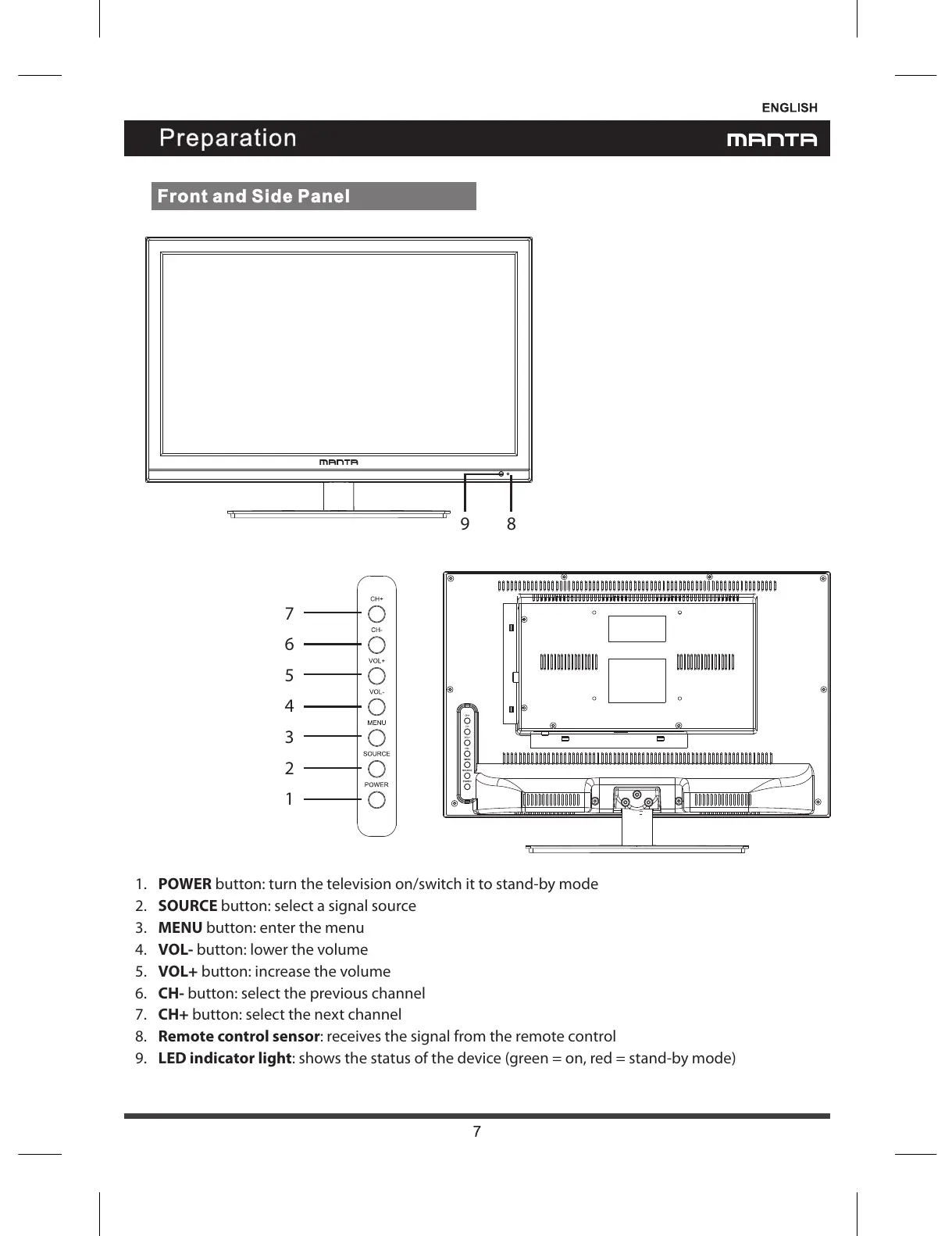
1. POWER button: turn the television on/switch it to stand-by mode
2. SOURCE button: select asignal source
3. MENU button: enter the menu
4. VOL- button: lower the volume
5. VOL+ button: increase the volume
6. CH- button: select the previous channel
7. CH+ button: select the next channel
8. Remote control sensor: receives the signal from the remote control
9. LED indicator light: shows the status of the device (green = on, red = stand-by mode)


 To Next Page